



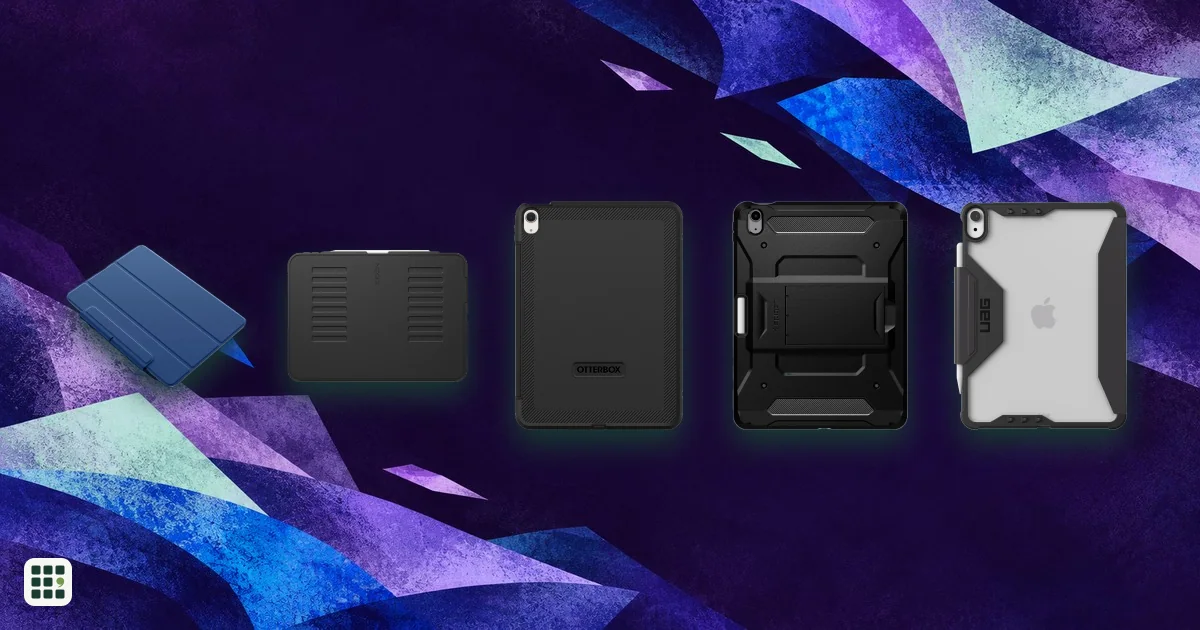
11-inch iPad Air cases
Compare current 11-inch iPad Air cases by exact model fit, camera access, Pencil attachment and charging, stand design, protection, price, and added weight.
Last updated
How to choose
Check the model number in Settings before ordering: the 11-inch iPad Air M4 uses A3459, A3460, or A3463; M3 uses A3266, A3267, or A3270; M2 uses A2902, A2903, or A2904. Apple’s model list maps those codes to generations. Choose a case that names your exact generation; a matching screen size alone does not confirm camera cutout alignment.
Compare the rear camera opening and port access on the maker’s product page, especially when ordering a case advertised for several generations. Pencil holders, magnetic attachment, and wireless charging are separate features: check which the maker states, and whether its case exposes the magnetic charging edge. Tri-fold and magnetic folios cover the display and fold into viewing positions; a built-in screen protector offers another layer but can change the feel of touch input. Rugged shells add bulk. Compare the added case weight with how often you hold or carry the iPad, and check stand positions against typing, drawing, portrait viewing, and video use.
Answer
Browse the table. Filter to what matters.
Use the filters below, then sign in if you want to shortlist and decide with friends.
Sign in to vote, hide products and features, and reorder.
Verified: hover a cell and click its green dot for the source Estimate: no cited source Not stated: the maker doesn't publish it
| Feature | ⠿ | ⠿ | ⠿ | ⠿ | ⠿ | ⠿ | ⠿ |
|---|---|---|---|---|---|---|---|
|
⠿
Price
|
|||||||
|
⠿
Verified iPad fit
|
|||||||
|
⠿
Camera access
|
|
|
|
|
|
|
|
|
⠿
Pencil attachment and charging
|
Magnetic side attachment and charging edge exposed; no holder
|
||||||
|
⠿
Stand design
|
|||||||
|
⠿
Added weight
|
8.82 oz
|
12.66 oz
|
|||||
|
⠿
Screen protection
|
Magnetic front folio cover; no built-in protector
|


Why these features matter
-
Price ($)
Regular price makes options comparable after short-lived promotions.
-
Verified iPad fit
Cases for similarly sized iPads can have different button and camera cutouts.
-
Camera access
A misaligned opening can obstruct the camera or flash.
-
Pencil attachment and charging
A holder prevents a loose Pencil; edge clearance matters for magnetic charging.
-
Stand design
Stand positions affect typing, drawing, video calls, and portrait viewing.
-
Added weight (oz)
Heavier shells add protection but are less comfortable to carry and hold.
-
Screen protection
A folio closes over the display; a built-in protector adds coverage even when the case is open.
About the products
-
Smart Folio · Apple
A slim magnetic folio for the current M4 Air; covers the front and folds for viewing. Apple lists this fit for the M4 generation.
-
Rebound Magnetic Case · ESR
A light magnetic tri-fold folio with a Pencil clasp and recessed groove for magnetic charging. Currently listed at $23.99, below its $27.99 regular price.
-
iPad Air 11 Case · ZUGU
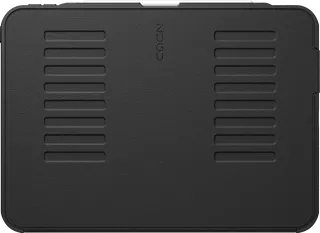
A folio and magnetic kickstand case with eight viewing angles, Pencil charging and storage, and a stated 5-foot drop rating.
-
Defender Series · OtterBox
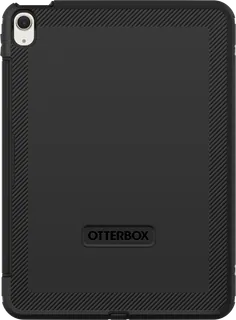
A bulky multi-layer case with built-in screen protector, port covers, Pencil storage, and a four-position stand.
-
Tough Armor Pro · Spigen
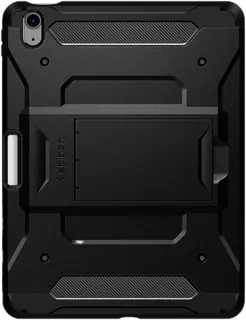
A dual-layer shell with a built-in kickstand and raised screen and camera edges; compatible with M2, M3, and M4 Air models.
-
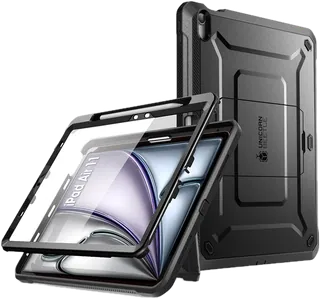
Unicorn Beetle Pro · SUPCASE
A rugged shell with built-in screen protector, port covers, a kickstand, and Pencil holder.
-
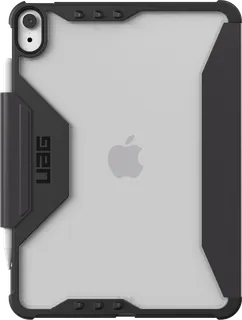
Plyo LT · Urban Armor Gear
A translucent-back folio with a stand, Pencil holder, raised screen surround, and soft corners; lighter-duty than a full rugged shell.
Suggest a change
Related comparisons
-
 13-inch iPad Air cases
 range from thin magnetic folios to heavier rugged shells with adjustable stands. Check the exact Air generation first, then compare how much of the tablet is enclosed, the available viewing positions, Pencil storage and charging, and added weight.
-
 11-inch iPad Pro cases
Compare fitted folios, adjustable stands and rugged cases for the 11-inch iPad Pro. Exact generation fit matters: M4 and M5 cases are not interchangeable with older 11-inch Pro cases.
-
 13-inch iPad Pro cases
Compare fitted folios, protective bumpers, and stand cases for the 13-inch iPad Pro. The key trade-offs are slimness versus drop protection, useful stand positions, Pencil storage and charging access, camera coverage, and the added weight. Check the exact M5 or M4 model before buying.
-
 Galaxy S25 cases
Cases made for the standard Galaxy S25 range from slim and clear covers to rugged designs with built-in magnets. Check exact phone fit, charging and accessory compatibility, camera and button access, and the limits of each maker’s drop claim.
-
 Galaxy S26+ cases
Compare Galaxy S26+ phone cases by style, fit, magnets, wireless charging, and the protection claims each maker publishes.
-
 iPhone 17 Pro Max cases
 range from clear, slim shells to rugged and leather designs. Compare exact device fit, charging and magnetic support, camera and button access, and each maker’s impact claim; drop ratings use different methods.