



Cloud storage
Compare popular personal cloud storage services on free space, entry plan cost, device sync, sharing, encryption, and lifetime plans. The headline storage amount can be shared with email and photos, and privacy protections differ by service and settings.
Last updated
How to choose
Start with the account and devices you already use. Google Drive, OneDrive, and iCloud can share storage with other services in their ecosystems; Dropbox and Proton Drive focus more directly on file storage and syncing.
Check the real storage pool
Free storage may also cover email, photos, or backups. Google’s quota is shared by Drive, Gmail, and Photos; Microsoft storage also includes OneDrive files and Outlook attachments. Apple iCloud storage covers files and other iCloud data. Check your current usage before choosing a plan.
Compare prices by capacity
The entry paid plans vary considerably in capacity. Compare both the price and the storage amount you need. Prices here are U.S. direct list prices observed on October 21, 2026; billing periods and regional prices differ.
Choose how you share and protect files
All nine services offer file sharing, though invitation controls and link settings vary. Standard encryption at rest and in transit does not mean the provider lacks access to file contents. Proton Drive and Sync.com use end-to-end encryption by default; pCloud and Icedrive offer client-side encryption as an add-on or for a dedicated encrypted folder. Apple offers it for iCloud Drive when Advanced Data Protection is enabled; that changes recovery options and some sharing behavior.
Before moving a large archive, test syncing on each device, share a sample folder, and confirm how you can recover your account and download your files if you cancel.
Subscription or lifetime
pCloud and Icedrive sell one-time lifetime plans in addition to subscriptions. They can cost less over several years, but your files depend on the provider staying in business.
Answer
Browse the table. Filter to what matters.
Use the filters below, then sign in if you want to shortlist and decide with friends.
Sign in to vote, hide services and features, and reorder.
Verified: hover a cell and click its green dot for the source Estimate: no cited source Not stated: the company doesn't publish it
| Feature | ⠿ | ⠿ | ⠿ | ⠿ | ⠿ | ⠿ | ⠿ | ⠿ | ⠿ |
|---|---|---|---|---|---|---|---|---|---|
|
⠿
Price
|
$2.99/month
|
||||||||
|
⠿
Entry plan storage
|
|||||||||
|
⠿
Free storage
|
Up to 10 GB
|
||||||||
|
⠿
Sync platforms
|
|||||||||
|
⠿
Sharing and collaboration
|
|||||||||
|
⠿
Encryption
|
|||||||||
|
⠿
End to end encrypted by default
|
|
|
|
|
|
|
|
||
|
⠿
Lifetime plan
|
|
|
|
|
|
|
|
||
|
⠿
Linux app
|
|
|
|
|
|
|







Why these features matter
-
Price ($/month)
The cheapest paid plan is what it costs to grow past the free tier. Compare it with Entry plan storage: a low price can buy far less space, and annual billing is often cheaper.
-
Entry plan storage (GB)
Shows how much space the entry price buys. If you only need a little more than the free quota, a small cheap plan beats a large one.
-
Free storage
A free quota may be enough for documents, but email, photos, or backups can consume it too.
-
Sync platforms
Check that the service works on the devices you use, especially if you need desktop sync.
-
Sharing and collaboration
Sharing links are convenient, while account-based invitations and edit controls can be better for ongoing collaboration.
-
Encryption
With end-to-end encryption, the provider cannot decrypt ordinary file contents; recovery and sharing may work differently.
-
End to end encrypted by default
If the provider cannot read your files, a breach or legal demand exposes less. The trade-off is that a lost password can mean lost files, and some web features such as previews may be limited.
-
Lifetime plan
A one-time payment can beat years of subscription fees, but it ties your files to the provider staying in business.
-
Linux app
Linux users cannot sync a folder automatically without an official app, and have to rely on the web or third-party tools.
About the services
-
Google Drive · Google
Drive is part of Google’s account storage pool, shared with Gmail and Google Photos. Google One Basic adds 100 GB for $1.99 per month.
-
Dropbox · Dropbox
Dropbox Basic starts with 2 GB free; Plus raises the limit to 2 TB for one person at $11.99 per month, or $9.99 per month billed yearly. It emphasizes cross-device file sync and sharing.
-
OneDrive · Microsoft
OneDrive is integrated with Microsoft accounts and Outlook. Microsoft 365 Basic provides 100 GB for $1.99 monthly or $19.99 yearly.
-
iCloud Drive · Apple
iCloud Drive syncs files across Apple devices, with iCloud+ storage also usable for backups, photos, and other iCloud data. Advanced Data Protection is optional.
-
Proton Drive · Proton
Proton Drive offers end-to-end encrypted file storage. Its free tier includes 5 GB; Drive Plus adds 200 GB for $4.99 per month.
-
pCloud · pCloud
Swiss-based storage sold as a monthly or annual subscription or as a one-time lifetime plan. Client-side zero-knowledge encryption costs extra.
-
Sync.com · Sync.com
Canadian service with end-to-end encryption built in, 5 GB free, and paid plans from 1 TB to unlimited storage. Introductory first-year discounts apply.
-
Icedrive · Icedrive
Zero-knowledge client-side encrypted storage with a 10 GB free tier and lifetime plans; encryption applies to files placed in its encrypted space.
-
MediaFire · MediaFire
File hosting and sharing service with a 10 GB ad-supported free tier and 100 GB to 1 TB paid plans. Built for sharing links, not end-to-end privacy.
Suggest a change
Related comparisons
-
 VPN services
Compare 10 consumer VPN services, from NordVPN, Surfshark and ExpressVPN to privacy-first Mullvad, IVPN and Proton VPN, on monthly and yearly price, device limits, network size, jurisdiction, audits, privacy features and refund terms.
-
 Virtual phone numbers
A virtual phone number gives you a second line in an app, so you can keep your personal number private or give a business a professional number without a second phone. This grid compares seven US options on price, calling and texting, team features, voicemail, call recording and integrations.
-
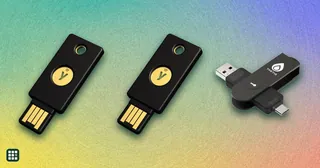 Hardware security keys
 compared: YubiKeys, Google Titan, Feitian, Nitrokey, Token2 and other FIDO2 keys that stop phishing and can replace passwords with passkeys. The choice comes down to the ports and phones you use, how many passkeys the key can hold, whether you need extras like smart card, OpenPGP or OTP codes for work, and whether you want a fingerprint reader, FIPS certification or open-source firmware.
-
 Endpoint security software
 protects the laptops, desktops, servers, and phones a business runs, stopping malware and ransomware and, on higher tiers, adding detection and response (EDR) and 24/7 managed monitoring (MDR). This grid compares seven widely used business options: CrowdStrike Falcon, Microsoft Defender for Business, Bitdefender GravityZone, Sophos Endpoint, ThreatDown, ESET Protect, and Huntress Managed EDR. The real trade-offs are how pricing works (per device or per user, or by quote), how much detection and response you get, and whether you want a managed service.
-
 Identity and access management (SSO) software
Identity and access management (IAM) software lets employees sign in once to every work app (single sign-on, SSO) and protects those logins with multi-factor authentication. Vendors differ in how much they bundle: some stop at SSO and MFA, others add automated user provisioning, device management, privileged access and access reviews. The decision is how much of that you need now, what you pay per user, and whether you are locked into annual billing.
-
 Parental control software
Parental control apps compared with the free tools built into iPhones, Android and Windows: screen time limits, web and app filtering, activity reports, social media and text monitoring, and location. The real differences are which devices each one covers, how much it can see on iPhones versus Android, how easily kids can get around it, and how much monitoring feels right for your family.