



Hardware security keys
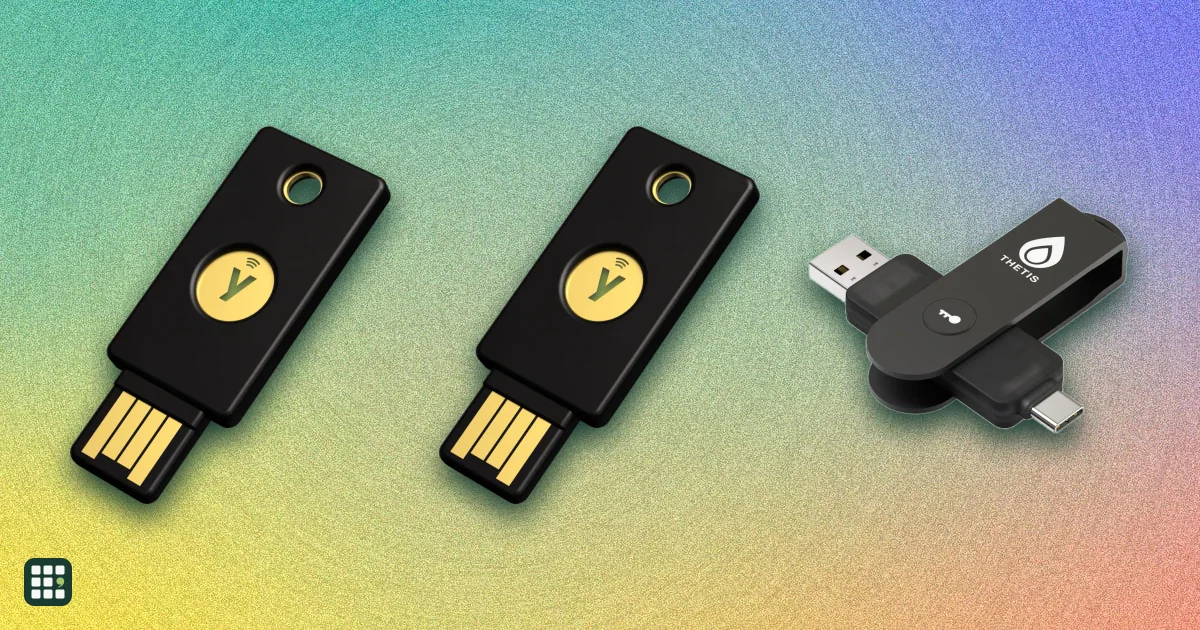
Hardware security keys compared: YubiKeys, Google Titan, Feitian, Nitrokey, Token2 and other FIDO2 keys that stop phishing and can replace passwords with passkeys. The choice comes down to the ports and phones you use, how many passkeys the key can hold, whether you need extras like smart card, OpenPGP or OTP codes for work, and whether you want a fingerprint reader, FIPS certification or open-source firmware.
Last updated
How to choose
Why a hardware key
A security key proves who you are with a tap, and it will not sign in to a fake look-alike site, so it blocks phishing that defeats text-message and app codes. With FIDO2 passkeys it can replace your password entirely on Google, Apple, Microsoft and many other services.
Match the connector to your devices
- Most current laptops, iPhones and Android phones use USB-C; a USB-C key with NFC covers nearly everything.
- Older desktops need USB-A. NFC lets you tap the key on phones instead of plugging in.
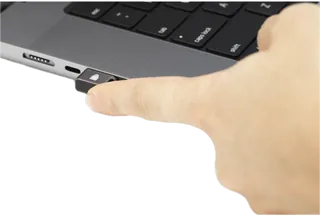
- Nano keys stay in a laptop port permanently; they are convenient for one machine but awkward to move.
Buy two
Register a backup key on every account and keep it somewhere safe. If you lose your only key and have no other recovery method, getting back into an account can take days or fail.
Check passkey capacity
Each passkey you save takes a slot. Older or budget keys hold 25 or fewer; newer keys hold 100 or more. Second-factor (U2F) logins do not use slots.
Extras you may or may not need
- Smart card (PIV), OpenPGP and OTP: useful for work logins, SSH and code signing, email encryption, and services that only support codes. Simple FIDO-only keys are cheaper.
- Fingerprint reader: replaces typing a PIN, handy on shared computers.
- FIPS validation: required by some government and regulated employers; home users can skip it.
- Open-source firmware: lets anyone audit the code; closed firmware relies on the maker and its certifications.
Before you buy
Buy from the maker or an authorized seller rather than a marketplace reseller, set a PIN on the key, and add it to your email and password manager first, since they protect everything else.
Answer
Browse the table. Filter to what matters.
Use the filters below, then sign in if you want to shortlist and decide with friends.
Sign in to vote, hide products and features, and reorder.
Verified: hover a cell and click its green dot for the source Estimate: no cited source Not stated: the maker doesn't publish it
| Feature | ⠿ | ⠿ | ⠿ | ⠿ | ⠿ | ⠿ | ⠿ | ⠿ | ⠿ | ⠿ | ⠿ | ⠿ | ⠿ | ⠿ | ⠿ | ⠿ | ⠿ | ⠿ | ⠿ |
|---|---|---|---|---|---|---|---|---|---|---|---|---|---|---|---|---|---|---|---|
|
⠿
Price
|
$35
|
$30
|
$35
|
||||||||||||||||
|
⠿
Connectors
|
|||||||||||||||||||
|
⠿
NFC
|
|
|
|||||||||||||||||
|
⠿
Bluetooth
|
|
|
|
|
|
|
|
|
|
|
|
|
|
|
|
|
|
||
|
⠿
Fingerprint reader
|
|
|
|
|
|
|
|
|
|
|
|
|
|
|
|||||
|
⠿
FIDO2 passkeys
|
|||||||||||||||||||
|
⠿
FIDO U2F
|
|||||||||||||||||||
|
⠿
Passkey slots
|
|||||||||||||||||||
|
⠿
OTP
|
None
|
None
|
None
|
||||||||||||||||
|
⠿
Smart card PIV
|
|
|
|
|
|
||||||||||||||
|
⠿
OpenPGP
|
|
|
|
|
|
||||||||||||||
|
⠿
FIPS certified
|
|
|
|
|
|
|
|
|
|
||||||||||
|
⠿
Open source firmware
|
|
|
|
|
|||||||||||||||
|
⠿
Firmware upgradable
|
|
|
|||||||||||||||||
|
⠿
Water resistance
|
|||||||||||||||||||
|
⠿
iPhone and iPad
|
USB-C and NFC
|
USB-C and Lightning
|
USB-A only (adapter needed; no NFC)
|
USB-C only
|
USB-C only (maker says built for desktops)
|
USB-C and NFC
|
USB-C and NFC
|
NFC only
|
USB-C only
|
USB-C and NFC
|
|||||||||
|
⠿
Warranty
|
1 year
|
Why these features matter
-
Price ($)
Security experts recommend owning two keys (one as a backup), so double the price for a realistic budget.
-
Connectors
Match your devices: most new laptops and phones use USB-C; older PCs need USB-A; older iPhones used Lightning.
-
NFC
NFC lets you tap the key on most phones instead of plugging it in.
-
Bluetooth
Bluetooth keys work wirelessly but need charging and are less widely supported.
-
Fingerprint reader
A fingerprint replaces typing a PIN; it helps on shared or kiosk computers but costs more.
-
FIDO2 passkeys
FIDO2 is what lets the key replace your password entirely on Google, Apple, Microsoft and many sites.
-
FIDO U2F
U2F covers older sites and services that use the key only as a second factor after a password.
-
Passkey slots
Each passkey uses a slot; 25 fills quickly if you use passkeys everywhere, while 100+ lasts.
-
OTP
OTP support lets the key generate codes for services that do not support FIDO, with the secrets stored on the key.
-
Smart card PIV
PIV is used for corporate and government logins, Windows and macOS smart card login, and code signing.
-
OpenPGP
OpenPGP lets you keep email encryption and SSH or Git signing keys on the hardware.
-
FIPS certified
US government and regulated industries often require FIPS-validated keys; home users do not need it.
-
Open source firmware
Open firmware can be audited by anyone; closed firmware relies on the maker and its certifications.
-
Firmware upgradable
Updatable keys can gain features and fixes; fixed firmware cannot be altered by malware but must be replaced if a flaw is found.
-
Water resistance
Keys live on keychains; a sealed, crush-resistant key survives the laundry and drops.
-
iPhone and iPad
Apple supports security keys for Apple Account and passkeys over NFC, USB-C or Lightning; check your phone has the right port.
-
Warranty
Keys are cheap to replace but you need your backup key ready if one fails.
About the products
-
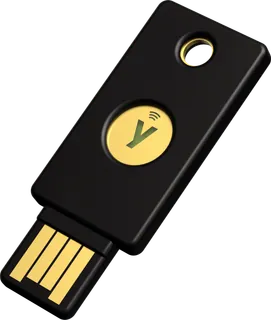
YubiKey 5 NFC · Yubico
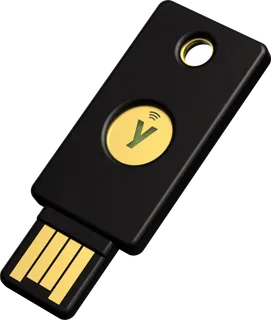
Yubico's all-protocol key for USB-A computers that also taps on phones over NFC; stores 100 passkeys plus PIV, OpenPGP and OTP. No USB-C, so newer laptops need an adapter.
-
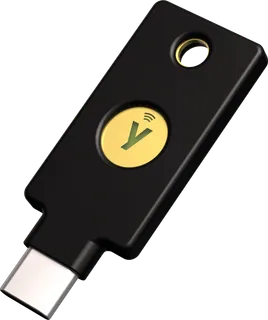
YubiKey 5C NFC · Yubico
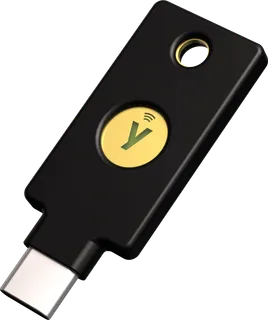
The most versatile everyday pick for USB-C laptops and phones: plug in or tap over NFC, with passkeys, PIV, OpenPGP and OTP on one key. Costs about twice a FIDO-only key.
-
YubiKey 5Ci · Yubico
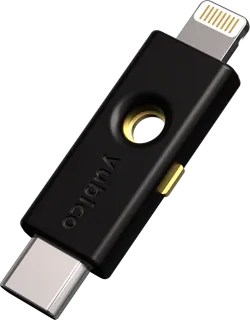
Dual USB-C and Lightning connectors for owners of older Lightning iPhones and iPads; full YubiKey 5 protocols. No NFC, and the priciest standard YubiKey.
-
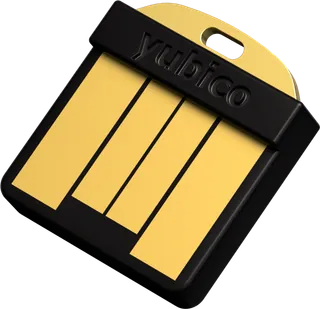
YubiKey 5 Nano · Yubico
A tiny USB-A key meant to stay plugged into a desktop or older laptop; full YubiKey 5 protocols. No NFC, so it will not work with phones.
-
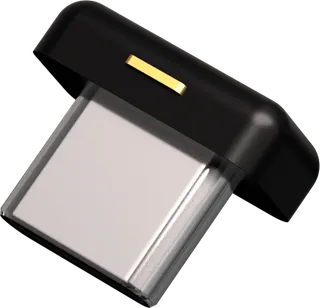
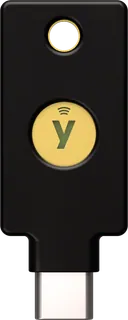
YubiKey 5C Nano · Yubico
A fingernail-size USB-C key that lives in a laptop port; full YubiKey 5 protocols. No NFC, and easy to lose if removed.
-
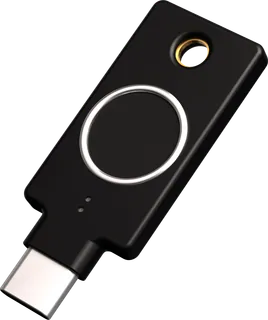
YubiKey C Bio - FIDO Edition · Yubico
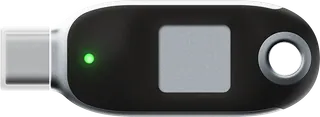
USB-C key with a fingerprint sensor, so you touch to sign in instead of typing a PIN; aimed at desktops. FIDO only (no OTP, PIV or OpenPGP) and no NFC.
-
Security Key NFC by Yubico · Yubico
Yubico's low-cost FIDO-only key for USB-A computers with NFC for phones; holds 100 passkeys. Lacks the OTP, PIV and OpenPGP features of the YubiKey 5.
-
Security Key C NFC by Yubico · Yubico
The budget pick for USB-C devices: passkeys and U2F over USB-C or NFC with 100 passkey slots. FIDO only, so no OTP codes, PIV smart card or OpenPGP.
-
YubiKey 5C NFC FIPS (140-3) · Yubico
FIPS 140-3 validated version of the 5C NFC for government and regulated workplaces. Costs more than the standard 5C NFC and its spec sheet lists no FIDO U2F; home users do not need it.
-
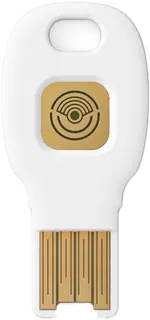
Titan Security Key USB-C/NFC · Google
Google's FIDO2 key for USB-C laptops and phones with NFC; stores up to 250 passkeys and works with Google's Advanced Protection Program. FIDO only: no OTP, PIV or OpenPGP.
-
Titan Security Key USB-A/NFC · Google
Google's lower-cost USB-A version with NFC for phones and a USB-C adapter in the box; up to 250 passkeys. FIDO only, and on iPhone it works over NFC.
-
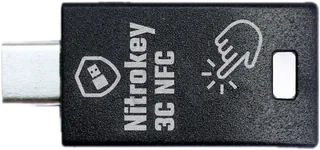
Nitrokey 3C NFC · Nitrokey
Open-source key from Germany that adds OpenPGP, PIV, OTP and a password safe to FIDO2, for privacy-minded and technical users. Passkey storage is small (about 25 on the NFC models), and it ships from Germany priced in euros. Nitrokey sells it direct in euros only (€65, November 2026); no US dollar price is published.
-
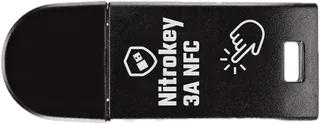
Nitrokey 3A NFC · Nitrokey
USB-A version of the open-source Nitrokey 3 NFC, with OpenPGP, PIV, OTP and FIDO2 for older PCs; on iPhone it works by NFC only. Passkey storage is small (about 25), and it ships from Germany priced in euros. Nitrokey sells it direct in euros only (€60, November 2026); no US dollar price is published.
-
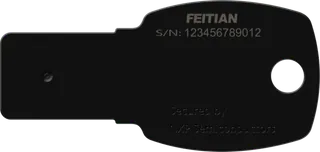
ePass FIDO-NFC K9B (USB-A) · Feitian
Low-cost USB-A key with NFC from a long-time FIDO maker, covering FIDO2, U2F and HOTP/TOTP. It has no PIV or OpenPGP, the firmware cannot be updated, and Feitian does not publish a passkey limit. Feitian says it has no limit on the number of accounts registered, rather than a set number of passkey slots.
-
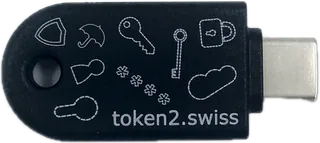
Token2 PIN+ Release3.3 Type-C · Token2
Very cheap, thin USB-C and NFC key from Switzerland that holds up to 300 passkeys and adds PIV, OpenPGP and TOTP. Firmware cannot be updated (new features come as new models), it is not FIPS certified, and it ships from Europe.
-
BioPass FIDO2 K26 (USB-C) · Feitian
USB-C fingerprint key that verifies you on the key itself instead of with a PIN, for FIDO2 and U2F logins. It has no NFC, OTP or PIV (the K26+ adds PIV), so it suits laptops and USB-C phones rather than tap-to-login.
-
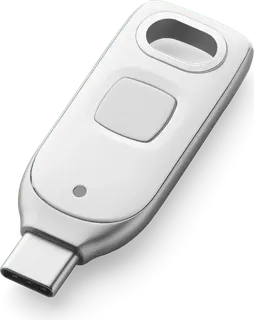
VeriMark Guard 2.1 USB-C Fingerprint Security Key · Kensington
USB-C fingerprint security key aimed at Windows and Microsoft Entra users, now on CTAP 2.1, storing up to 10 fingerprints. It has no NFC, OTP, PIV or OpenPGP, and fingerprint setup on some services needs a Windows PC.
-
OnlyKey DUO · CryptoTrust
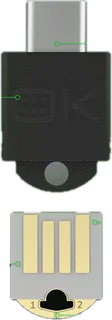
Open-source key with both USB-C and USB-A plugs that combines FIDO2/U2F with a hardware password manager, TOTP, Yubico OTP and OpenPGP/SSH. It stores only 12 passkeys and has no NFC, so phones need a USB connection.
-
Thetis PRO FIDO2 Security Key (USB-A, USB-C & NFC) · Thetis
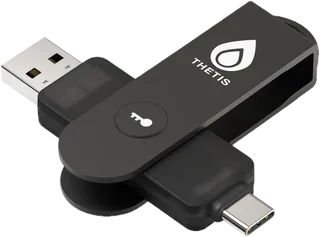
Budget fold-out key with both USB-A and USB-C plugs plus NFC, holding up to 200 passkeys and 50 TOTP/HOTP accounts. It is only FIDO2 L1 certified, has no PIV or OpenPGP, and OTP codes need the Thetis app.
Suggest a change
Related comparisons
-
 Virtual phone numbers
A virtual phone number gives you a second line in an app, so you can keep your personal number private or give a business a professional number without a second phone. This grid compares seven US options on price, calling and texting, team features, voicemail, call recording and integrations.
-
 Cloud storage
Compare popular personal cloud storage services on free space, entry plan cost, device sync, sharing, encryption, and lifetime plans. The headline storage amount can be shared with email and photos, and privacy protections differ by service and settings.
-
 VPN services
Compare 10 consumer VPN services, from NordVPN, Surfshark and ExpressVPN to privacy-first Mullvad, IVPN and Proton VPN, on monthly and yearly price, device limits, network size, jurisdiction, audits, privacy features and refund terms.
-
 Video doorbells
Compare 30 current video doorbells across battery, wired, and Power over Ethernet installations. Rows cover recording location, subscription costs, wiring, package view, chimes, privacy, and installation requirements. Confirm transformer and chime compatibility before ordering.
-
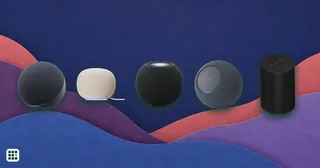 Smart speakers
Compare smart speakers from Amazon (Echo), Google, Apple (HomePod) and Sonos sold in the US, from about $40 to $500. The first choice is the voice assistant, since it ties you to Alexa, Google or Apple for music and smart home control. After that the trade-offs are sound (driver count, woofer size, Dolby Atmos), smart home hub radios (Matter, Thread, Zigbee), and privacy controls such as a hardware mic switch.
-
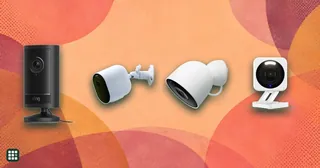 Security cameras
Home security cameras let you check on your home from your phone, get alerts when someone arrives, and keep video of what happened. This grid compares current indoor and outdoor cameras from Ring, Blink, Arlo, Google Nest, Wyze, eufy, TP-Link Tapo and Reolink on price, power, resolution, field of view, night vision, local storage, subscription cost and smart-home support. The real trade-offs are monthly fees against local storage, battery convenience against wired reliability, and cheap hardware against privacy and polish.