



Time tracking software
Compare 32 time tracking products across 31 features, including billing, timesheet approvals, offline capture, GPS boundaries, privacy and monitoring, payroll, job costing, and workforce scheduling. Covers project timers, hourly-team attendance, field time clocks, and enterprise workforce tools.
Last updated
How to choose
First decide what the time record is for. Project teams need client rates, budgets, approvals, and invoices; hourly teams need clock-in methods, schedules, breaks, overtime, and payroll export; field crews need job codes and reliable offline punches. Compare a full month at your employee count, including base fees, kiosk-only seats, implementation, and the payroll product you already use.
Test time entry with a worker, supervisor, and payroll administrator. Check how missed punches are corrected, whether employees can see and dispute their own records, who approves timesheets, and what happens after approval. For offline work, confirm which events are queued on-device, whether timestamps or locations are preserved, and how conflicts are resolved when service returns.
Set privacy requirements before enabling GPS, geofences, screenshots, app or URL monitoring, biometrics, or automatic activity detection. Ask exactly when collection runs, what employees can see, how long data is retained, how managers access it, and which features can be turned off. Review the vendor's security documentation and confirm local labor and privacy rules with qualified counsel.
Answer
Browse the table. Filter to what matters.
Use the filters below, then sign in if you want to shortlist and decide with friends.
Sign in to vote, hide services and features, and reorder.
Verified: hover a cell and click its green dot for the source Estimate: no cited source Not stated: the company doesn't publish it
| Feature | ⠿ | ⠿ | ⠿ | ⠿ | ⠿ | ⠿ | ⠿ | ⠿ | ⠿ | ⠿ | ⠿ | ⠿ | ⠿ | ⠿ | ⠿ | ⠿ | ⠿ | ⠿ | ⠿ | ⠿ | ⠿ | ⠿ | ⠿ | ⠿ | ⠿ | ⠿ | ⠿ | ⠿ | ⠿ | ⠿ | ⠿ | ⠿ |
|---|---|---|---|---|---|---|---|---|---|---|---|---|---|---|---|---|---|---|---|---|---|---|---|---|---|---|---|---|---|---|---|---|
|
⠿
Price
|
$100/month for 10 users
|
$78.90/month for 10 users
|
$44.99/month for 10 users
|
$50/month for 10 users
|
||||||||||||||||||||||||||||
|
⠿
Billing model
|
Base monthly fee plus a per-active-user charge
|
Per month per location
|
Per user per month; monthly or annual billing
|
Quote (through Deltek sales)
|
||||||||||||||||||||||||||||
|
⠿
Time capture methods
|
Timers, manual entries, calendar integrations, AutoTrack
|
Clock in and out in the app, use a shared kiosk, or add hours manually.
|
||||||||||||||||||||||||||||||
|
⠿
Mobile and desktop apps
|
Mobile app for phones; web portal for admins and managers
|
Web, Mac and Windows desktop, mobile, browser extensions
|
Mobile app for clock in/out, hour entry, and manager approvals.
|
|||||||||||||||||||||||||||||
|
⠿
Offline tracking
|
Clock-in needs internet; no offline mode described
|
Not listed
|
Not listed
|
|||||||||||||||||||||||||||||
|
⠿
Timesheets
|
Daily timesheet entries are editable until approved.
|
|||||||||||||||||||||||||||||||
|
⠿
Approval workflow
|
Admins can require approval for offline time; shifts and absences also need approval.
|
None listed; admins view and edit entries
|
Approving a timesheet locks it; admins can approve all at once.
|
|||||||||||||||||||||||||||||
|
⠿
Billing and invoicing
|
Invoicing sync included on Premium and Elite
|
None listed; QuickBooks sync is for payroll
|
None listed; job costing in labor reports
|
None listed (restaurant scheduling and labor)
|
None listed (HR and payroll suite)
|
None listed; job costing reports only
|
None listed (payroll hours, not client billing)
|
None listed; job costing only
|
||||||||||||||||||||||||
|
⠿
Payroll integrations
|
None listed; exports only
|
Integrations with payroll apps
|
||||||||||||||||||||||||||||||
|
⠿
Project and job costing
|
None listed; labor cost by location
|
|||||||||||||||||||||||||||||||
|
⠿
Scheduling
|
Project resource planner for assignments and planned-vs-actual hours; shift scheduling unconfirmed.
|
Web shift builder with drafts; employees see shifts in the mobile app
|
None listed; time logs and approvals only
|
None listed
|
||||||||||||||||||||||||||||
|
⠿
Breaks and overtime
|
Missing-break alerts; overtime rules, with multiple rules on the Pro plan
|
None listed
|
||||||||||||||||||||||||||||||
|
⠿
Time off management
|
None listed
|
Time off requests and accruals on the Pro plan
|
None listed
|
PTO policies, requests and balances
|
||||||||||||||||||||||||||||
|
⠿
GPS and geofencing
|
None listed
|
None listed
|
None listed
|
None listed
|
||||||||||||||||||||||||||||
|
⠿
Location privacy controls
|
No location tracking listed
|
Location captured only at clock-in, clock-out, and breaks; geofence optional per location.
|
No location tracking listed
|
No location collection listed
|
No location collection listed
|
No location collection listed
|
||||||||||||||||||||||||||
|
⠿
Activity monitoring
|
None: clock-in and GPS tool; no screenshot or app monitoring
|
None: clock-in and GPS tool; no screenshot or app monitoring
|
None: clock-in and GPS tool; no screenshot or app monitoring
|
None: clock-in and GPS tool; no screenshot or app monitoring
|
Optional screenshots (can be blurred or off) and activity levels; no keystroke logging
|
None: clock-in and GPS tool; no screenshot or app monitoring
|
None: clock-in and GPS tool; no screenshot or app monitoring
|
None: clock-in and GPS tool; no screenshot or app monitoring
|
None: clock-in and GPS tool; no screenshot or app monitoring
|
None; manual start and stop timers
|
None listed (no screenshots or app tracking)
|
None: clock-in and GPS tool; no screenshot or app monitoring
|
None: clock-in and GPS tool; no screenshot or app monitoring
|
None listed; automatic capture from work apps
|
None listed (no screenshots or app tracking)
|
None listed (no screenshots or app tracking)
|
None: clock-in and GPS tool; no screenshot or app monitoring
|
None listed (no screenshots or app tracking)
|
||||||||||||||
|
⠿
Biometric verification
|
None listed (no clock-in kiosk)
|
None listed
|
None listed
|
None listed
|
None listed
|
None listed
|
None listed
|
None listed
|
None listed; project time tracker, not a punch clock
|
None listed; attendance from tracked hours
|
None listed
|
None listed
|
None listed
|
|||||||||||||||||||
|
⠿
Kiosk and shared device
|
None listed
|
No dedicated punch-clock or shared-device kiosk; designed for project-linked time entry.
|
None listed
|
None listed
|
None listed
|
None listed
|
None listed; web, mobile, desktop and extension apps
|
None listed; clock in on desktop, web, mobile, Slack, Teams
|
None listed
|
None listed
|
None listed; PIN and passkey sign-in only
|
Time Kiosk option for shared-device clock-in.
|
||||||||||||||||||||
|
⠿
Corrections and audit trail
|
Version history shows who changed what and when.
|
|||||||||||||||||||||||||||||||
|
⠿
Reports and exports
|
Reports by customer, job, and task; exports to accounting and payroll tools
|
|||||||||||||||||||||||||||||||
|
⠿
Integrations
|
Integrates with more than 50 accounting and payroll apps.
|
Hundreds of apps, incl. accounting, project, and payroll
|
ERP, HCM, payroll, and project tool integrations
|
Hours sync to Gusto payroll
|
||||||||||||||||||||||||||||
|
⠿
Employee privacy and controls
|
||||||||||||||||||||||||||||||||
|
⠿
Data hosting and security
|
Intuit-hosted; QuickBooks security page cites SSL; Time-specific hosting and backup details not stated.
|
AlignOps SOC 2 Type 2 and SOC 3 reports cover BusyBusy.
|
||||||||||||||||||||||||||||||
|
⠿
Self hosting option
|
Cloud only (vendor-hosted SaaS)
|
Cloud only (vendor-hosted SaaS)
|
Cloud only (vendor-hosted SaaS)
|
Cloud-based time clock; no self-hosted option found.
|
Cloud only (vendor-hosted SaaS)
|
Cloud only (vendor-hosted SaaS)
|
Cloud only (vendor-hosted SaaS)
|
Cloud only (vendor-hosted SaaS)
|
Cloud only (vendor-hosted SaaS)
|
Cloud only (vendor-hosted SaaS)
|
Cloud only (vendor-hosted SaaS)
|
Cloud only (vendor-hosted SaaS)
|
Cloud only (vendor-hosted SaaS)
|
Cloud only (vendor-hosted SaaS)
|
Cloud only (vendor-hosted SaaS)
|
Cloud only (vendor-hosted SaaS)
|
Cloud service; no self-hosted or on-premise option found.
|
Cloud only (vendor-hosted SaaS)
|
Cloud only (vendor-hosted SaaS)
|
Cloud only (vendor-hosted SaaS)
|
Hosted online service; no on-premise deployment listed.
|
Cloud only (vendor-hosted SaaS)
|
Cloud only (vendor-hosted SaaS)
|
Cloud only (vendor-hosted SaaS)
|
||||||||
|
⠿
Compliance support
|
Legal compliance is the customer's responsibility
|
|||||||||||||||||||||||||||||||
|
⠿
Multi location support
|
None listed; teams and permissions only
|
None listed; team members assigned to projects
|
None listed; roles and permissions on Advanced
|
Kiosks tagged by location; overtime rules by work location
|
||||||||||||||||||||||||||||
|
⠿
Employee self service
|
Employees clock in and add missed hours in the app.
|
|||||||||||||||||||||||||||||||
|
⠿
Customer support
|
Phone for US and Canada, email, and website chat
|
|||||||||||||||||||||||||||||||
|
⠿
Contract and cancellation
|
Quote-only; schedule a demo for terms
|
|||||||||||||||||||||||||||||||
|
⠿
Best fit
|
Freelancers, agencies, and project teams tracking work against clients, tasks, or budgets.
|
Freelancers, agencies, and project teams tracking work against clients, tasks, or budgets.
|
Construction and mobile field crews tracking hours by jobsite, crew, or cost code.
|
Large employers coordinating time, attendance, payroll, labor rules, and multiple locations.
|
Large employers coordinating time, attendance, payroll, labor rules, and multiple locations.
|
Hourly teams that need employee clock-in, timesheets, scheduling, and payroll workflows.
|
Large employers coordinating time, attendance, payroll, labor rules, and multiple locations.
|
|||||||||||||||||||||||||
|
⠿
Key limitation to check
|


























Why these features matter
-
Price ($/month for 10 users)
Per-user, per-location, and base-fee pricing are hard to compare from headline rates, so this totals a typical small team. Larger or smaller teams can rank differently, and annual billing is often cheaper; see the option description.
-
Billing model
Compare totals for the same team size.
-
Time capture methods
Work patterns call for different ways to record time.
-
Mobile and desktop apps
Employees should be able to track wherever work happens.
-
Offline tracking
Field work may happen without reliable data service.
-
Timesheets
Payroll needs reviewable, complete time records.
-
Approval workflow
Approval controls catch errors before payroll or invoices.
-
Billing and invoicing
Client work needs traceable time-to-invoice workflows.
-
Payroll integrations
Payroll integration reduces re-entry and correction work.
-
Project and job costing
Job costing connects labor hours to actual margins.
-
Scheduling
Some businesses need time tracking tied to planned shifts.
-
Breaks and overtime
Pay rules must match policy and applicable law.
-
Time off management
Leave affects payroll and staffing coverage.
-
GPS and geofencing
Field employers may need location checks with clear limits.
-
Location privacy controls
Employees should know what location data is collected and when.
-
Activity monitoring
Monitoring can affect trust and may be unnecessary for many roles.
-
Biometric verification
Biometrics raise consent, retention, and state-law questions.
-
Kiosk and shared device
On-site teams may share devices instead of owning phones.
-
Corrections and audit trail
Auditable changes help resolve payroll disputes.
-
Reports and exports
Managers need data they can analyze or share.
-
Integrations
Existing tools should receive clean time data.
-
Employee privacy and controls
Privacy settings affect trust and compliance risk.
-
Data hosting and security
Time and location records are sensitive employee data.
-
Self hosting option
Some organizations require control over hosting location.
-
Compliance support
Tools should support documented, reviewable timekeeping.
-
Multi location support
Distributed teams need consistent controls across sites.
-
Employee self service
Self-service improves accuracy and transparency.
-
Customer support
Payroll-bound systems need help before deadlines.
-
Contract and cancellation
Contract terms can change total cost and switching effort.
-
Best fit
Time tools specialize in projects, shifts, field work, or monitoring.
-
Key limitation to check
Surface what buyers should validate before rollout.
About the services
-
Clockify · CAKE.com
Suits freelancers, consultants, and project teams that track time against clients, tasks, or budgets. Free plan covers up to 5 users; paid plans are per seat, with kiosk, GPS, and activity monitoring on higher tiers.
-
Toggl Time Tracking · Toggl
Suits freelancers, agencies, and teams that want time tracking with billing and project planning. Free plan is limited to a small number of users; timesheet approvals and SSO sit on the Premium plan.
-
Harvest · Harvest
Suits professional services firms that track billable time, estimate projects, and send invoices. Teams plan is per seat with unlimited seats; timesheet approvals and the activity log are Enterprise-only.
-
QuickBooks Time · Intuit
Suits hourly teams that need clock-in, timesheets, and attendance tracking tied to QuickBooks. Intuit is moving the classic QuickBooks Time site (tsheets.intuit.com) into QuickBooks Online, retiring it in phases (announced August 2026); the Time app now lives inside QuickBooks Online, and Time Premium and Elite still need a QuickBooks Online subscription. GPS is an Elite feature.
-
Homebase · Homebase
Hourly-team time clock, scheduling, and payroll in one app, with a free Basic plan for one location and up to 10 employees. Main limitation: the free plan covers one location only, and payroll is a paid add-on.
-
Deputy · Deputy
Scheduling and time tracking for shift-based teams, with facial-recognition kiosk and GPS clock-in options. Main limitations: a $30 monthly minimum spend per invoice applies on monthly plans, and payroll is a separate add-on.
-
When I Work · When I Work
Scheduling, time clock, and team messaging for hourly teams, with time and attendance included in every plan. Main limitation: the multi-location tier costs $5 per user per month versus $2.50 for single-location teams.
-
Connecteam · Connecteam
All-in-one app for frontline teams covering time clock, scheduling, communication, and HR, with all hubs free for up to 10 users. Main limitation: the free plan is capped at 10 users, and paid tiers charge per user after the first 30.
-
Jibble · Jibble
Free-forever time clock for teams of any size, with web, mobile, kiosk, GPS, and facial-recognition clock-ins. Suits hourly and field teams that want timesheets and payroll or accounting exports. Limitation: the free plan is the only plan shown on its pricing page; paid plans are billed per seat.
-
Hubstaff · Hubstaff
Per-seat time tracker for remote and field teams, with activity monitoring, GPS job sites, and payroll or invoicing add-ons. Suits teams that want time records plus productivity insights. Limitation: billed per seat, so every member is charged even if only some track time.
-
TimeCamp · TimeCamp
Free forever plan for unlimited users, with timers, automatic app and website tracking, and idle-time tracking. Paid plans add overtime, approvals, and invoicing for teams tracking hours against clients or budgets. Limitation: its QuickBooks integration covers only the online version, not QuickBooks Desktop.
-
Timely · Memory
Automatic time tracking with AI timesheets and project, budget, and capacity reporting, aimed at agencies, consultancies, and professional services. Suits teams that want time captured in the background and billable work turned into invoices. Limitation: the Starter plan caps at 5 users, locked time is only on the Unlimited plan, and there is no free plan (14-day trial only).
-
Everhour · Everhour
Time tracking, budgets, and invoicing for agencies, consultancies, and project teams that bill clients. The free plan covers up to 5 seats with basic tracking; the Team plan adds integrations and billing for $8.50 per seat.
-
Buddy Punch · Buddy Punch
Clock-in, timesheet, and scheduling software for hourly teams, with PTO and an optional payroll add-on. Starter covers punches, GPS on each punch, and reports; offline mode, geofencing, and kiosk punching need the Pro plan.
-
ClockShark · ClockShark
GPS time tracking and job costing for construction and field-service crews, with scheduling, geofencing and Pro-tier multi-office controls.
-
OnTheClock · OnTheClock
Time clock, scheduling, PTO, and optional payroll for small businesses. The time tracking plan adds GPS and geofencing controls, and it is $4 per employee per month plus a $5 monthly base fee; payroll is an extra $6 per employee plus $40 base.
-
7shifts · 7shifts
Restaurant scheduling, time clocking, and payroll in one platform. Essentials includes basic time clocking for up to 30 employees; advanced time clocking and labor-cost tools are on Pro.
-
Time Doctor · Time Doctor
Time tracking and workforce analytics for remote and hybrid teams, with optional screenshots and app/URL tracking. Basic covers automatic tracking, projects and tasks; Premium adds benchmarks, video screen recording and SSO. Clock-on/clock-off and field tracking are not offered yet.
-
DeskTime · DeskTime
Automatic time tracker for remote and hybrid teams, with a desktop app and productivity insights. Pro, at $6.42 per user per month billed annually, covers core tracking; screenshots, shift scheduling and API are on Premium at $9.17.
-
My Hours · My Hours
Time tracking aimed at freelancers and teams that bill clients: projects, tasks, rates and reports. Basic is for core time tracking; Pro adds an approval workflow with audit log, budgets and granular permissions. The desktop timer needs an internet connection.
-
actiTIME · actiTIME
Suits teams that bill time against tasks, budgets, and customers. Distinctive for its self-hosted option and task budget tracking; the free version covers only 3 users with limited functionality.
-
TrackingTime · TrackingTime
Suits teams that want time tracking free for unlimited users, with approvals, invoicing, and time off on paid tiers. Distinctive for its optional AutoTrack desktop feature, which the site says never takes screenshots or records keystrokes; approvals and billing need Pro or above.
-
TMetric · Devart
Suits small teams that track projects and bill clients, with invoicing and budgets on Professional. Distinctive for offline tracking and optional app and screenshot monitoring on Business; the free plan covers only 2 seats.
-
Tick · Mango Technologies
Suits service firms that track billable hours against project and task budgets. Distinctive for unlimited people on every plan and budget feedback in the timecard; the free plan is one project, and paid plans are priced by project count.
-
Beebole · Beebole
Project-based teams that track time against clients, projects, and billing rates. The free plan covers up to 5 users; multi-level approvals and billing rates start on the paid Essential plan.
-
Workyard · Workyard
Construction and field crews that need mobile clock-in, job and cost-code tracking, and payroll export. Starter is the entry plan; geofence clock-in restrictions, kiosk, and facial verification require Pro.
-
busybusy · AlignOps
Construction and jobsite crews that want GPS time tracking and job costing. The Free plan lists unlimited users at no cost; paid plans add per-user fees plus a $40 admin license.
-
Replicon Time Tracking · Deltek
Project-based firms of all sizes, from growing professional services businesses to large global enterprises, per the FAQ. Pricing is quote-only, and the main call to action is a demo request.
-
ADP Workforce Now · ADP
A workforce suite where the Essential Time module lets employees clock in by ID scan, PIN, biometric scan, or voice, from a browser, mobile device, time clock, or shared-device kiosk app. Core platform pricing is not published on the pages read, so a quote is needed; the time add-on's price was not found.
-
Paychex Flex Time · Paychex
Suits businesses that buy payroll or HR from Paychex, since time and attendance is added to those packages. Clock-in options include web punch, mobile app, kiosk app, and biometric clocks; the main limit is that pricing is tailored and not published.
-
Gusto Time Tracking · Gusto
Time tracking built into Gusto payroll, included from the Plus plan ($80 a month + $12 per person) and available as a $6-per-person add-on on Simple. Best for small businesses that already run payroll on Gusto; not sold as a standalone time tracker.
-
Rippling Time and Attendance · Rippling
Suits teams that want time tracking inside the same system as payroll and HR; approved hours flow to Rippling Payroll. Clock-in is by mobile app, web, or a physical time device, and scheduling is added on as Rippling Scheduling. The main limit is that the time module's price is not published.
Suggest a change
Related comparisons
-
 Document management software
Compare cloud document management services for storing, organizing, sharing, reviewing, and signing business files. The selected plans expose meaningful differences in storage, commitment, outside collaboration, and document workflows.
-
 Remote desktop software
 lets you see and control another computer over the internet, for working from home, helping family, or managing a small fleet of machines. This grid compares nine popular tools on entry price, free options, self-hosting, and the features most people need first.
-
 AI meeting assistants
 listen to your calls, write the transcript, summarise the discussion and pull out action items so you can pay attention instead of typing. This grid compares popular tools side by side on what decides a choice: how they capture the meeting (a visible bot, a quiet device recording, or the meeting platform itself), what the free plan covers, what paid plans cost per person, and how your meeting content is protected. The real trade-offs are convenience against privacy, and a cheap personal tool against a platform-wide one your company can control.
-
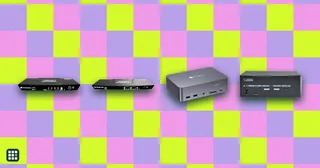 KVM switches
Compare desktop KVM switches for sharing one desk between two computers, such as a work laptop and a personal PC. The real choices are how many monitors you need, which video connections your computers have (HDMI, DisplayPort or USB-C), refresh rate, EDID emulation so windows stay put, USB speed, and whether the switch can charge a laptop.
-
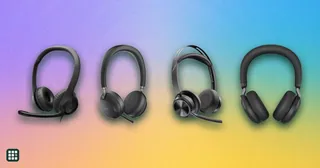 Office headsets
 are built for clear calls: a microphone that picks up your voice and not the room, controls for muting, and comfort for hours of meetings. They range from $30 wired USB models to wireless headsets with noise cancellation, busy lights and long-range DECT bases. This grid compares mic design and noise reduction, connection, battery, mute controls, certifications and comfort.
-
 AI desktop agents
 do work on a computer for you: they click apps, drive browsers, edit files, run shell commands, or operate a cloud PC. This grid compares the main options side by side on where they run, how much control they take of your machine, safety and approvals, teaching (skills and schedules), and what you pay. The real trade-off is local screen control and everyday computer help versus cloud VMs that keep working when your laptop is closed, plus how much setup and subscription each one needs.