



Graphing calculators
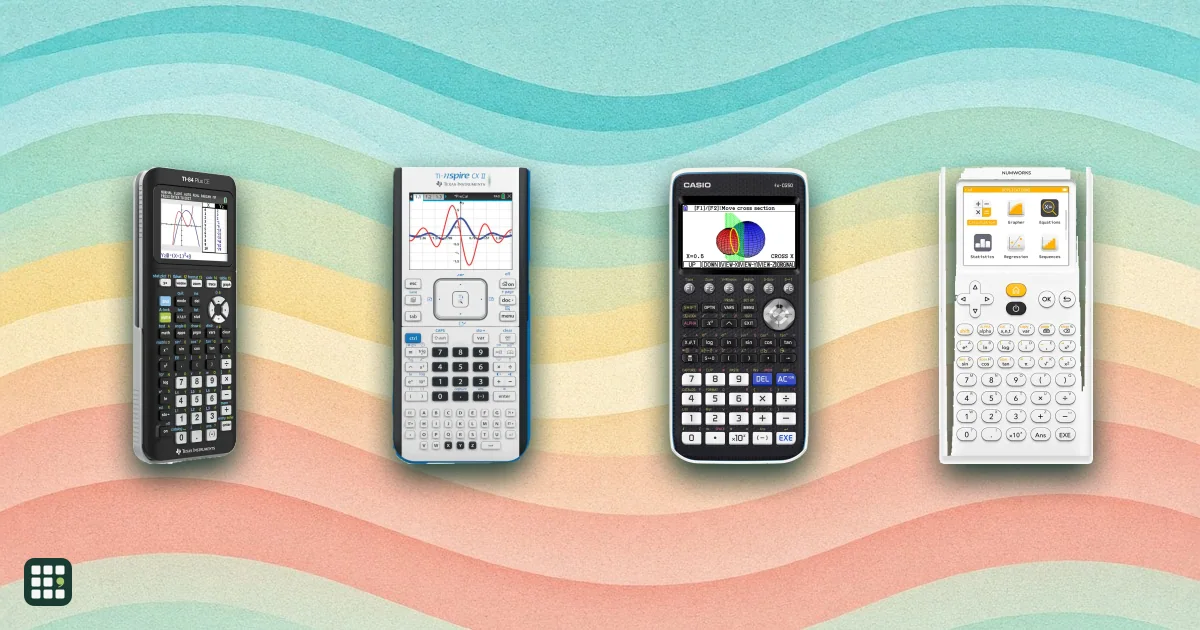
Graphing calculators plot equations, solve systems and run statistics, and most US math classes and entrance exams expect one. This grid compares the current TI, Casio, HP and NumWorks models on price, screen, whether they have a computer algebra system (CAS), Python, 3D graphing, battery type, and which exams allow them. The big trade-offs are exam rules (CAS models are banned on the SAT and ACT), how much your teacher teaches TI, and whether you want color and rechargeable or the cheapest option that works.
Last updated
How to choose
Start with what your class and tests require. Ask your teacher which calculator they teach from; most US classes assume a TI-84 and show its keystrokes. If you plan to take the SAT or ACT, rule out any model with a built-in computer algebra system (CAS): the TI-Nspire CX II CAS, TI-89 Titanium and HP Prime are prohibited there. AP calculator rules vary by exam: some exams allow graphing calculators and others do not. Check the policy for your specific AP course before test day.
Questions to settle first
- Exam rules. Check the SAT, ACT and any state test. Models without CAS (TI-84 Plus CE, TI-Nspire CX II, Casio fx-CG50, NumWorks) are the safe choices.
- Classroom match. A TI-84 matches most teachers' demonstrations. Casio and NumWorks work for the same math but you will translate the keystrokes.
- CAS or not. CAS solves algebra symbolically. It is excellent for college calculus and engineering and can be banned in the classroom; ask first.
- Color and battery. Color screens separate graphs clearly. Rechargeable models (TI-84 Plus CE, Evo, Nspire, HP Prime, NumWorks) never need AAA batteries; AAA models (TI-84 Plus, TI-83 Plus, TI-89, Casio) are cheap and easy to swap but require spare batteries for test day.
- Python and extras. Python helps if you take computer science; 3D graphing matters only for multivariable calculus and some engineering.
Check the full cost
List prices change often and sales are common at back-to-school time. Compare the same model at a few stores, and check for classroom pricing. Buy a model your teacher approves, and practise on it before the exam so you know its menus.
Pitfalls
- Retailer listings sometimes claim exam approval that the College Board or ACT no longer give; check the current policy.
- Older monochrome models are cheaper but have small screens and little memory.
Answer
Browse the table. Filter to what matters.
Use the filters below, then sign in if you want to shortlist and decide with friends.
Sign in to vote, hide products and features, and reorder.
Verified: hover a cell and click its green dot for the source Estimate: no cited source Not stated: the maker doesn't publish it
| Feature | ⠿ | ⠿ | ⠿ | ⠿ | ⠿ | ⠿ | ⠿ | ⠿ | ⠿ | ⠿ | ⠿ |
|---|---|---|---|---|---|---|---|---|---|---|---|
|
⠿
Price
|
$159.99
|
$106.99
|
$169.99
|
$109.99
|
|||||||
|
⠿
Color screen
|
|
|
|
|
|||||||
|
⠿
Screen resolution
|
96x64
|
128x64
|
320x240
|
320x240
|
|||||||
|
⠿
Touchscreen
|
|
|
|
|
|
|
|
|
|
|
|
|
⠿
Computer algebra system
|
|
|
|
|
|
|
|||||
|
⠿
3D graphing
|
|
|
|
|
|
|
|
||||
|
⠿
Python programming
|
|
|
|
|
|||||||
|
⠿
Rechargeable battery
|
|||||||||||
|
⠿
SAT permitted
|
|
||||||||||
|
⠿
ACT permitted
|
|
||||||||||
|
⠿
AP exams permitted
|
|
|
|||||||||
|
⠿
Storage memory
|
|||||||||||
|
⠿
Graph over pictures
|
|
|
|
|
|
||||||
|
⠿
Inequality graphing
|
|
|
|
|
|||||||
|
⠿
Finance solver
|
|
|
|
Why these features matter
-
Price ($)
The main cost. TI models usually cost more than Casio or NumWorks for the same level of capability; check for student or school discounts.
-
Color screen
Color lets you tell graphs apart at a glance and read plots in the same style as textbooks. Matters less if you mostly do arithmetic and a single graph.
-
Screen resolution
More pixels show smoother curves and more on screen at once; a tiny screen makes multi-function graphs hard to read.
- 320x240 (color)
- : The standard color graphing screen: sharp enough to show several colored graphs at once.
- 384x216 (high resolution)
- : Casio's wider color screen; shows more of a graph and more lines of text.
- Small monochrome
- : Older black-and-white screens with fewer pixels; fine for single graphs but cramped for tables and several functions.
-
Touchscreen
Touch makes dragging graphs and zooming faster. Most exam-approved models rely on buttons, which many teachers prefer for speed.
-
Computer algebra system
CAS does algebra and calculus homework steps for you, which is great in college but banned on the SAT and ACT and by many teachers.
-
3D graphing
Needed for multivariable calculus and some engineering and physics classes; most high school courses never use it.
-
Python programming
Python is the language most schools teach for coding; TI-BASIC and Casio BASIC are limited and not useful outside the calculator.
-
Rechargeable battery
Rechargeable means no battery changes before a test but a dead battery needs a charger; AAA models can be swapped in minutes.
-
SAT permitted
The SAT bans CAS calculators, so a model that fails this cannot be used on test day.
-
ACT permitted
Same idea as the SAT: ACT bans CAS and some named models.
-
AP exams permitted
This tells you whether the model appears on AP calculator guidance, but permission depends on the course exam. Check the specific AP exam policy before test day.
-
Storage memory (MB)
More storage holds more apps, images and Python files. Matters little for basic math classes.
-
Graph over pictures
Used in real-world modeling lessons: you plot a function on a photo of a bridge or a ball flight.
-
Inequality graphing
Helps algebra and linear programming; every current calculator here shows the shading except the oldest.
-
Finance solver
Useful for business and personal finance classes; skip if you will never need loan or interest math.
About the products
-
TI-84 Plus CE · Texas Instruments
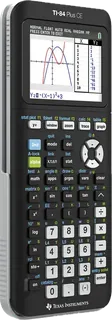
The classroom standard: a rechargeable, full-color TI-84 that most US teachers and textbooks assume. Core graphing without CAS, a Python edition for coding, and acceptance on every major US test. Less memory and speed than the Nspire or Evo.
-
TI-84 Evo · Texas Instruments
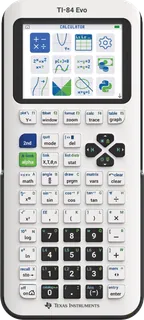
TI's newest TI-84: familiar key-by-key operation with a faster processor, more graphing area, USB-C, and Python built in, plus a four-year subscription to TI's online calculator. Costs more than the CE and has less history in classrooms.
-
TI-84 Plus · Texas Instruments
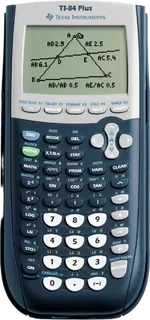
The older monochrome TI-84 that run on four AAA batteries. Cheapest TI that teachers still teach from; same menus as the CE but a small black-and-white screen, little memory, and no Python.
-
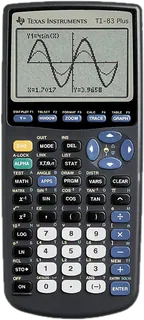
TI-83 Plus · Texas Instruments
The oldest, simplest TI still sold: a monochrome screen, AAA batteries and the basic graphing and statistics tools of an algebra or intro statistics class. Accepted on the same tests as the TI-84, but has less memory and fewer built-in apps.
-
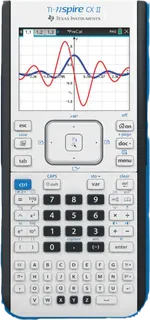
TI-Nspire CX II · Texas Instruments
A color, touchpad-driven graphing calculator with 3D graphs, sliders, documents and Python. Allowed on the SAT and ACT because it has no CAS. A steeper learning curve than the TI-84, but much more capable for calculus and science.
-
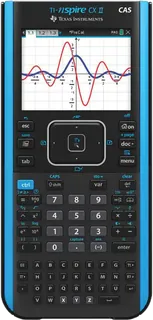
TI-Nspire CX II CAS · Texas Instruments
The Nspire CX II with a built-in computer algebra system that solves and simplifies symbolically. Powerful for college math and engineering, but banned on the SAT and ACT (CAS), so it suits AP and college rather than entrance exams.
-
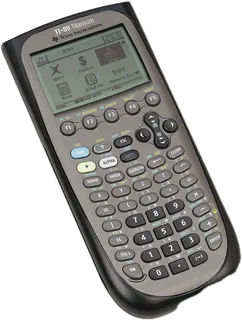
TI-89 Titanium · Texas Instruments
A long-running CAS calculator with symbolic algebra, calculus and 3D graphs on a monochrome screen with AAA batteries. Strong for engineering coursework, but not allowed on the SAT or ACT and older in design than the Nspire CAS.
-
Casio fx-9750GIII · Casio
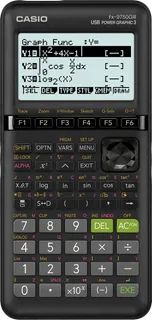
The low-price graphing option: a monochrome screen on AAA batteries with Python (MicroPython), spreadsheets and statistics, and acceptance on the SAT, ACT and AP. Cheapest in this grid; fewer classroom resources than TI.
-
Casio fx-CG50 · Casio
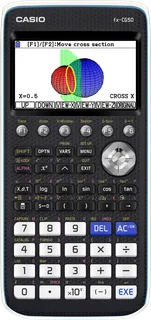
Casio's color graphing calculator with a high-resolution screen, 3D graphs, Python and picture plotting, on AAA batteries. Lower price than most color TIs and accepted on the SAT, ACT and AP.
-
HP Prime · HP
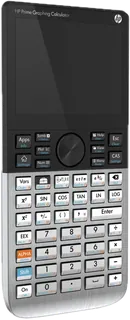
A multi-touch color calculator with a full CAS, apps and a rechargeable battery. Very capable for college math and engineering, but prohibited on the SAT and ACT because of the CAS.
-
NumWorks · NumWorks
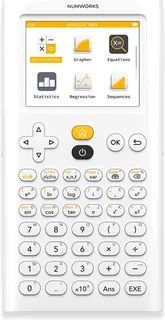
A modern, app-style calculator with Python, exact results, a free online emulator and approval for the SAT, ACT and AP. Newer and less familiar to teachers than TI, with no CAS or 3D graphing.
Suggest a change
Related comparisons
-
 Microscopes
Compound microscopes show slides of cells, plant tissue and pond life at 40X to 2000X. This grid compares student and hobbyist models on head type, magnification, stage, lighting, power and what comes in the box.
-
 Workplace LMS platforms
Compare eleven workplace LMS platforms on published pricing, course delivery, learner reporting and integrations.
-
 Kids math apps
Compare 14 kids math apps and online programs, from free options like Khan Academy and Zearn to paid adaptive programs like IXL, DreamBox and Beast Academy, plus early-learning games such as Todo Math. Compare prices, grade range, adaptivity, parent reports, siblings, ads and privacy.
-
 Painting styles and art movements
A side-by-side guide to seventeen major Western painting movements, from the Renaissance to Photorealism. Compare when and where each began, what it reacted against, its key artists, its look and mood, and where to see it in person. Movements overlap and blur, so dates are approximate.
-
 Online proctoring and exam software
Online proctoring software watches remote test takers, verifies who they are and flags suspicious behavior so exams can be taken from home. This grid compares six widely used tools, from fully automated lockdown-and-record products to hybrid services with live human proctors. The main trade-offs are who watches (AI only or live people), how locked down the test taker's device is, how much each vendor publishes about price and security, and whether it is built for universities, employers or both.
-
 E-ink tablets
E Ink tablets let you write by hand and mark up PDFs on a paper-like, glare-free screen with a battery that lasts weeks. This grid compares note-taking E Ink tablets and reading models with stylus support from reMarkable, Amazon Kindle, Kobo, BOOX and Supernote. The main trade-offs are closed note-taking devices versus open Android tablets, color versus sharper black-and-white, and whether the pen and subscriptions cost extra.