



Smart displays
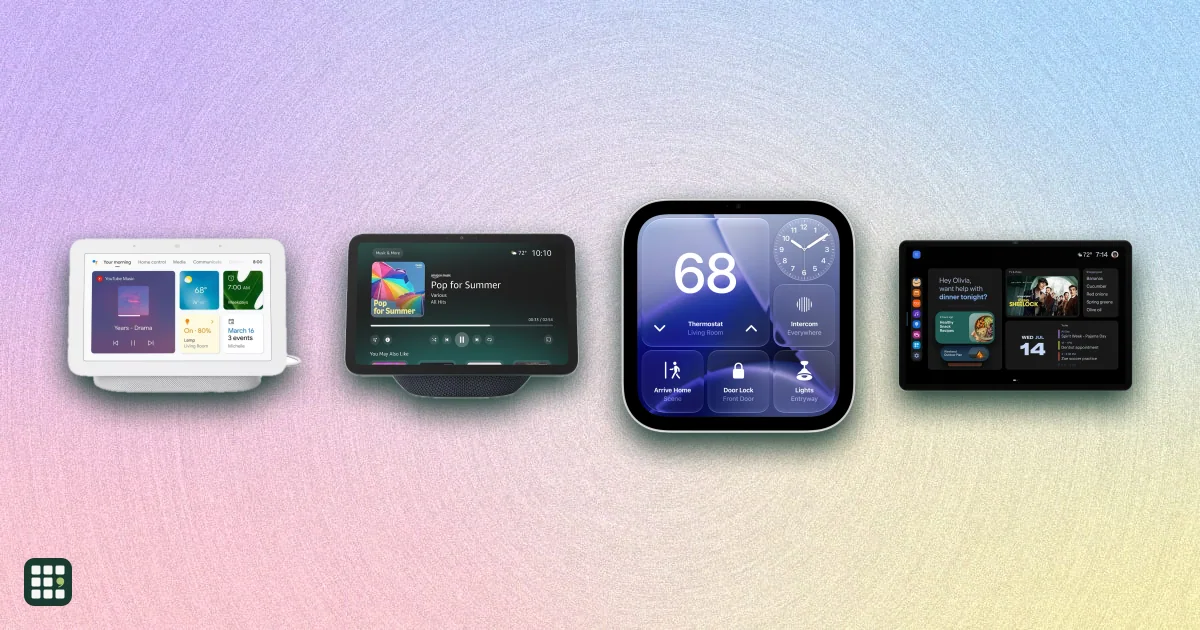
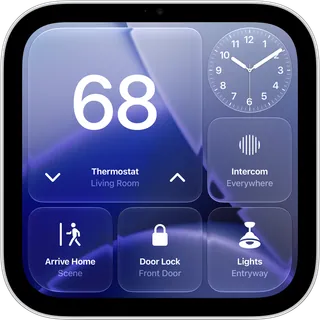
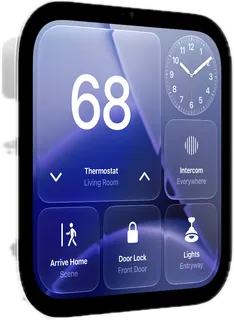
Smart displays put a voice assistant behind a touchscreen: a kitchen hub for recipes, calendars and video calls, a wall panel for the smart home, or a bedside clock. This grid compares every Amazon Echo Show, Echo Hub and Echo screen clock sold in the US with Google's Nest Hub and Apple's new HomeView. The real choices are which assistant (Alexa+, Gemini or Siri) fits your phone and smart home, how big a screen you need, and whether you want a camera at all.
Last updated
How to choose
1. Pick the assistant first
Your assistant decides everything else. Apple HomeView needs an iPhone or iPad and works with Apple Home and Matter devices. Amazon Echo displays run Alexa+, which is free with Prime (otherwise a paid subscription after the trial) and work with the widest range of smart home gear. Google Nest Hub runs Gemini for Home; some Gemini features need a Google Home Premium plan, and Google sells only one display today.
2. Match the screen to the room
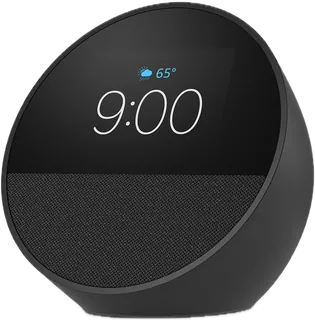
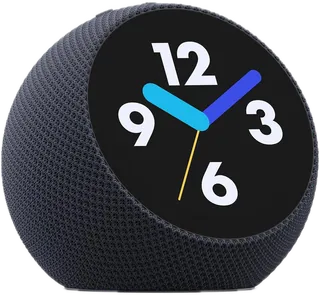
- Bedside: a small, camera-free screen (Echo Spot, Echo Time, Nest Hub) shows the time and runs alarms without a lens pointed at your bed.
- Kitchen counter: 8 to 11 inches is readable from the stove; check it fits under your cabinets.
- Wall or family hub: 15 to 21 inch Echo Shows hang on the wall with Fire TV built in and a remote, so they double as a small TV.
- Smart home control only: Echo Hub is a slim wall panel with no camera and no video, built for lights, locks and cameras.
3. Decide on the camera
A camera brings video calls, checking in on home while you are out, and face recognition that personalizes the screen. If you want one, check the physical camera shutter row: some models only have an electronic off button. Calls only work within one service (Alexa calling, FaceTime, Google Meet), so match what your family uses.
4. Check the smart home hub
Zigbee bulbs and sensors need a Zigbee hub, and battery-powered Matter locks and sensors need a Thread border router. Newer Echo Shows, Echo Hub and Echo Time have Zigbee, Thread and Matter built in; Google and Apple displays act as Thread border routers and Matter controllers but have no Zigbee.
5. Count the full cost
- Stands are often extra: the Echo Show 8, 11 and 16 and the HomeView wall mount are sold without one.
- Alexa+ beyond the trial needs Prime or a subscription; Gemini's extra features need a paid plan.
- Amazon discounts Echo devices often, so the list prices here are a ceiling; wait for a sale if you are not in a hurry.
6. Watch for retired models
The Echo Show 15 was replaced by the Echo Show 16 and the Nest Hub Max is no longer sold new. They still work and get updates, and a discounted or used one can be good value, but newer models get assistant features first.
Answer
Browse the table. Filter to what matters.
Use the filters below, then sign in if you want to shortlist and decide with friends.
Sign in to vote, hide products and features, and reorder.
Verified: hover a cell and click its green dot for the source Estimate: no cited source Not stated: the maker doesn't publish it
| Feature | ⠿ | ⠿ | ⠿ | ⠿ | ⠿ | ⠿ | ⠿ | ⠿ | ⠿ | ⠿ | ⠿ | ⠿ | ⠿ |
|---|---|---|---|---|---|---|---|---|---|---|---|---|---|
|
⠿
Price
|
$229
|
||||||||||||
|
⠿
Screen size
|
|||||||||||||
|
⠿
Screen resolution
|
960 x 480
|
1920 x 1080
|
1024 x 600
|
||||||||||
|
⠿
Voice assistant
|
|||||||||||||
|
⠿
Camera
|
|
||||||||||||
|
⠿
Camera resolution
|
Doesn't apply
|
Doesn't apply
|
Doesn't apply
|
Doesn't apply
|
|||||||||
|
⠿
Physical camera shutter
|
|
|
|
Doesn't apply
|
Doesn't apply
|
Doesn't apply
|
Doesn't apply
|
|
|
||||
|
⠿
Video calling
|
Alexa calling and Drop In
|
Alexa calling and Drop In
|
Alexa calling and Drop In
|
Alexa calling and Drop In
|
None
|
None
|
None
|
None
|
Google Meet
|
||||
|
⠿
Auto framing camera
|
|
|
Doesn't apply
|
Doesn't apply
|
Doesn't apply
|
Doesn't apply
|
|||||||
|
⠿
Video streaming apps
|
No video
|
No video
|
No video
|
Netflix and YouTube apps, casting
|
|||||||||
|
⠿
Zigbee hub
|
|
|
|
|
|
||||||||
|
⠿
Thread border router
|
|
|
|||||||||||
|
⠿
Matter controller
|
|
||||||||||||
|
⠿
Photo frame mode
|
|
|
|
|
|
|
|||||||
|
⠿
Photo source
|
Amazon Photos
|
Amazon Photos
|
Amazon Photos
|
Amazon Photos
|
Amazon Photos
|
Amazon Photos
|
Google Photos
|
Google Photos
|
Apple Photos
|
Apple Photos
|
|||
|
⠿
Speakers
|
2 full-range drivers
|
||||||||||||
|
⠿
Presence and sleep sensing
|
|||||||||||||
|
⠿
Wall mount
|
Not wall mountable
|
Not wall mountable
|
Not wall mountable
|
Wall mount included
|
Not wall mountable
|
Not wall mountable
|
Not wall mountable
|
Not wall mountable
|
Not wall mountable
|
||||
|
⠿
Weight
|
|||||||||||||
|
⠿
Size
|
|||||||||||||
|
⠿
WiFi
|
Wi-Fi 5 (802.11ac)
|
||||||||||||
|
⠿
Ethernet
|
|
|
|
|
|
|
|
|
|
|
|
|
|
|
⠿
Warranty
|
1 year limited
|
1 year limited
|
1 year limited
|
1 year limited
|
1 year limited
|
1 year limited
|
|||||||
|
⠿
Release year
|
2023
|
2024
|
2026
|
2024
|
2024
|
2026
|
2021
|
2019
|
2026
|
2026
|
|||
|
⠿
Ecosystem requirement
|
Amazon account; Alexa+ free with Prime
|
Amazon account; Alexa+ free with Prime
|
Amazon account; Alexa+ free with Prime
|
Amazon account; Alexa+ free with Prime
|
Amazon account; Alexa+ free with Prime
|
Amazon account; Alexa+ free with Prime
|
Amazon account; Alexa+ free with Prime
|
Amazon account; Alexa+ free with Prime
|
Google Home app; Gemini extras need Home Premium
|
Google Home app; Gemini extras need Home Premium
|
Why these features matter
-
Price ($)
Prices span $80 to $500; most of the gap buys screen size, sound and TV apps. Sales are frequent, so compare list prices and watch for deals.
-
Screen size (in)
Bigger screens are readable across a kitchen and good for video; small ones suit nightstands and desks. Bigger also means more space, weight and money.
-
Screen resolution
Sharper screens make photos, recipes and small text easier to read, especially on larger displays.
-
Voice assistant
The assistant decides which phone, smart home devices and services work best, and it is hard to switch later.
-
Camera
A camera enables video calls and checking in on your home remotely; skipping one is the simplest privacy choice for a bedroom.
-
Camera resolution (MP)
More megapixels and auto-framing make video calls sharper and let the camera follow you around the room.
-
Physical camera shutter
A shutter gives visible proof the camera is covered; an off button relies on trusting the device.
-
Video calling
Calls only work with people on the same service, so check what your family uses.
-
Auto framing camera
Lets you move around the kitchen during a call without leaving the picture.
-
Video streaming apps
Built-in Fire TV gets you Netflix, Disney+ and more with a remote; others lean on a browser or casting from a phone.
-
Zigbee hub
Zigbee sensors, bulbs and plugs need a hub; a built-in one saves buying a separate bridge.
-
Thread border router
Thread links battery-powered Matter devices (locks, sensors) reliably; you need at least one border router at home.
-
Matter controller
Matter is the shared smart home standard; a Matter controller works with devices from many brands.
-
Photo frame mode
Turning the display into a frame is one of the most used features, and the photo service it pulls from matters.
-
Photo source
Pick the device that matches where your photos already live, or you will be uploading twice.
-
Speakers
More and larger drivers mean fuller music; small single-driver models are fine for voice and alarms only.
-
Presence and sleep sensing
Presence sensing lets the screen wake, show your info and run routines as you walk in; sleep sensing replaces a wearable for sleep tracking.
-
Wall mount
Wall mounting frees counter space, but check whether you need to buy a mount and run power to it.
-
Weight (lb)
Heavy screens need a sturdy wall or counter; light ones are easy to move between rooms.
-
Size
Check it fits under kitchen cabinets, on a nightstand or between wall studs.
-
WiFi
Newer Wi-Fi handles busy networks and video better, but any of these is fine for most homes.
-
Ethernet
Wired power and network are steadier for a wall panel that never moves.
-
Warranty
Longer cover matters more for wall-mounted devices that are hard to swap.
-
Release year
Newer models get the latest assistant features first and are supported longer.
-
Ecosystem requirement
Apple needs an iPhone or iPad; Alexa+ is free only with Prime; Gemini's extra features need a paid plan.
About the products
-
Echo Show 5 (3rd Gen) · Amazon
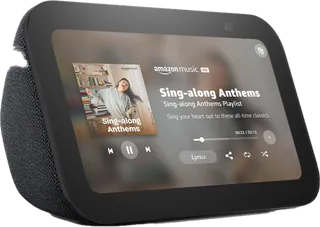
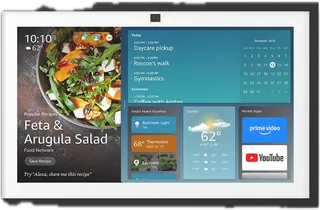
The cheapest Echo with a screen: a 5.5-inch bedside or desk display with a 2 MP camera and a sliding shutter. Small screen and single speaker; no smart home hub radios.
-
Echo Show 8 (2025) · Amazon
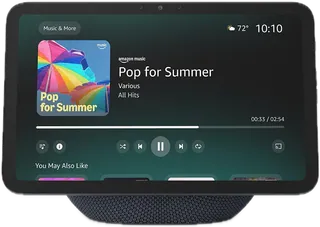
An 8.7-inch countertop display redesigned for Alexa+, with a 13 MP auto-framing camera, spatial audio and a Zigbee, Thread and Matter hub built in. Privacy relies on a mic and camera off button rather than a sliding shutter.
-
Echo Show 11 · Amazon
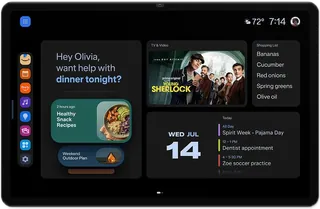
Same insides as the 2025 Echo Show 8 on a bigger 11-inch Full HD screen, for kitchens where the display is read from across the room. Video apps beyond Prime Video run through the web browser; no built-in Fire TV.
-
Echo Show 15 (2nd Gen) · Amazon · Superseded Oct 2026
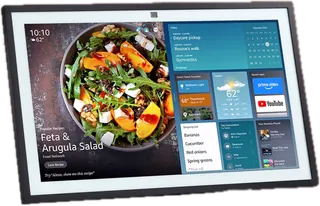
A 15.6-inch wall or stand display with built-in Fire TV and a remote, a 13 MP camera with shutter, and a full smart home hub. Replaced by the Echo Show 16 in October 2026 but still sold.
-
Echo Show 16 · Amazon
Amazon's 2026 flagship: a 16-inch Full HD aluminum display (optional anti-glare Nanomatte) with built-in Fire TV, a night-vision 13 MP camera and a full smart home hub. Stand sold separately; on preorder, shipping later in 2026.
-
Echo Show 21 · Amazon
The biggest smart display: a 21-inch Full HD screen with built-in Fire TV, remote, camera shutter and a full smart home hub. Heavy at 10.7 lb, best wall-mounted in a kitchen or family room.
-
Echo Hub · Amazon
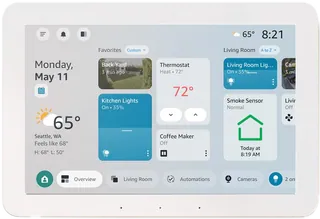
A thin 8-inch wall-mounted smart home control panel with no camera, for running lights, locks, cameras and alarms. Can be powered over Ethernet with an adapter; not meant for video calls or watching shows.
-
Echo Spot (2024) · Amazon
A low-cost Alexa alarm clock with a small 2.83-inch half-circle screen and no camera. Shows time, weather and song titles; it cannot play video or work as a photo frame.
-
Echo Time · Amazon
Amazon's 2026 bedside clock: a 3.2-inch round touchscreen, no camera, Alexa+ smart alarms that wake you in lighter sleep, and a Zigbee, Thread and Matter hub. Costs far more than the Echo Spot.
-
Nest Hub (2nd gen) · Google
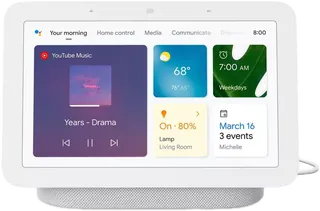
Google's only smart display still sold: a 7-inch screen with no camera, Soli sleep sensing and a Thread border router, now running Gemini for Home. Small speaker and dated hardware, but cheap and camera-free for bedrooms.
-
Nest Hub Max · Google · No longer sold
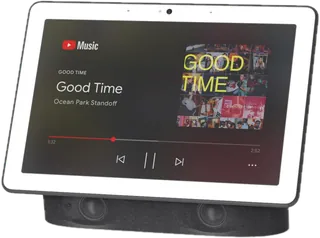
A 10-inch Google display with a 6.5 MP camera, stereo speakers and Face Match. No longer sold on the US Google Store; still common used and still updated with Gemini for Home.
-
HomeView · Apple
Apple's first smart display (2026): a 7-inch square Liquid Retina screen on a speaker base with a 12 MP Center Stage camera, Siri AI and FaceTime. Needs an iPhone or iPad; Apple Home and Matter only.
-
HomeView (Wall Mounted) · Apple
The flush wall version of HomeView: same 7-inch screen, camera and Siri AI, but only two small drivers. The wall mount and power adapter are sold separately.
Suggest a change
Related comparisons
-
 Streaming devices
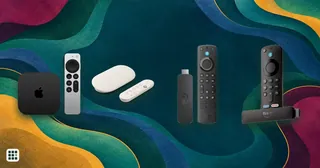
 (sticks and boxes) add Netflix, YouTube, Disney+ and other apps to any TV with an HDMI port, or replace a slow smart-TV interface. This grid compares current Roku, Amazon Fire TV, Google TV, Apple TV, onn. and Nvidia Shield players sold in the US on price, platform, 4K and HDR support (Dolby Vision, HDR10+), Dolby Atmos, Wi-Fi and Ethernet, remote features, home-screen ads and casting. The real trade-offs are which platform and assistant you want to live with, how much you mind ads, and whether your TV and sound system can use premium formats.
-
 Smart speakers
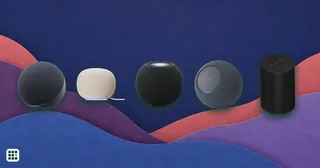
Compare smart speakers from Amazon (Echo), Google, Apple (HomePod) and Sonos sold in the US, from about $40 to $500. The first choice is the voice assistant, since it ties you to Alexa, Google or Apple for music and smart home control. After that the trade-offs are sound (driver count, woofer size, Dolby Atmos), smart home hub radios (Matter, Thread, Zigbee), and privacy controls such as a hardware mic switch.
-
 Smart TVs
Compare current smart TVs by picture technology, HDR, brightness, reflections, motion, gaming, streaming platform, ports, audio, connectivity, power, warranty, and price. Panel technology and processing affect picture quality, while room lighting, viewing angle, gaming inputs, and built-in apps can matter just as much.
-
 Live TV streaming services
 replace a cable box with an app: live channels, local stations, sports and a cloud DVR over your internet connection, with no contract. The choice comes down to which channels you need (local networks, ESPN, your team's regional sports network, news) against the monthly price, plus screens, DVR and extra fees.
-
 Ping pong tables
Choosing a ping pong table depends on where you will play, how often it will be used, and who needs to move or store it. Indoor tables usually prioritize bounce quality and a smooth playing surface, while outdoor models trade some play feel for weather resistance. Foldable designs, wheel quality, frame strength, and setup effort matter if space is shared. Families may value safety and easy storage, while frequent players should look closely at stability, surface thickness, and long-term durability.
-
 Gaming routers
 add game-traffic priority, multi-gig ports, and often a 6 GHz band to ordinary Wi-Fi. This grid compares ASUS ROG and TUF and TP-Link Archer models on price, Wi-Fi generation, ports, gaming features, and mesh and security terms, so you can see what the extra money actually buys.