



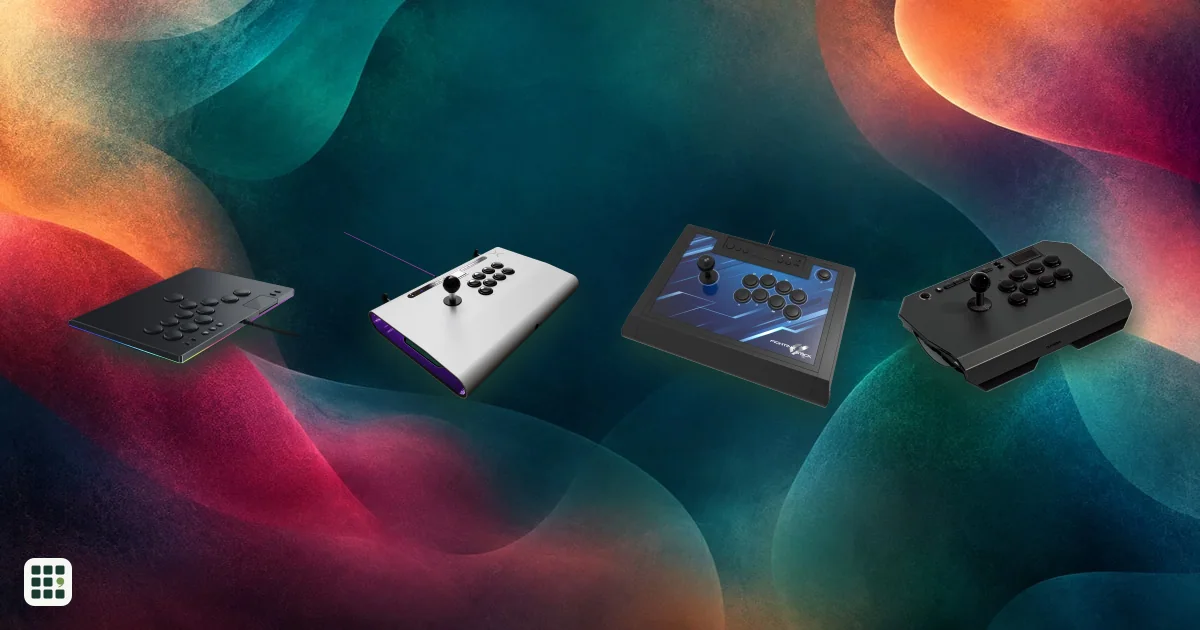
Arcade sticks
Arcade sticks let you play fighting games like Street Fighter 6 and Tekken 8 with a lever and buttons, or with a leverless all-button layout, instead of a pad. The main choices are lever or leverless, which consoles it works on, and how much you pay for build and parts.
Last updated
How to choose
Start with the system you play on. Most sticks work on one console family and PC, and a stick built for PlayStation will not work on Xbox. Check the Platforms row first, and note when a stick needs an adapter.
Lever or leverless
Lever sticks feel like arcade cabinets and use swappable parts such as Sanwa levers. Leverless sticks (all-button, sometimes called hitbox style) replace the lever with four direction buttons: thin, light and fast for many players, but they take time to learn if you come from a pad or lever. Leverless sticks also depend on SOCD handling, which decides what happens when left and right (or up and down) are pressed together; look for the modes a stick offers, since tournament rules differ by game.
Parts and build
- Buttons and lever: Sanwa parts are the common standard and easy to replace; optical or mechanical switches are quieter and can be faster.
- Case: aluminum and steel feel solid and stay put; plastic keeps weight and price down.
- Cable: a detachable cable packs smaller and is cheap to replace; check its length for your seating.
- Access: if you plan to mod it, look for thumb screws, magnets or a hot-swap board.
Features worth checking
A tournament lock stops accidental menu presses. A touchpad button matters for some PlayStation menus and games. A headphone jack helps for online play. Remapping and profiles help if you play several games.
Cost and warranty
Entry sticks cost under $100, mid-range $100 to $250, and premium tournament sticks around $300 to $400. Opening the case for mods can void some warranties, so check before you modify a stick under warranty.
Answer
Browse the table. Filter to what matters.
Use the filters below, then sign in if you want to shortlist and decide with friends.
Sign in to vote, hide products and features, and reorder.
Verified: hover a cell and click its green dot for the source Estimate: no cited source Not stated: the maker doesn't publish it
| Feature | ⠿ | ⠿ | ⠿ | ⠿ | ⠿ | ⠿ | ⠿ | ⠿ | ⠿ | ⠿ | ⠿ | ⠿ | ⠿ | ⠿ | ⠿ | ⠿ | ⠿ | ⠿ |
|---|---|---|---|---|---|---|---|---|---|---|---|---|---|---|---|---|---|---|
|
⠿
Price
|
$132.99
|
$104.99
|
$189.99
|
$113.04
|
$89.99
|
$89.99
|
$69.99
|
|||||||||||
|
⠿
Layout
|
||||||||||||||||||
|
⠿
Platforms
|
||||||||||||||||||
|
⠿
Joystick
|
Doesn't apply
|
Doesn't apply
|
Doesn't apply
|
Doesn't apply
|
Doesn't apply
|
Doesn't apply
|
Doesn't apply
|
Doesn't apply
|
||||||||||
|
⠿
Buttons
|
||||||||||||||||||
|
⠿
Attack buttons
|
8 buttons
|
8 buttons
|
8 buttons
|
8 buttons
|
8 buttons
|
8 buttons
|
8 buttons
|
|||||||||||
|
⠿
Connection
|
||||||||||||||||||
|
⠿
Detachable cable
|
|
|
|
|
||||||||||||||
|
⠿
Cable length
|
10 ft
|
7.5 ft
|
||||||||||||||||
|
⠿
Weight
|
0.8 lb
|
1.6 lb
|
||||||||||||||||
|
⠿
Width
|
11.9 in
|
11.9 in
|
7.7 in
|
13.8 in
|
8 in
|
|||||||||||||
|
⠿
Depth
|
8 in
|
7.9 in
|
4.9 in
|
8.3 in
|
6 in
|
|||||||||||||
|
⠿
Height
|
4.4 in
|
0.9 in
|
0.6 in
|
1.2 in
|
||||||||||||||
|
⠿
Case material
|
||||||||||||||||||
|
⠿
SOCD handling
|
Doesn't apply
|
|||||||||||||||||
|
⠿
Remapping
|
||||||||||||||||||
|
⠿
Turbo
|
|
|
|
|
|
|
|
|
||||||||||
|
⠿
Touchpad button
|
Doesn't apply
|
Doesn't apply
|
Doesn't apply
|
|
||||||||||||||
|
⠿
Headphone jack
|
|
|
|
|
|
|
||||||||||||
|
⠿
Tournament lock
|
|
|
|
|
|
|
|
|||||||||||
|
⠿
Internal access
|
Hot-swap board; switches change without soldering
|
|||||||||||||||||
|
⠿
Cable storage
|
|
|
|
|
|
|
||||||||||||
|
⠿
Official license
|
None
|
None
|
None
|
None
|
None
|
None
|
None
|
None
|
None
|
No console license identified
|
No console license identified
|
|||||||
|
⠿
Warranty
|
1 years
|
|||||||||||||||||
|
⠿
Release year
|
2026
|
2018
|
2024
|
|||||||||||||||
|
⠿
Carry bag included
|
|
|
|
|
|
|||||||||||||
|
⠿
RGB lighting
|
|
|
|
|
|
|
|
|
|
|
|
Why these features matter
-
Price ($)
The biggest practical divide: $50 to $100 sticks teach you the genre, while $300+ tournament sticks add better parts and build.
-
Layout
Lever or leverless is the first choice: levers feel like classic arcade cabinets, leverless is faster for some motions and takes some relearning.
-
Platforms
A stick only works on the systems it is built for, so this decides what you can buy.
-
Joystick
The lever feel is the main difference between lever sticks, and standard parts such as Sanwa and Seimitsu can be replaced later.
- Sanwa
- : The Japanese arcade parts brand most fighting game players know; easy to replace and mod.
-
Buttons
Button feel and lifespan differ by switch type, and standard-size buttons are easy to replace.
- Optical or mechanical switches
- : Switches that register with a light touch and little travel; often quieter than classic arcade buttons.
-
Attack buttons (buttons)
Eight attack buttons cover most fighting games, but some games use extra for macros or L3/R3.
-
Connection
Wired is lowest latency and what tournaments expect; wireless suits couch play.
-
Detachable cable
A detachable cable packs smaller for travel and is cheap to replace.
-
Cable length (ft)
A longer cable reaches a couch or desk without strain.
-
Weight (lb)
Heavy sticks stay planted on a table; light ones suit laps and travel.
-
Width (in)
Tells you whether it fits in a bag or on your lap or desk.
-
Depth (in)
Deeper sticks give your hand more room but take more table space.
-
Height (in)
Slim cases suit travel; taller cases fit a lever and more hardware inside.
-
Case material
Metal feels sturdier and heavier; plastic keeps cost and weight down.
-
SOCD handling
Rules for these inputs differ by game and tournament, and leverless sticks need them handled correctly.
-
Remapping
Remapping lets you adapt layouts and set up profiles per game.
-
Turbo
Useful for some older and shooter games, rarely needed in fighters.
-
Touchpad button
Some PS5 games and menus use the touchpad click.
-
Headphone jack
A jack lets you plug a headset into the stick for online play.
-
Tournament lock
Prevents pausing or leaving a match by mistake in a tournament.
-
Internal access
Easy access matters if you plan to change the lever, buttons or artwork.
-
Cable storage
Handy for carrying the stick to a friend or event.
-
Official license
Licensed sticks are certified for that console.
- Sony PlayStation licensed
- : Certified by Sony for PlayStation, which usually means fewer compatibility surprises on PS5.
-
Warranty (years)
Longer warranty protects a stick that costs hundreds.
-
Release year
Newer designs may support newer consoles and use refined parts.
-
Carry bag included
Matters if you travel with it.
-
RGB lighting
Cosmetic, but some players like button feedback.
About the products
-
Hit Box PC · Hit Box
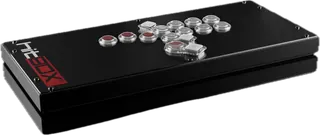
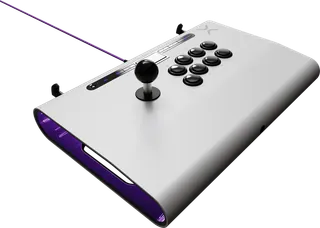
PC leverless all-button stick in a slim steel body with quiet buttons and selectable SOCD modes; other platforms need an adapter.
-
Kitsune · Razer
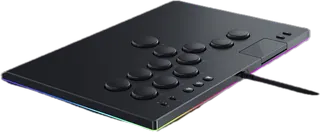
Slim leverless optical-switch controller for PS5 and PC with four SOCD modes and a tournament lock; no remapping and no Xbox or Switch support.
-
Victrix Pro FS-12 · Turtle Beach
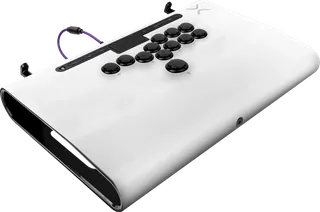
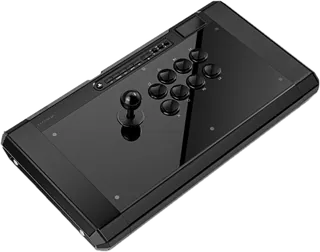
Premium leverless PS5, PS4 and PC stick with an aluminum shell, Sanwa buttons and a detachable 3 m cable; the priciest here.
-
Victrix Pro FS · Turtle Beach
Premium lever stick for PS5, PS4 and PC with a Sanwa JLF base, swappable Link2 shaft and aluminum shell.
-
Fighting Stick Alpha · HORI
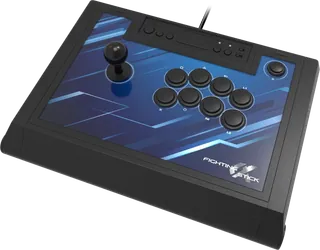
Sony-licensed Hayabusa-lever stick for PS5, PS4 and PC with a companion app and an openable chassis.
-
Obsidian 2 · Qanba
Sony-licensed Sanwa lever stick for PS5, PS4 and PC with a touchpad, tournament lock and thumb-screw side panels; cable does not detach.
-
Drone 2 · Qanba
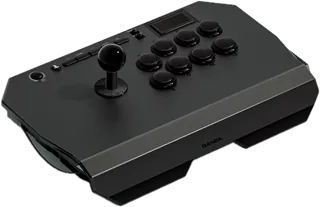
Low-priced licensed lever stick for PS5, PS4 and PC for newcomers, with Qanba parts and an all-plastic body.
-
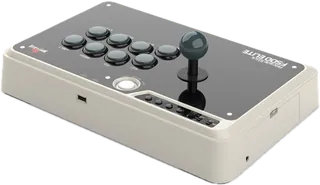
F500 Elite · Mayflash
Full-size wired Sanwa lever stick with metal plates and turbo; PS5 needs a Mayflash adapter.
-
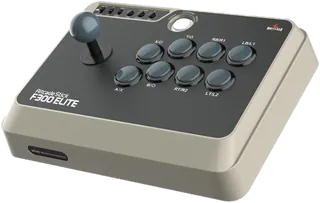
F300 Elite · Mayflash
Lower-priced wired Sanwa lever stick built for modding; PS5 needs an adapter.
-
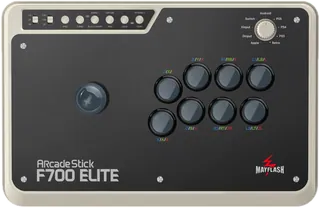
F700 Elite · Mayflash
Wireless Sanwa lever stick (Bluetooth, 2.4 GHz or wired) for PS5, PS4, Switch and PC; no Xbox.
-
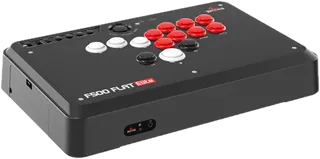
F500 Flat Elite · Mayflash
Leverless all-button stick with Sanwa buttons, macros and five SOCD modes; PS5 needs a converter.
-
Arcade Stick · 8BitDo
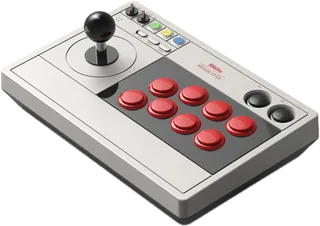
Wireless or wired lever stick for Switch, Switch 2 and PC at a low price; no PlayStation or Xbox.
-
All-Button Arcade Controller · 8BitDo
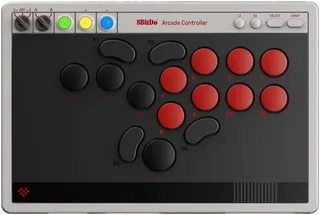
Slim, light leverless controller for Switch and PC with hot-swap switches, SOCD modes and a tournament lock.
-
Haute Pad G16 · Haute42
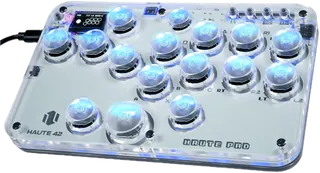
Budget 16-button leverless pad with RGB, hot-swap switches and browser setup; the lightest and smallest here.
-
NOLVA Reactor · HORI
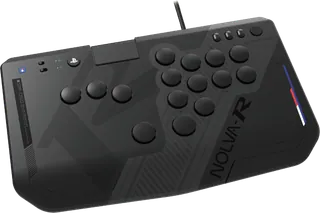
Licensed, leverless PlayStation controller with quiet hot-swappable mechanical switches and a key lock.
-
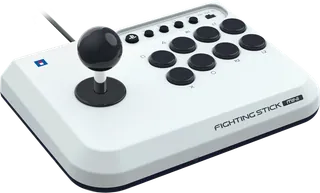
Fighting Stick Mini · HORI
Compact, wired lever stick for PS5, PS4 and Windows.
-
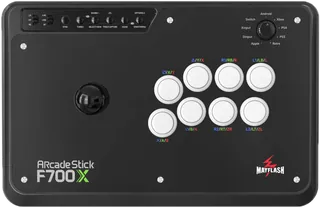
F700X · Mayflash
Wireless and wired lever stick with broad platform support, but no PS5 support.
-
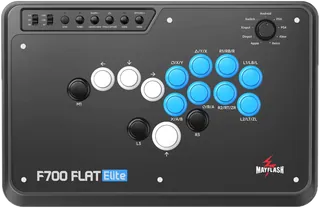
F700 Flat Elite · Mayflash
All-button, leverless wireless and wired fight controller with Sanwa buttons and five SOCD modes.
Suggest a change
Related comparisons
-
 PC power supplies
A PC power supply converts wall power to the steady voltages every part in a desktop needs. This grid compares popular ATX and SFX units on wattage, efficiency, connectors, noise features and warranty.
-
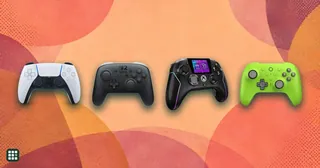 Game controllers
Compare game controllers by platform support, wired and wireless connections, stick sensing, rear controls, triggers, battery life, and US price. The best fit depends on what you play and which features matter to you.
-
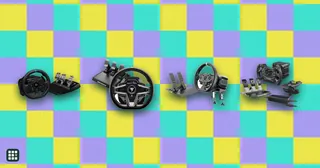 Racing wheels
 range from $130 gear-driven sets to premium direct-drive bases. This grid compares popular wheel kits for PC, PlayStation and Xbox on torque, drive type, pedals, platform support and full cost, so you can match a wheel to how you race and what you already own.
-
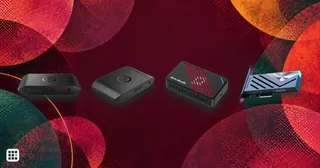 Capture cards
A capture card sends console or PC video to a computer for recording or streaming while passing gameplay to a display. Compare recording limits separately from passthrough: a card can let you play at a higher resolution or refresh rate than it captures.
-
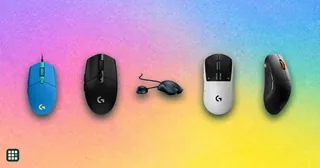 Gaming mice
 differ mostly in weight, sensor, connection and shape rather than raw DPI. This grid compares popular wired and wireless models side by side so you can match a mouse to your grip, game type and budget.
-
 Gaming monitors
A gaming monitor decides how smooth, sharp and colorful your games look. This grid compares popular OLED, IPS and VA gaming monitors by resolution, refresh rate, HDR, ports and price, so you can match a screen to your PC or console and your budget.