



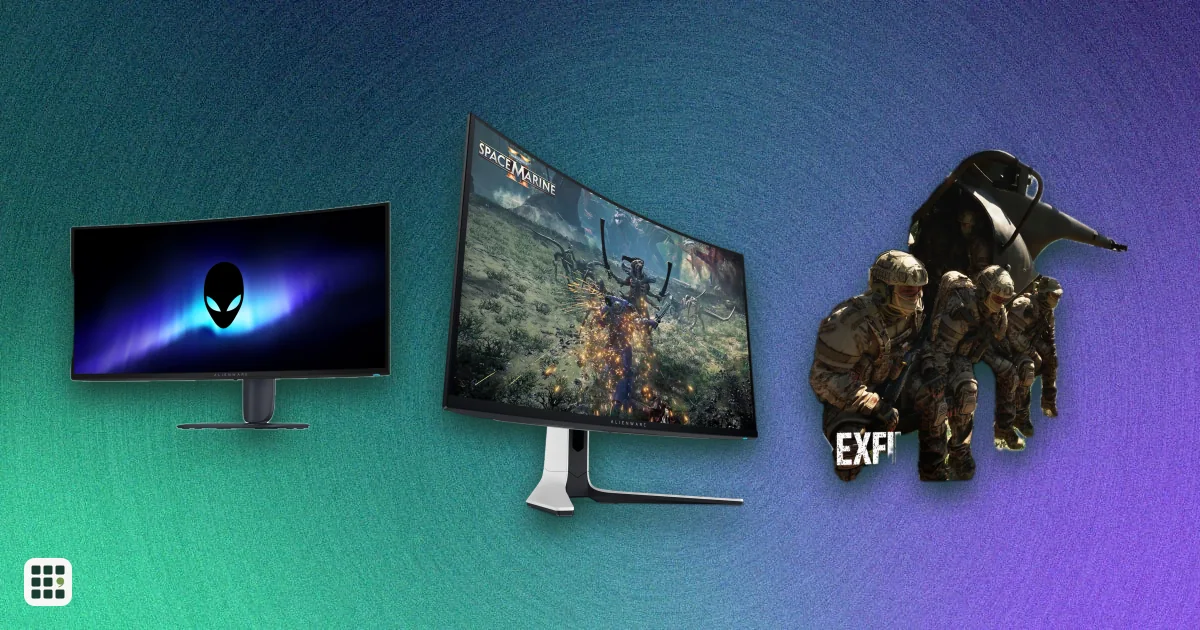
Gaming monitors
A gaming monitor decides how smooth, sharp and colorful your games look. This grid compares popular OLED, IPS and VA gaming monitors by resolution, refresh rate, HDR, ports and price, so you can match a screen to your PC or console and your budget.
Last updated
How to choose
Start with what drives the screen: your graphics card and your games.
Pick resolution and refresh rate together
- 1440p at 165 to 240 Hz is the sweet spot for most PC gamers and runs well on mid-range cards.
- 4K is sharper but needs a powerful card to reach high frame rates.
- Competitive shooter players may value 360 Hz and above, but only if the PC can reach those frame rates.
Choose a panel type
- OLED has perfect blacks and the fastest response, but costs more, can burn in, and is dimmer in bright rooms. Check the burn-in warranty.
- Fast IPS is the value choice with good color and viewing angles.
- VA offers deeper blacks than IPS at a low price, usually with slower dark transitions.
Check ports
Console players need HDMI 2.1 for 4K at 120 Hz. Many monitors reach their top refresh rate only over DisplayPort, so check which port does what.
HDR is not all equal
Look for a certified tier such as DisplayHDR True Black 400 or DisplayHDR 600. Plain HDR10 support alone often adds little.
Full cost
Prices here are regular US list prices; sales are common. Cells marked as estimates have no source, and some prices are not stated because the maker does not list them.
Answer
Browse the table. Filter to what matters.
Use the filters below, then sign in if you want to shortlist and decide with friends.
Sign in to vote, hide products and features, and reorder.
Verified: hover a cell and click its green dot for the source Estimate: no cited source Not stated: the maker doesn't publish it
| Feature | ⠿ | ⠿ | ⠿ | ⠿ | ⠿ | ⠿ | ⠿ | ⠿ | ⠿ | ⠿ | ⠿ | ⠿ | ⠿ | ⠿ | ⠿ |
|---|---|---|---|---|---|---|---|---|---|---|---|---|---|---|---|
|
⠿
Price
|
$249
|
$449.99
|
|||||||||||||
|
⠿
Screen size
|
|||||||||||||||
|
⠿
Resolution
|
|||||||||||||||
|
⠿
Panel type
|
|||||||||||||||
|
⠿
Refresh rate
|
|||||||||||||||
|
⠿
Response time GtG
|
|||||||||||||||
|
⠿
HDR certification
|
|||||||||||||||
|
⠿
Adaptive sync
|
|||||||||||||||
|
⠿
Full bandwidth HDMI
|
|||||||||||||||
|
⠿
DisplayPort version
|
|||||||||||||||
|
⠿
HDMI ports
|
|||||||||||||||
|
⠿
USB C video input
|
|
|
|||||||||||||
|
⠿
Peak brightness
|
|||||||||||||||
|
⠿
Color gamut
|
|||||||||||||||
|
⠿
Height adjustable stand
|
|||||||||||||||
|
⠿
Weight
|
|||||||||||||||
|
⠿
Burn in coverage
|
Doesn't apply
|
Doesn't apply
|
Doesn't apply
|
Doesn't apply
|
|||||||||||
|
⠿
Local dimming
|
None (per-pixel OLED)
|
None (per-pixel OLED)
|
None (per-pixel OLED)
|
None
|
None (per-pixel OLED)
|
None
|
None (per-pixel OLED)
|
None (per-pixel OLED)
|
None (per-pixel OLED)
|
None (per-pixel OLED)
|
None (per-pixel OLED)
|
None (per-pixel OLED)
|
|||
|
⠿
Aspect ratio
|
|||||||||||||||
|
⠿
Curved
|
Flat
|
Flat
|
Flat
|
||||||||||||
|
⠿
Built in speakers
|
|
|
|
|
|||||||||||
|
⠿
Warranty
|

Why these features matter
-
Price ($)
Sets your budget. Paying more mostly buys OLED or Mini LED contrast and higher refresh, not a better-looking game at the same resolution.
-
Screen size (in)
Bigger screens feel more immersive but need more desk depth and a higher resolution to stay sharp.
-
Resolution
Resolution decides sharpness and how demanding the monitor is on your graphics card. 1440p is the usual sweet spot for fast games; 4K needs a strong GPU.
-
Panel type
OLED gives perfect black and instant pixels but can burn in and is dimmer in bright rooms; IPS has better color and viewing angles; VA has deeper blacks than IPS at lower cost.
-
Refresh rate (Hz)
Higher refresh means smoother motion, but only if your PC can push that many frames. Past 240 Hz the gains are small for most players.
-
Response time GtG (ms)
Lower response time means less motion blur and ghosting. Makers measure differently, so treat it as a guide, and OLED is fastest.
-
HDR certification
A certified tier (DisplayHDR 600, True Black 400) tells you HDR will look noticeably better than SDR; plain HDR10 support often does not.
-
Adaptive sync
Adaptive sync removes screen tearing without adding lag. It matters most if your frame rate varies.
-
Full bandwidth HDMI
HDMI 2.1 lets PS5 and Xbox Series X run 4K at 120 Hz. PC players using DisplayPort can ignore it.
-
DisplayPort version
DisplayPort usually carries the monitor's top refresh rate on PC. Newer versions allow 4K at high refresh without compression.
-
HDMI ports (ports)
More HDMI ports let you connect consoles and a PC at the same time without swapping cables.
-
USB C video input
Lets a laptop connect and charge with one cable. Matters for mixed work and play setups.
-
Peak brightness (nits)
Higher peak brightness makes HDR highlights pop. Figures mix HDR peaks and typical SDR levels, so read the quote.
-
Color gamut
Wider gamut means richer color in games and video. It matters less for competitive play.
-
Height adjustable stand
A height-adjustable stand lets you set the screen at eye level without books or a VESA arm.
-
Weight (lb)
Matters if you travel with the monitor or mount it on a light arm.
-
Burn in coverage
OLED panels can retain static images over time. A burn-in warranty shows how much the maker trusts the panel.
-
Local dimming
More dimming zones give deeper blacks in HDR on LCD monitors; OLED does this per pixel.
-
Aspect ratio
Ultrawides are more immersive in racing and open-world games but not every game supports them.
-
Curved
A curve can help immersion on large or ultrawide screens, but some people prefer flat for aiming and desk work.
-
Built in speakers
Built-in speakers are usually weak; they matter only if you have no headset or desk speakers.
-
Warranty (years)
Longer coverage is peace of mind, especially on an expensive OLED.
About the products
-
Alienware AW3425DW · Dell
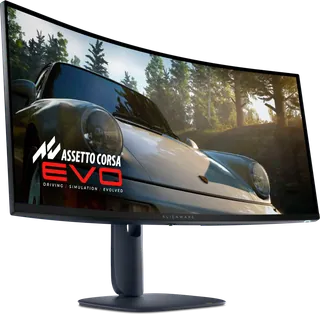
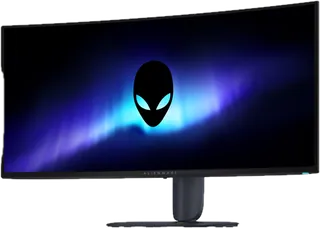
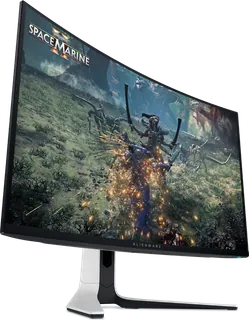
A 34.2-inch 21:9 curved (1800R) QD-OLED gaming monitor at 3440x1440 with 240 Hz and a 0.03 ms GtG claim. Suits PC gamers who want OLED contrast and HDR in an ultrawide. Limits: typical SDR brightness is 250 nit, the 1000 nit figure is HDR peak, and it is WQHD, not 4K.
-
Alienware AW2725DF · Dell
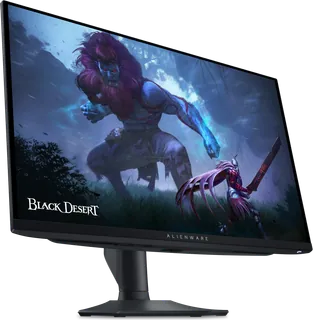
Dell's fastest QD-OLED gaming monitor: 1440p at 360 Hz with a 0.03 ms GtG response, for competitive players who want OLED. Limits: 1440p resolution, HDMI 2.1 caps at 144 Hz (DisplayPort carries 360 Hz), no built-in speakers, and a 3-year warranty.
-
ROG Swift OLED PG27AQDM · ASUS
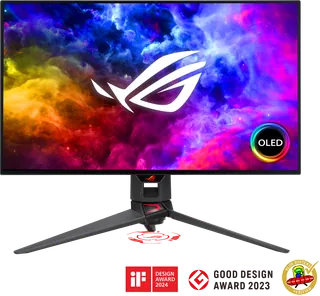
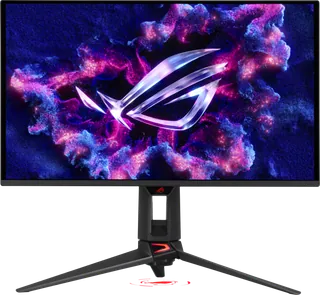
A 26.5-inch 1440p WOLED gaming monitor with 240 Hz and a 0.03 ms GtG response, for PC gamers who use DisplayPort. Limits: its two HDMI ports are 2.0 only (120 Hz max over HDMI), it has no USB-C input, no speakers, and a 2-year warranty.
-
TUF Gaming VG27AQ3A · ASUS
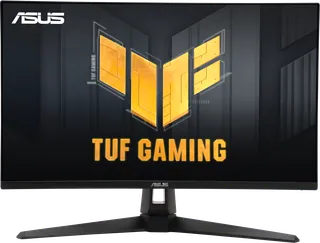
A 27-inch 1440p gaming monitor with a 180Hz Fast IPS panel, ELMB Sync, and FreeSync Premium / G-SYNC Compatible. Suits PC gamers who want high refresh on a budget. Limits: HDR10 only with no DisplayHDR certification, no height adjustment, 180Hz only over DisplayPort (HDMI tops out at 144Hz), and no USB-C.
-
Odyssey OLED G6 G60SF · Samsung
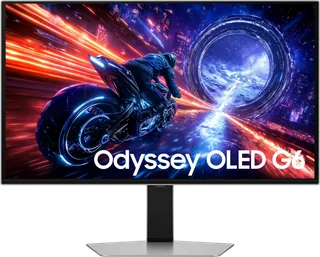
27-inch QD-OLED QHD gaming monitor with 500Hz and 0.03ms GtG, for buyers who want OLED motion speed on a 1440p screen. Limits: 27-inch QHD resolution, 1000-nit HDR peak, no speakers, no USB-C video input; reviews on Samsung's US page mention a power/menu joystick that failed for some owners.
-
Odyssey G5 G55C 27 · Samsung
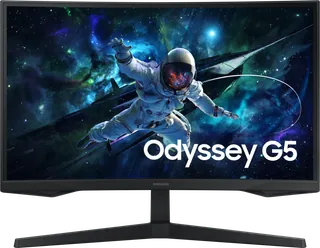
A 27-inch 1000R curved VA monitor at 2560x1440 and 165Hz with HDR10 and AMD FreeSync, aimed at budget FPS and MOBA players. Its listed 300 cd/m2 brightness, HDMI 2.0 and DisplayPort 1.2 only, and tilt-only stand are its limits.
-
UltraGear OLED 32GS95UE-B · LG Electronics
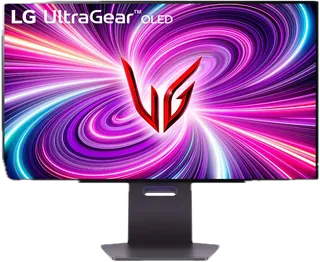
A 32-inch OLED gaming monitor with a dual mode: 4K at 240 Hz, or 1080p at 480 Hz for fast shooters. It has a 0.03 ms GtG response, DisplayHDR True Black 400, and built-in Pixel Sound speakers. Suits PC and console players who want OLED contrast and speed. Limits: one DisplayPort 1.4 and two HDMI ports, no USB-C video input, no Bluetooth, and 4K at 240 Hz needs a GPU with DisplayPort 1.4 or HDMI 2.1.
-
MAG 274QRF-QD E2 · MSI
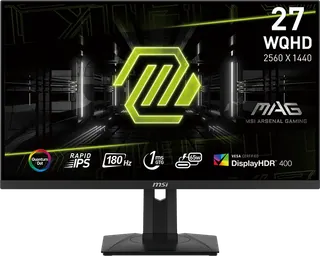
A 27-inch 1440p 180 Hz IPS monitor with a quantum dot panel, DisplayHDR 400, a built-in KVM and 65 W USB-C charging, for budget-minded gamers and light creators. Limits: HDMI tops out at 144 Hz (180 Hz needs DisplayPort), reviewers could not confirm the 1 ms GtG claim (5.76 ms measured in default mode), and HDR is only DisplayHDR 400.
-
M27Q X · GIGABYTE
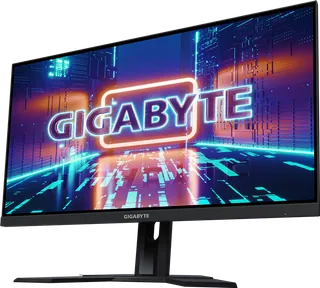
A 27-inch 1440p 240Hz SS IPS gaming monitor with a built-in KVM and HDR400 (350 nits typical SDR). It suits PC gamers who want a high refresh rate and a KVM on a budget. It has only two HDMI 2.0 ports (no HDMI 2.1), no swivel or pivot, and a 1ms GtG panel that is not NVIDIA-certified G-Sync.
-
Alienware AW3226Q · Dell
A 31.5-inch flat 4K OLED at up to 165 Hz with DisplayHDR True Black 400 and Dolby Vision. Suits PC gamers who want a sharp 4K OLED at a lower price than Dell's 240 Hz 4K model. Limits: 165 Hz is the cap at 4K, typical brightness is 250 nit, and the USB-C port is charging only.
-
Alienware AW2726DM · Dell
A 26.5-inch flat 1440p QD-OLED at 240 Hz and a low list price. Suits budget-minded players who want OLED motion and contrast in a 27-inch size. Limits: no VESA DisplayHDR tier, 400 nit HDR peak, no USB hub, and its HDMI 2.1 ports are limited to 1440p at 120 Hz.
-
Alienware AW3426DW · Dell
A 34-inch 21:9 1800R curved QD-OLED at 3440x1440 and up to 280 Hz, with DisplayHDR True Black 500 and 1300 nit HDR peak. Suits ultrawide fans and the newer replacement for the AW3425DW. Limits: WQHD, not 4K, and a USB-C port that only charges.
-
Alienware AW3225QF · Dell
A 31.6-inch 1700R curved 4K QD-OLED at 240 Hz, the first 4K QD-OLED gaming monitor. Suits players with a strong GPU who want 4K detail and high refresh. Limits: curved screen, DisplayHDR True Black 400, and no built-in speakers.
-
ROG Swift OLED PG27AQDPR · ASUS
A 26.5-inch flat 1440p Tandem QD-OLED at up to 500 Hz with DisplayHDR True Black 500 and a 3-year warranty that covers burn-in. Suits competitive players chasing the highest refresh rate. Limits: 1440p only, and 500 Hz needs a very strong PC.
-
Predator X27U F5 · Acer
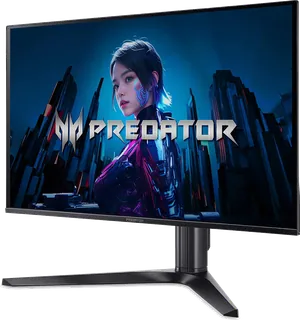
A 26.5-inch flat 1440p QD-OLED at 500 Hz with DisplayHDR True Black 500, USB-C with 65 W charging, and built-in 10 W speakers. Suits competitive players who want 500 Hz plus a USB-C connection and speakers. Limits: Acer's list price is $799.99 but it is often sold well below that, and burn-in coverage is not listed on the product page.
Suggest a change
Related comparisons
-
 Portable monitors
 add a second screen to a laptop, console, or phone. Compare 35 models from ASUS, ViewSonic, Dell, HP, Lenovo, LG, MSI, Acer, AOC, ARZOPA, UPERFECT, espresso, and INNOCN on size, weight, brightness, refresh rate, touch, power, ports, and color.
-
 Monitor arms
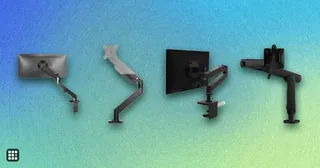
Compare single, dual, and heavy-duty monitor arms by the weight and screen size they hold, how far they reach and lift, how they attach to a desk, and the warranty. The real trade-off is between cheap gas-spring arms that work well within a narrow weight band and premium arms with longer reach, wider weight ranges, and longer warranties.
-
 PC power supplies
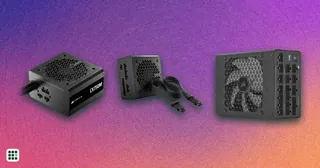
A PC power supply converts wall power to the steady voltages every part in a desktop needs. This grid compares popular ATX and SFX units on wattage, efficiency, connectors, noise features and warranty.
-
 Game controllers
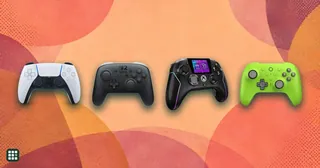
Compare game controllers by platform support, wired and wireless connections, stick sensing, rear controls, triggers, battery life, and US price. The best fit depends on what you play and which features matter to you.
-
 Racing wheels
 range from $130 gear-driven sets to premium direct-drive bases. This grid compares popular wheel kits for PC, PlayStation and Xbox on torque, drive type, pedals, platform support and full cost, so you can match a wheel to how you race and what you already own.
-
 Arcade sticks
 let you play fighting games like Street Fighter 6 and Tekken 8 with a lever and buttons, or with a leverless all-button layout, instead of a pad. The main choices are lever or leverless, which consoles it works on, and how much you pay for build and parts.