



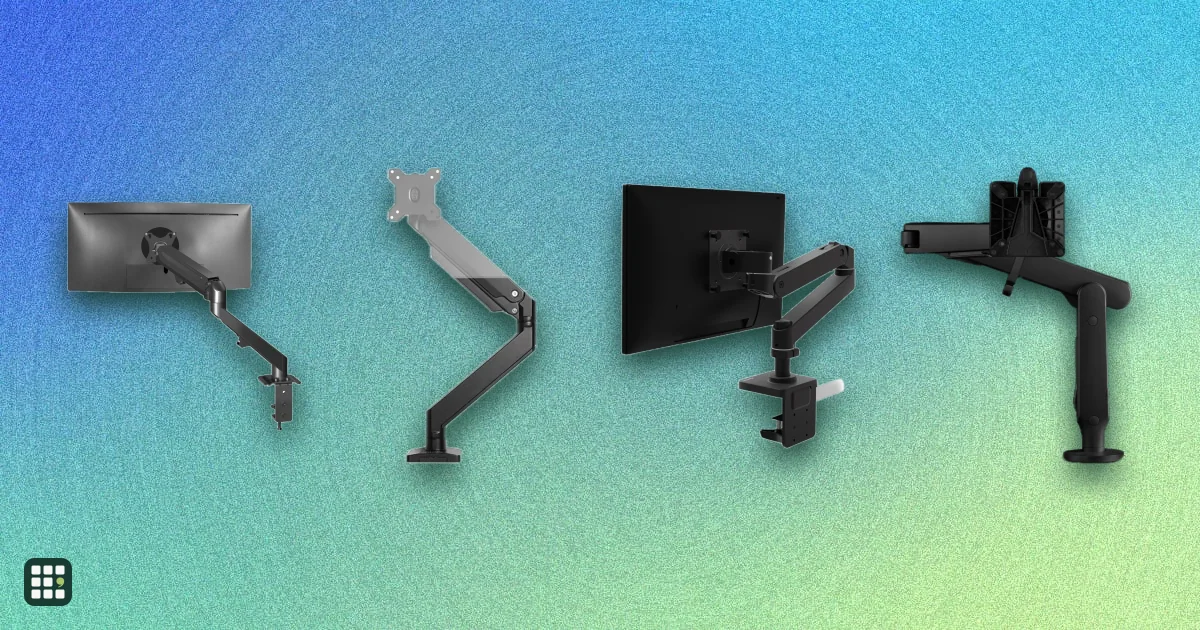
Monitor arms
Compare single, dual, and heavy-duty monitor arms by the weight and screen size they hold, how far they reach and lift, how they attach to a desk, and the warranty. The real trade-off is between cheap gas-spring arms that work well within a narrow weight band and premium arms with longer reach, wider weight ranges, and longer warranties.
Last updated
How to choose
Start with your monitor, not the arm. Look up its weight without its stand, its screen size, and its VESA pattern (the screw holes on the back, usually 75x75 or 100x100 mm). Monitors without VESA holes need an adapter, and some curved or ultrawide screens have recessed holes that need spacers.
Rule out arms that cannot hold your screen
- Weight: your monitor must sit inside the arm's minimum and maximum. Spring and gas-spring arms balance a set range; a light monitor on a heavy-duty arm drifts up, and a heavy one sags. Aim for a monitor in the middle of the range rather than at the top.
- Screen size: large ultrawides (34 in and up) need an arm rated for them, and usually a heavy-duty one.
- Number of screens: a dual arm shares one pole and clamp; two single arms give more freedom but take two mounting points.
Check your desk
- Clamps need a desk edge with room behind it and a top thick enough and within the clamp's range. Thin glass, hollow-core, and particleboard tops may need a reinforcement plate.
- A grommet mount needs a hole through the desk; some desks already have one.
- On a standing desk, the arm moves with the desk, so check the desk's weight capacity includes the arm and monitor.
Compare adjustment
- Height range decides whether you can line the top of the screen up with your eyes both sitting and standing.
- Reach lets you pull the screen forward and push it back to clear desk space; long reach helps deep desks.
- Tilt and portrait rotation matter for reading documents, code, and for reducing glare.
Full cost and long-term use
Premium arms cost several times more but often carry 10 to 15 year warranties, while budget arms usually carry 1 to 3 years. Gas springs can weaken over years; mechanical springs tend to last. Check whether tension is adjustable without disassembly, whether a quick-release plate makes it easy to take the screen off, and whether built-in cable routing keeps cables tidy.
Answer
Browse the table. Filter to what matters.
Use the filters below, then sign in if you want to shortlist and decide with friends.
Sign in to vote, hide products and features, and reorder.
Verified: hover a cell and click its green dot for the source Estimate: no cited source Not stated: the maker doesn't publish it
| Feature | ⠿ | ⠿ | ⠿ | ⠿ | ⠿ | ⠿ | ⠿ | ⠿ | ⠿ | ⠿ | ⠿ | ⠿ | ⠿ | ⠿ | ⠿ |
|---|---|---|---|---|---|---|---|---|---|---|---|---|---|---|---|
|
⠿
Price
|
$219
|
$329
|
$487
|
$751
|
$305
|
$49.99
|
$49.99
|
$195
|
$109
|
$149
|
$114.99
|
||||
|
⠿
Monitors supported
|
1 screens
|
2 screens
|
1 screens
|
1 screens
|
1 screens
|
1 screens
|
|||||||||
|
⠿
Max weight per monitor
|
14.3 lb
|
19.8 lb
|
|||||||||||||
|
⠿
Max screen size
|
34 in
|
27 in
|
49 in
|
34 in
|
34 in
|
27 in
|
32 in
|
32 in
|
|||||||
|
⠿
Min weight per monitor
|
4.4 lb
|
4.4 lb
|
|||||||||||||
|
⠿
Lift mechanism
|
Spring, tool-free thumbwheel tension
|
Spring, adjustable tension
|
Mechanical spring
|
Gas spring
|
|||||||||||
|
⠿
Height adjustment range
|
13.2 in
|
11.6 in
|
|||||||||||||
|
⠿
Max reach
|
25 in
|
25 in
|
23.6 in
|
22.2 in
|
18.5 in
|
20.3 in
|
|||||||||
|
⠿
Clamp mount
|
|
|
|
|
|
||||||||||
|
⠿
Grommet mount
|
|
|
|
|
|
|
|
|
|||||||
|
⠿
Desk thickness
|
Up to 2.4 in (clamp)
|
Up to 2.4 in (clamp)
|
0.98-1.38 in (25-35 mm)
|
0.4-2.4 in
|
0.4–3.2 in
|
0.59-3.54 in
|
|||||||||
|
⠿
VESA patterns
|
75x75, 100x100
|
||||||||||||||
|
⠿
Tilt range
|
75°
|
75°
|
75°
|
180°
|
85°
|
135°
|
110°
|
100°
|
|||||||
|
⠿
Portrait rotation
|
|
|
|
|
|||||||||||
|
⠿
Cable management
|
|
|
|
||||||||||||
|
⠿
Quick release VESA plate
|
|
|
|
||||||||||||
|
⠿
USB ports
|
|
|
|
|
|
|
|
|
|
|
|
|
|
||
|
⠿
Material
|
Aluminum
|
Aluminum
|
Aluminum
|
Aluminum
|
Powder-coated aluminum
|
Metal
|
|||||||||
|
⠿
Warranty
|
15 years
|
15 years
|
12 years
|
10 years
|
3 years
|
Why these features matter
-
Price ($)
Monitor arms run from about $30 to well over $300. Paying more usually buys a wider weight range, longer reach, smoother movement, and a much longer warranty, which matters less if your monitor is light and you rarely move it.
-
Monitors supported (screens)
Dual arms put two screens on one pole and clamp, which saves desk space and keeps them aligned, but you give up the independent placement two single arms allow.
-
Max weight per monitor (lb)
The most important check. Your monitor must weigh less than this, ideally with some margin; heavy ultrawides and older monitors often exceed what budget arms can hold.
-
Max screen size (in)
Large and ultrawide screens need an arm long and strong enough to balance them. A size limit also hints at how stable the arm will be with big screens.
-
Min weight per monitor (lb)
Spring and gas-spring arms only balance a set range. A monitor below the minimum drifts upward and will not stay put, which catches out people buying a heavy-duty arm for a light screen.
-
Lift mechanism
Spring-balanced arms let you move the screen with one hand and hold it in place. Manual arms are cheaper and rock-solid once set, but are awkward to readjust; gas springs can weaken over many years while mechanical springs tend to last.
-
Height adjustment range (in)
More lift lets you put the top of the screen at eye level whether you sit or stand, and suits users of different heights sharing a desk. It matters less if the desk is not height-adjustable.
-
Max reach (in)
Longer reach lets you pull the screen toward you and push it back to free up desk space, useful on deep desks or for sharing a screen. Shorter arms are steadier with heavy monitors.
-
Clamp mount
A clamp fits most desks without drilling. It needs space behind the desk and a top within the clamp's thickness range.
-
Grommet mount
A grommet mount bolts through a hole in the desk, so it works where there is no usable edge, such as a desk against a wall or with a back panel.
-
Desk thickness
Very thin or very thick tops, glass, and some standing-desk frames fall outside many clamps. Measure your desk top before buying.
-
VESA patterns
Almost every arm fits 75x75 and 100x100. Large monitors with 200x100 or bigger patterns need an arm or adapter that supports them; monitors with no VESA holes need an adapter.
-
Tilt range (°)
More tilt helps cut glare and lets you angle the screen down for standing or toward someone beside you. Most people use only a small part of it.
-
Portrait rotation
Portrait mode suits coding, reading documents, and long web pages. Check the monitor itself is not too wide to clear the desk or arm when turned.
-
Cable management
Built-in routing keeps power and video cables tidy and stops them snagging as the arm moves.
-
Quick release VESA plate
Makes it much easier to mount a heavy monitor alone or swap screens. Less important if you will set it up once.
-
USB ports
Handy for plugging in a keyboard, drive, or charger at desk level, but adds a cable to run back to the computer.
-
Material
Aluminum arms are lighter and often slimmer; steel is cheaper and stiff. Material matters less than build quality and the spring.
-
Warranty (years)
Warranties run from 1 year on budget arms to 15 years or more on premium ones. A long warranty matters because springs and joints are what wear out.
About the products
-
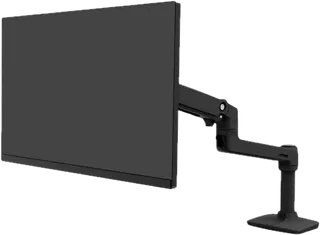
LX Desk Monitor Arm · Ergotron
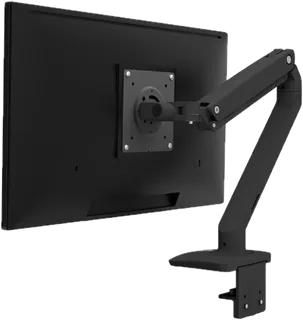
The long-running reference arm: a spring-balanced arm for monitors up to 34 in and 7 to 25 lb, with 25 in of reach, 13 in of lift, clamp and grommet mounts in the box, and a 10-year warranty. A tall-pole version suits standing desks and bigger screens.
-
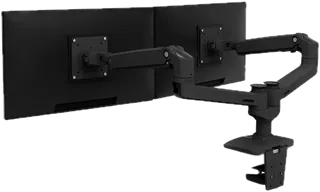
LX Dual Side-by-Side Arm · Ergotron
Two LX arms on one pole for a pair of monitors up to 27 in and 7 to 20 lb each, each moving independently with 13 in of lift. The matte black and white versions ship with a desk clamp only; a grommet mount is extra.
-
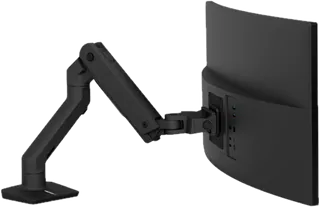
HX Desk Monitor Arm · Ergotron
Ergotron's heavy-duty arm for big ultrawide and curved screens up to 49 in and 20 to 42 lb, including 200x200 VESA. Too stiff for typical monitors under 20 lb; deep curved screens over 6 in reduce its capacity to 28 lb.
-
MXV Desk Monitor Arm · Ergotron
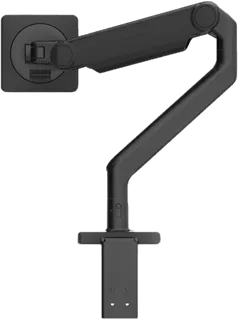
A slimmer, lighter alternative to the LX for monitors up to 34 in and 7 to 20 lb, with 180 degrees of tilt and a removable stop that keeps the arm off the wall. Ships fully assembled with a desk clamp; the grommet mount is an extra accessory.
-
LX Pro Desk Monitor Arm · Ergotron
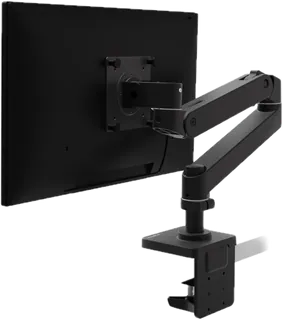
The newer generation of the LX, with a smaller base and integrated cable routing, for monitors up to 34 in and 22 lb. Fewer published specs than the classic LX; Ergotron's own site could not be checked for this grid.
-
M2.1 Monitor Arm · Humanscale
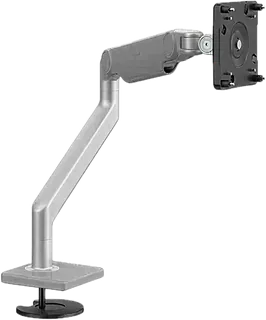
A slim, premium spring arm for lighter monitors (up to 15.5 lb) with top-to-bottom cable management. Humanscale now headlines the page as M2 Pro; the list price is high, but its store has shown a much lower Buy Now price, so compare before paying list.
-
M8.1 Monitor Arm · Humanscale
Humanscale's heavy-duty spring arm for single monitors up to 28 lb, also usable for two screens with an optional crossbar. Expensive at list price; Humanscale says the M8 Pro is its new and improved successor.
-
Ollin Monitor Arm · Herman Miller
A powder-coated aluminum arm with long reach (26.5 in) and 13.5 in of lift for monitors up to 20 lb, with a 12-year warranty. Clamp mount only, for desks up to 2.5 in thick.
-
STAND-V101O Pneumatic Single Monitor Arm · VIVO
A low-cost spring-assisted arm for small and mid-size monitors (17 to 27 in, up to 14.3 lb), with both clamp and grommet mounts and a 3-year warranty. Too light-duty for heavy or ultrawide screens.
-
FlowLift Pro Single Monitor Arm · HUANUO
A budget mechanical-spring arm for screens up to 32 in and 19.8 lb, with a visible tension window that shows how the arm is set. HUANUO lists a lifetime warranty in the spec table but "up to 5-year" elsewhere, so check the terms.
-
Jarvis Single Monitor Arm · Herman Miller
The Fully Jarvis arm, now sold through the Herman Miller Store: a mid-priced arm for 13 to 32 in monitors up to 19 lb with a 10-year warranty, in black, white, or silver. Shipping lead times can be long.
-
Crestview Single Monitor Arm · UPLIFT Desk
A gas-spring arm with an unusually wide weight range (2.2 to 33 lb), a quick-release VESA plate, and UPLIFT's 15-year warranty. USB and audio ports are an optional add-on kit.
-
MAGNUS Monitor Arm · Secretlab
An all-aluminum spring arm designed to fit the cable tray of Secretlab's MAGNUS desks, with magnetic cable guides; it also clamps to other desks 10 to 50 mm thick. Holds screens up to 34 in and 17.6 lb. A heavy-duty edition is sold separately for big ultrawides.
-
D7L Single Monitor Mount · FlexiSpot
An aluminum single arm for heavier screens (13.2 to 33 lb, up to 34 in) with clamp and grommet mounts and a very wide clamp range. Its 13.2 lb minimum makes it a poor fit for light monitors.
-
SmartFit One-Touch Height Adjustable Single Monitor Arm · Kensington · Discontinued
A gas-spring arm for 13 to 34 in screens up to 19.8 lb with a quick-release VESA plate and a 2-year warranty. Kensington lists it as discontinued, so it is mainly found as leftover or used stock.
Suggest a change
Related comparisons
-
 Portable monitors
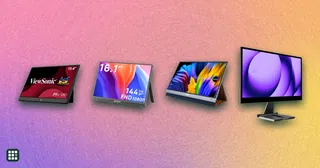
 add a second screen to a laptop, console, or phone. Compare 35 models from ASUS, ViewSonic, Dell, HP, Lenovo, LG, MSI, Acer, AOC, ARZOPA, UPERFECT, espresso, and INNOCN on size, weight, brightness, refresh rate, touch, power, ports, and color.
-
 Gaming monitors
A gaming monitor decides how smooth, sharp and colorful your games look. This grid compares popular OLED, IPS and VA gaming monitors by resolution, refresh rate, HDR, ports and price, so you can match a screen to your PC or console and your budget.
-
 Desk lamps
A good desk lamp puts enough light on your work without glare in your eyes or on your screen. Options range from classic spring-balanced arm lamps to LED lamps with adjustable color temperature and automatic brightness, and monitor light bars that take no desk space. This grid compares brightness, color temperature, glare control, adjustability, mounting and price.
-
 Label makers
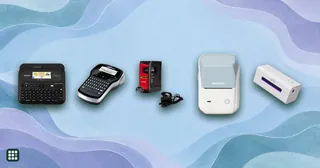
 compared: Brother P-touch and DYMO handhelds with keyboards, Bluetooth app printers, industrial models for cables and job sites, budget thermal printers, and desktop and 4 x 6 shipping label printers. The choice comes down to how you want to design labels, how long they must survive, barcode and shipping needs, and the real cost of refills.
-
 Under-desk footrests
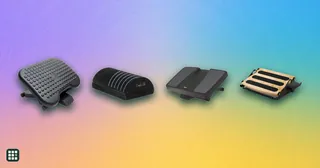
An under-desk footrest supports your feet when they don't sit flat on the floor, so your thighs stay level and your lower back is less strained. Choices range from soft foam cushions to tilting platforms and free-rocking footrests that keep your legs moving. This grid compares height and angle adjustment, stability, surface and materials, cleaning, and price.
-
 Anti-fatigue mats
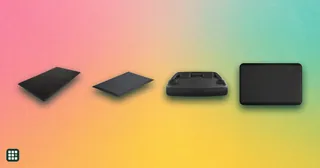
 cushion the floor where you stand at a standing desk, kitchen counter or workbench, so long stretches on your feet are easier on your legs, feet and back. This grid compares flat foam and gel mats, contoured mats that keep you moving, and hybrid mats a rolling office chair can use too, by cushioning, size, edges, chair compatibility, warranty and price.