



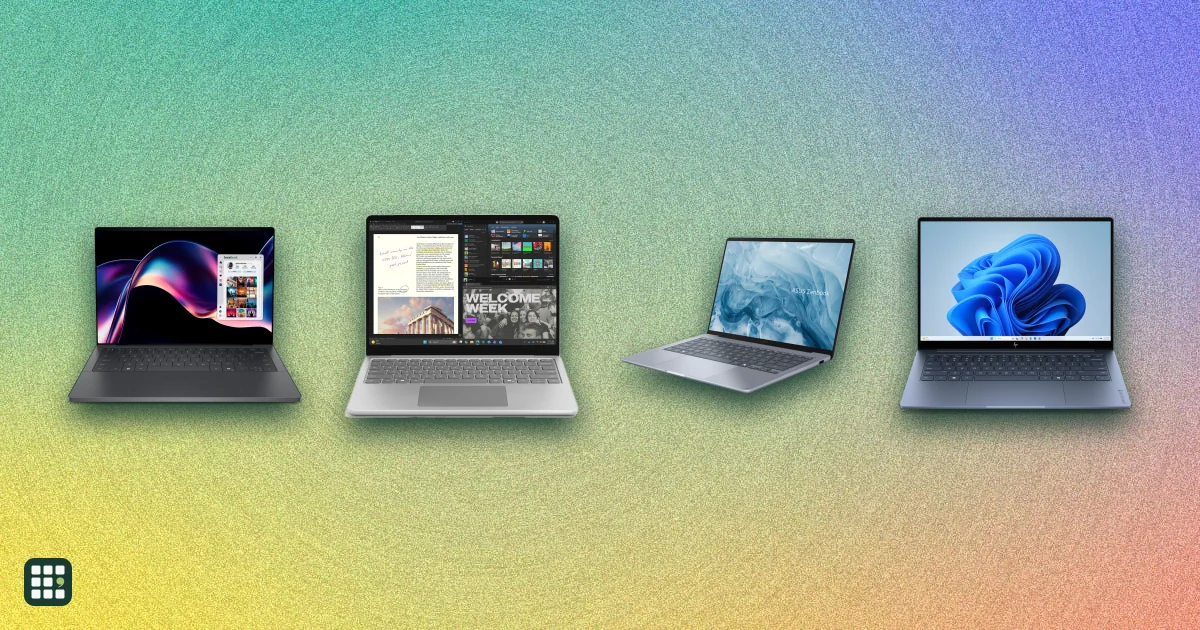
Laptops
Compare laptops sold in the US, from Chromebooks and everyday Windows laptops to MacBooks, 2-in-1 convertibles, and gaming and creator machines. The main choices are operating system, how much memory and storage you need, screen size against weight, battery life, and whether you need serious graphics power.
Last updated
How to choose
Prices and specs here are for each model's cheapest configuration, from the maker. Higher configurations add memory, storage, better screens or graphics for more money. Battery claims use each maker's own test, so treat them as best cases.
1. Pick the operating system
- macOS suits people with iPhones and those who want long battery life and strong resale value.
- Windows runs the widest range of software and games, on the most hardware choices and prices.
- ChromeOS is simple, secure and cheap, best for web apps, school and light use.
2. Buy enough memory and storage
Aim for at least 16 GB of RAM and 512 GB of storage if you keep files locally or use creative apps. Most thin laptops have soldered memory that cannot be upgraded later, so it pays to buy enough up front.
3. Balance size, weight and screen
13- to 14-inch laptops under 3 pounds are easiest to carry; 15- and 16-inch models are better for spreadsheets, editing and gaming but heavier. OLED and high-refresh screens look better but can cost battery life.
4. Decide whether you need dedicated graphics
Integrated graphics handle everyday work, video and light photo editing. For modern games, 3D or heavy video work, look for a dedicated GPU, and expect more weight, heat and fan noise.
5. Check ports, warranty and repairability
Count the ports you need for monitors, drives and charging. Most laptops come with a one-year warranty; consider an extended plan for expensive models, and look at upgradeable designs if you want the laptop to last longer.
Answer
Browse the table. Filter to what matters.
Use the filters below, then sign in if you want to shortlist and decide with friends.
Sign in to vote, hide products and features, and reorder.
Verified: hover a cell and click its green dot for the source Estimate: no cited source Not stated: the maker doesn't publish it
| Feature | ⠿ | ⠿ | ⠿ | ⠿ | ⠿ | ⠿ | ⠿ | ⠿ | ⠿ | ⠿ | ⠿ | ⠿ | ⠿ | ⠿ | ⠿ | ⠿ | ⠿ | ⠿ | ⠿ | ⠿ | ⠿ | ⠿ | ⠿ | ⠿ | ⠿ | ⠿ |
|---|---|---|---|---|---|---|---|---|---|---|---|---|---|---|---|---|---|---|---|---|---|---|---|---|---|---|
|
⠿
Price
|
$1,099
|
$1,819.99
|
$659.99
|
$789.99
|
$1,159.99
|
$1,599.99
|
$799.99
|
$3,599.99
|
$1,099.99
|
$399.99
|
$699
|
|||||||||||||||
|
⠿
Operating system
|
macOS
|
macOS
|
||||||||||||||||||||||||
|
⠿
Processor
|
Intel Core 3 N355
|
Intel Core 3 N355
|
||||||||||||||||||||||||
|
⠿
RAM
|
8 GB
|
8 GB
|
||||||||||||||||||||||||
|
⠿
Storage
|
1,000 GB
|
1,000 GB
|
256 GB
|
512 GB
|
1,000 GB
|
128 GB
|
1,000 GB
|
|||||||||||||||||||
|
⠿
Screen size
|
14 in
|
14 in
|
16 in
|
15.6 in
|
||||||||||||||||||||||
|
⠿
Display
|
OLED 1920 x 1200
|
IPS 1920 x 1200
|
IPS 2560 x 1600
|
IPS 1920 x 1080, 60 Hz
|
IPS 1920 x 1200 (FHD+), anti-glare
|
|||||||||||||||||||||
|
⠿
Touchscreen
|
|
|
|
|
|
|
|
|
|
|
|
|
|
|
|
|
||||||||||
|
⠿
Two in one
|
|
|
|
|
|
|
|
|
|
|
|
|
|
|
|
|
|
|
|
|
|
|
|
|||
|
⠿
Graphics
|
Integrated (Intel Graphics)
|
Integrated (Intel Graphics)
|
Integrated (Intel Graphics)
|
Integrated (Intel Graphics)
|
Integrated (Intel Graphics)
|
|||||||||||||||||||||
|
⠿
Weight
|
2.87 lb
|
2.81 lb
|
2.56 lb
|
3.04 lb
|
||||||||||||||||||||||
|
⠿
Battery life
|
20.75 hr, MobileMark 25, sister config
|
|||||||||||||||||||||||||
|
⠿
Ports
|
3 Thunderbolt 4, headphone
|
2 USB-C, HDMI 2.1, headphone
|
2 USB-C, 1 USB-A, headphone
|
2 Thunderbolt (USB4) USB-C, 2 USB-A, HDMI
|
2 USB-C, 2 USB-A, HDMI, headphone
|
|||||||||||||||||||||
|
⠿
Upgradeable RAM
|
|
|
|
|
|
|
|
|
|
|
||||||||||||||||
|
⠿
Warranty
|
1 year limited
|
1 year limited
|
1 year limited
|
1 year limited
|
1 year limited
|

Why these features matter
-
Price ($)
Laptops range from a few hundred dollars for a Chromebook to several thousand for high-end creator and gaming machines; the base price rarely includes the RAM or storage many people need.
-
Operating system
The operating system decides which apps you can run and how the laptop works with your phone and other devices.
-
Processor
The processor sets speed and battery life; Arm chips (Apple, Snapdragon) tend to last longer on battery, while some Windows apps run best on Intel or AMD.
-
RAM (GB)
16 GB is a comfortable minimum today; 8 GB can feel tight with many browser tabs or creative apps. RAM is often soldered and cannot be added later.
-
Storage (GB)
256 GB fills up fast with photos and apps; 512 GB or more suits most people who keep files locally.
-
Screen size (in)
Bigger screens are easier to work on but make the laptop heavier and larger to carry; 13 to 14 inches is the sweet spot for portability.
-
Display
Higher resolution looks sharper, OLED gives deeper contrast, and high refresh rates feel smoother for scrolling and games.
-
Touchscreen
Touch is handy for scrolling and drawing, and essential on 2-in-1s; it adds cost and some weight.
-
Two in one
Convertibles double as tablets for reading, notes and drawing, but are usually heavier than a regular laptop of the same size.
-
Graphics
A dedicated GPU matters for gaming and video or 3D work; integrated graphics are fine for everyday use and save battery.
-
Weight (lb)
Under 3 pounds is easy to carry all day; gaming and 16-inch laptops often weigh 4 to 5 pounds or more.
-
Battery life (hr)
Claims use different tests and are best cases; compare within a brand's test type and expect less with heavy use.
-
Ports
More and varied ports mean fewer dongles for monitors, drives and chargers.
-
Upgradeable RAM
Upgradeable memory and storage can extend a laptop's life; most thin laptops have soldered RAM, so buy enough up front.
-
Warranty
Most laptops come with one year; longer coverage or affordable extended plans reduce the cost of repairs.
About the products
-
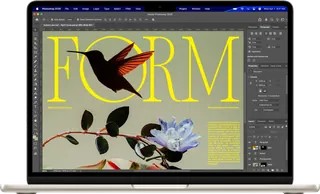
MacBook Air 13-inch (M5) · Apple
The 13-inch MacBook Air, a thin, light Mac for students and everyday work. The base model now starts with 16GB of memory and a 512GB SSD; it has only two Thunderbolt ports plus MagSafe, no touchscreen, and memory cannot be added later.
-
MacBook Air 15-inch (M5) · Apple
A larger-screen MacBook Air for people who want more screen space without Pro pricing. The base model has the 10-core GPU M5, 16GB and 512GB; it weighs more than the 13-inch, keeps the same two Thunderbolt ports, and memory cannot be added later.
-
MacBook Pro 14-inch (M6) · Apple
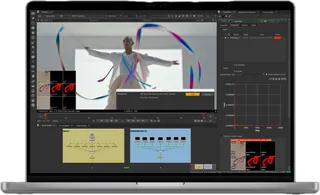
The current entry MacBook Pro. Apple's M6 chip has a 12-core CPU, adds a third Thunderbolt port, and is rated for up to 24 hours of video playback. Same 14.2-inch 120Hz Liquid Retina XDR screen, HDMI and SD card slot. The M5 Pro and M5 Max chips cost more and bring Thunderbolt 5.
-
MacBook Pro 14-inch (M5) · Apple · Superseded Oct 2026
The previous entry MacBook Pro, replaced by the M6 model on 27 October 2026 and no longer sold new by Apple. Same 14.2-inch 120Hz Liquid Retina XDR display, HDMI and SD card slot, but a 10-core CPU and 10-core GPU.
-
MacBook Pro 16-inch (M5 Pro) · Apple
Apple's largest laptop, for video, 3D and development work that needs a big screen and sustained performance. It comes only with M5 Pro or M5 Max chips (base: 18-core CPU, 20-core GPU, 24GB, 1TB) and weighs 4.7 pounds.
-
Surface Laptop 13.8-inch (8th Edition) · Microsoft
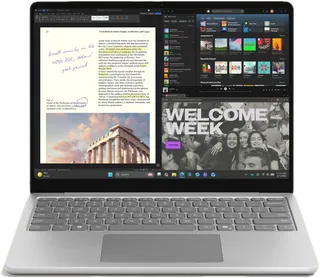
A Windows on Arm (Snapdragon X2) laptop with a 120Hz 3:2 touchscreen, haptic touchpad and Windows Hello face sign-in, for office and on-the-go work. Some x86-only apps and games may not run well on Arm. On sale at the Microsoft Store: several X2 Elite configurations are discounted (from $1,515.18 vs $1,699.99), below the $1,599.99 base X2 Plus model.
-
Framework Laptop 13 (Ryzen AI 300) · Framework
A repairable, upgradeable 13.5-inch laptop: memory (DDR5 SO-DIMM), storage, ports (swappable Expansion Cards) and even the mainboard can be replaced, and it runs Windows or Linux. Its base 2.2K screen is 60Hz with no touch. Pre-built Base is on sale for $1,049 (5% off $1,099) but listed out of stock; the DIY Edition starts at $849 without memory, storage or OS.
-
XPS 14 (2026) · Dell
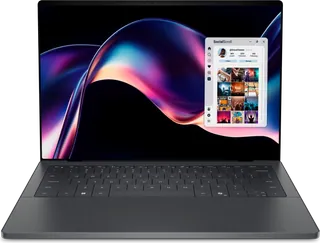
Dell's premium 14-inch aluminum-and-glass laptop, revived under the XPS name for 2026 with Intel Core Ultra Series 3 chips and very long claimed battery life. Ports are limited to three Thunderbolt 4 USB-C plus a headphone jack (no USB-A, HDMI or SD slot), and memory is soldered. Dell currently sells the base model at $1,989.99, $160 under its $2,149.99 'Estimated Value'.
-
Dell 15 (D15261) · Dell
Dell's budget 15.3-inch everyday laptop for school and home use, with Intel Core Series 3 chips and a 60 Hz FHD+ IPS screen. The base model has only 8 GB of single-channel memory and a non-backlit keyboard, but RAM sits in a user-upgradeable SO-DIMM slot. Dell currently sells it at $649.99, $50 under its $699.99 'Estimated Value'.
-
OmniBook Ultra 14 (2026) · HP
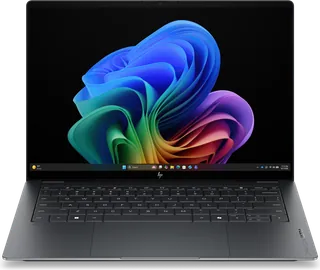
HP's premium 14-inch laptop (the line that replaced Spectre), with a 3K 120 Hz OLED touchscreen standard and a choice of Intel Core Ultra Series 3 or Snapdragon X2 chips. Ports are three Thunderbolt 4 USB-C plus a headphone jack, and memory is soldered. HP is currently selling the base Intel build at $1,319.99, $500 off its $1,819.99 MSRP.
-
OmniBook 5 14 · HP
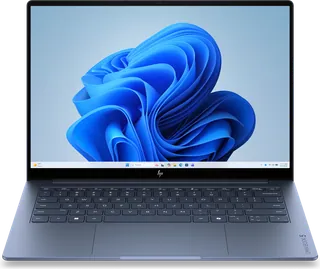
HP's mainstream 14-inch aluminum laptop for school and home, with an OLED touchscreen at a mid-range price. The base model's 8 GB of soldered memory can't be upgraded later, and storage is only 256 GB. There's no USB-A port, just two USB-C ports plus HDMI.
-
ThinkPad X1 Carbon Gen 14 · Lenovo
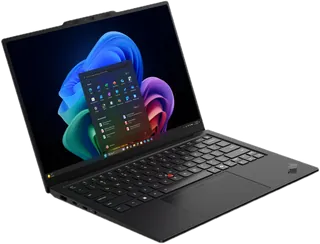
Lenovo's flagship ultralight 14-inch business laptop, about 2.2 lb with a carbon-fiber lid, Intel Core Ultra Series 3 vPro chips, and a wider port selection than most thin laptops, including USB-A and HDMI. Even the base build has 32 GB of memory, but it's soldered. It's expensive: the base build is $2,815.
-
IdeaPad Slim 5i Ultra 14 · Lenovo
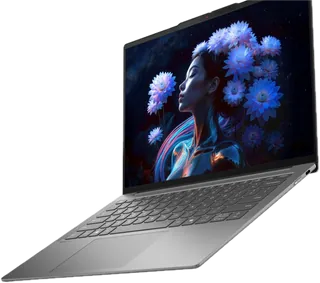
A thin, all-aluminum 14-inch mainstream laptop with an Intel Core Ultra (Series 2, Lunar Lake) chip, aimed at students and everyday users. The base model has a 500-nit touchscreen and 16 GB of memory (on-package, not upgradeable). Its only ports are three USB-C, and Lenovo's port list shows no headphone jack.
-
Chromebook Plus CX34 · ASUS
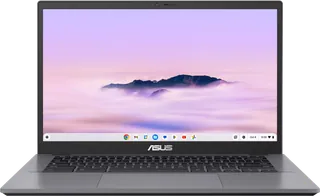
A budget 14-inch Chromebook Plus clamshell for students and everyday browsing and docs. The base model has an Intel Core 3 100U, 8 GB of soldered memory, 128 GB of UFS storage and a full HD non-touch screen. A touchscreen costs $50 more, and the screen lies flat at 180 degrees but does not fold into a tablet. It comes with 12 months of Google AI Pro.
-
Chromebook Plus x360 14 · HP
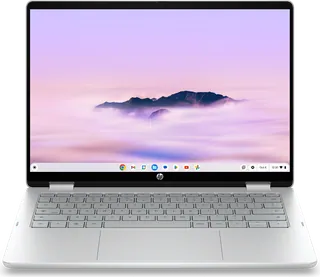
A 14-inch ChromeOS convertible with a 360-degree hinge and a 1920 x 1200 touchscreen, for students and families who want a laptop that also works as a tablet. It has an Intel Core 3 N355, 8 GB of soldered memory and a 512 GB SSD. HP doesn't publish a battery-life claim for it. On sale at HP.com for $659.99 (MSRP $789.99).
-
LOQ 15AHP10 · Lenovo
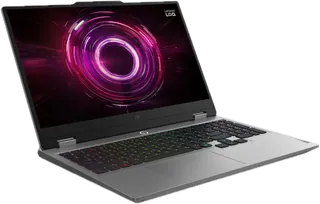
An entry-level 15.6-inch gaming laptop with an AMD Ryzen 5 220, an RTX 5050 8 GB and a 144 Hz full HD screen, for students and first-time PC gamers on a budget. Memory sits in two SO-DIMM slots (16 GB, up to 32 GB). It weighs about 5.3 lb, and the 60 Wh battery is rated at only 4.4 hours on MobileMark 30. Lenovo lists it at $1,159.99, shown as 36% off an 'estimated value' of $1,835.99.
-
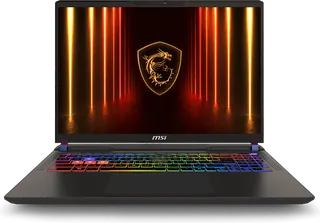
Vector 16 HX AI · MSI
A 16-inch performance gaming laptop for gamers and STEM or creative users who want desktop-class power. The base A2XWHG has an Intel Core Ultra 7 255HX, an RTX 5070 Ti 12 GB, two Thunderbolt 5 ports and a 144 Hz 1920 x 1200 screen. It weighs about 6 lb, uses a 330 W adapter, and MSI publishes no battery-life claim. MSI's store currently includes a free 2-year extended warranty promotion.
-
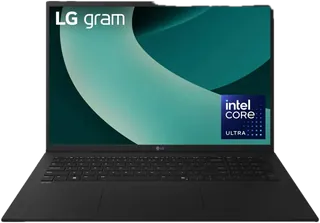
gram 17 · LG
A 17-inch Windows laptop that weighs about 3.2 lb, for people who want a big screen they can carry every day. The base model has an Intel Core Ultra 7 256V with 16 GB of memory built into the processor (not upgradeable), integrated Arc graphics and a 2560 x 1600 touchscreen, so it is not meant for serious gaming. On sale at LG.com for $1,499.99 (regular $1,599.99).
-
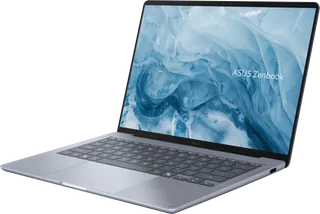
Zenbook 14 (UX3480) · ASUS
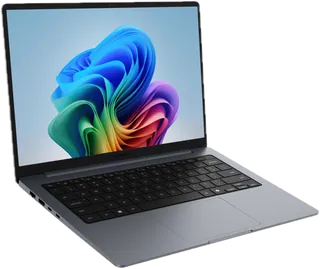
A light 14-inch OLED everyday laptop with a ceramic-aluminum (Ceraluminum) lid and long battery life from a Snapdragon X (Arm) chip. The $799.99 base model has only 8 GB of soldered memory and a 256 GB SSD, and some older Windows apps and games may not run on Arm.
-
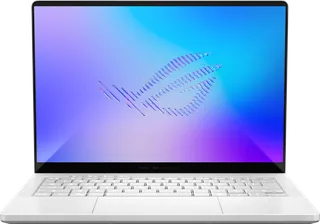
ROG Zephyrus G14 (2026) · ASUS
A premium 14-inch gaming laptop in an aluminum chassis with a 3K OLED screen, sold in the US in one high-end configuration (Core Ultra 9 386H, RTX 5070 Ti, 32 GB, 1 TB). It costs far more than earlier G14s, memory is soldered, and ASUS lists no HDMI port for this model.
-
Swift Go 16 AI · Acer
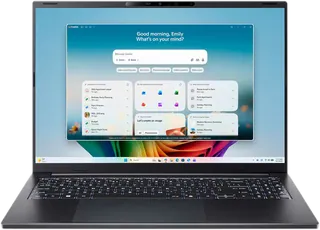
A thin 16-inch aluminum laptop with a touch OLED screen, Intel Core Ultra Series 3 processors, and long claimed battery life, at a mid-range price. The base model has an FHD+ (1920 x 1200) 60 Hz panel, integrated graphics, and LPDDR5X memory.
-
Aspire Go 15 · Acer
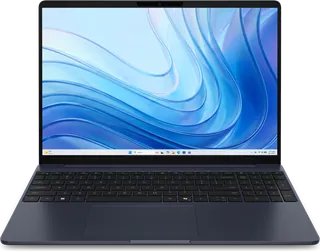
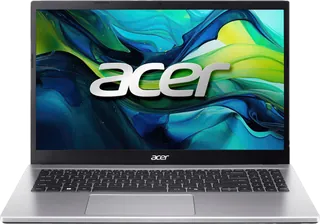
A low-cost 15.6-inch laptop for browsing, schoolwork and streaming, with an Intel Core 3 N355 chip, a 1080p IPS screen and a full number pad. The base model has 8 GB of memory and 128 GB of slower UFS flash storage instead of an SSD. There is no keyboard backlight, and it is fairly heavy at 3.81 lb.
-
Galaxy Book6 14-inch · Samsung
A mainstream aluminum Windows laptop for everyday work and school, with Intel Core Ultra (Series 3) processors and close ties to Galaxy phones. The base 14-inch model has a non-touch FHD+ IPS screen. The 16-inch and touchscreen versions cost more, and its ports are less fast than the Pro model's (USB-C rather than Thunderbolt, HDMI 1.4b).
-
Blade 14 (2025) · Razer
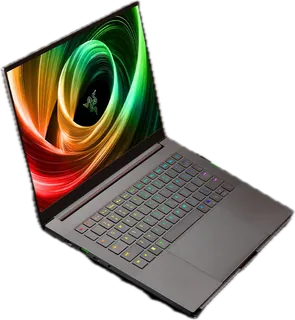
A very thin (0.62 in) premium 14-inch gaming laptop with a CNC aluminum body, a 3K 120 Hz OLED screen, and an AMD Ryzen AI 9 365 with RTX 50-series graphics. The base RTX 5060 model has 16 GB of soldered memory, and it costs more than most 14-inch gaming laptops with similar graphics.
-
MacBook Neo · Apple
Apple's cheapest MacBook: a 13-inch aluminum laptop built around the iPhone-class A18 Pro chip, aimed at students and everyday users who want macOS for less. The base model has 8GB of memory that cannot be added later, a 256GB SSD, two USB-C ports (one only USB 2), and no Touch ID (the 512GB model adds it). Apple raised the price from $599 to $699 in June 2026.
-
Googlebook 14 · Acer
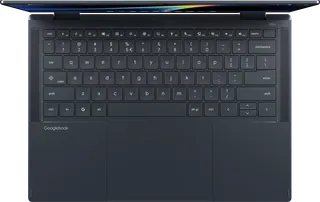
The cheapest of the five launch Googlebooks and the only convertible: a 14-inch 120 Hz OLED touchscreen that folds into a tablet, with an Intel Core Ultra 5 325, 16GB RAM and 512GB SSD. It runs Googlebook OS (Google's merge of ChromeOS and Android), so it suits Android phone owners more than people who need Windows or Mac software. Purchases since October 1, 2026 include 12 months of Google AI Pro.
Suggest a change
Related comparisons
-
 Computer monitors
Compare computer monitors sold in the US, from budget office screens to 4K and 5K displays for creative work, ultrawides, and fast OLED and IPS gaming monitors. The main choices are size and resolution, panel type, refresh rate for gaming, and whether one USB-C cable can charge and connect your laptop.
-
 Portable monitors
 add a second screen to a laptop, console, or phone. Compare 35 models from ASUS, ViewSonic, Dell, HP, Lenovo, LG, MSI, Acer, AOC, ARZOPA, UPERFECT, espresso, and INNOCN on size, weight, brightness, refresh rate, touch, power, ports, and color.
-
 PC power supplies
A PC power supply converts wall power to the steady voltages every part in a desktop needs. This grid compares popular ATX and SFX units on wattage, efficiency, connectors, noise features and warranty.
-
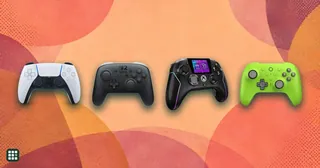 Game controllers
Compare game controllers by platform support, wired and wireless connections, stick sensing, rear controls, triggers, battery life, and US price. The best fit depends on what you play and which features matter to you.
-
 Racing wheels
 range from $130 gear-driven sets to premium direct-drive bases. This grid compares popular wheel kits for PC, PlayStation and Xbox on torque, drive type, pedals, platform support and full cost, so you can match a wheel to how you race and what you already own.
-
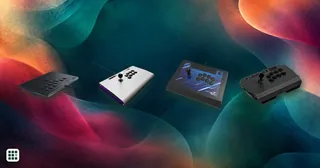 Arcade sticks
 let you play fighting games like Street Fighter 6 and Tekken 8 with a lever and buttons, or with a leverless all-button layout, instead of a pad. The main choices are lever or leverless, which consoles it works on, and how much you pay for build and parts.