



Screen recording software
Screen recording software captures your screen, camera and voice so you can explain, teach or document something once instead of repeating it. The big decision is whether you want a quick share-by-link recorder for teams, a full editor for polished tutorials, or a free tool that records and nothing more.
Last updated
How to choose
Start with what happens after you press record.
1. Decide what you will make
- Quick async updates and bug reports: choose a link-sharing recorder such as Loom, Zight, Screencastify or Tella.
- Polished tutorials and course videos: choose an editor such as Camtasia.
- Screenshots and step-by-step guides: Snagit or Zight.
- Full control, no cost, no limits: OBS Studio, if you can live without hosting or editing.
2. Check the free-plan limits
Free plans cap video count, recording length or resolution, and some add a watermark. A 5 minute cap ends many walkthroughs early.
3. Compare full cost
Per-user subscriptions add up for teams, while Snagit and Camtasia are priced per year for an individual. Check what the price includes: AI features and removing branding are often on higher tiers.
4. Check your computer
Screencastify runs as a browser extension; the rest install on Windows or Mac. Test recording on your own machine before buying.
5. Test before you commit
Record one real, five minute task with sound and webcam, then check export quality and how easily a colleague can watch it.
Answer
Browse the table. Filter to what matters.
Use the filters below, then sign in if you want to shortlist and decide with friends.
Sign in to vote, hide services and features, and reorder.
Verified: hover a cell and click its green dot for the source Estimate: no cited source Not stated: the company doesn't publish it
| Feature | ⠿ | ⠿ | ⠿ | ⠿ | ⠿ | ⠿ | ⠿ |
|---|---|---|---|---|---|---|---|
|
⠿
Price per year
|
$179/year
|
||||||
|
⠿
Free plan
|
|
|
|
||||
|
⠿
Free plan limits
|
Doesn't apply
|
No caps or watermark
|
Doesn't apply
|
Doesn't apply
|
|||
|
⠿
Max recording quality
|
Up to 4K or higher, depends on your hardware
|
||||||
|
⠿
Platforms
|
Windows, Mac
|
Windows, Mac
|
|||||
|
⠿
Webcam recording
|
|
|
|
||||
|
⠿
Editing tools
|
None; recording only
|
Trim and split
|
Basic trim; strong image editing
|
||||
|
⠿
AI features
|
None
|
||||||
|
⠿
Auto captions
|
|
|
|||||
|
⠿
Hosted sharing link
|
|
|
|
|
|||
|
⠿
Viewer analytics
|
|
|
|
||||
|
⠿
Screenshot capture
|
|
|
|






Why these features matter
-
Price per year ($/year)
Subscriptions repeat every year and multiply with team size.
-
Free plan
A real free plan lets you try the tool without a deadline.
-
Free plan limits
Limits decide whether free is enough for real work.
-
Max recording quality
Higher resolution keeps small text readable.
-
Platforms
It has to run on your computer.
-
Webcam recording
A face on camera adds personality and trust.
-
Editing tools
Editing saves re-recording and polishes training videos.
-
AI features
AI can save time after recording.
-
Auto captions
Captions help accessibility and silent viewing.
-
Hosted sharing link
Links are the fastest way to share with colleagues.
-
Viewer analytics
Shows whether anyone watched.
-
Screenshot capture
Handy for documentation.
About the services
-
Loom · Loom
Fast record-and-share-by-link tool for teams, now part of Atlassian. The free plan caps videos at 5 minutes and 25 per person; paid plans add 4K, editing and AI summaries.
-
Camtasia · TechSmith
Full video editor with built-in screen recording for polished tutorials and training videos. Subscription only; the free trial is watermarked.
-
OBS Studio · OBS Project
Free, open-source recorder and live streamer with unlimited scenes and sources. Records to local files only, with no editing or sharing links, and takes more setup than other tools.
-
Screencastify · Screencastify
Chrome and Edge extension popular with schools and teams. The free plan allows 10 videos of 30 minutes with a watermark.
-
Tella · Tella
Polished, designer-friendly recorder with auto layouts, zoom effects and transcript editing. Paid plans only.
-
Zight · Zight
Screenshots, GIFs and screen recordings with annotation, plus AI summaries and step-by-step guides. A free plan is available with a 5 minute recording limit.
-
Snagit · TechSmith
Screenshot and short-video tool best for annotated images, scrolling capture and step guides. Cheap at $39 per year, but not a full video editor.
Suggest a change
Related comparisons
-
 Design tools
 range from collaborative interface design apps to template-driven graphic makers and free desktop illustration software. This grid compares six current picks on price, free access, collaboration, open-source and self-hosting options, and AI and developer integrations, so you can see the real trade-offs between them.
-
 Video-call lights
Compare lights for video calls and desk streaming, from compact laptop clips and monitor light bars to desk-clamp key lights and small ring lights. The grid focuses on the light quality, mounting, power, and controls that affect a real webcam setup.
-
 USB microphones
 compared for calls, streaming, podcasting and voiceover: Shure, RØDE, Audio-Technica, Logitech G (Yeti), HyperX, Elgato, Razer and budget picks, including hybrid USB and XLR models. The choice comes down to dynamic or condenser for your room, the pickup patterns you need, monitoring and on-mic controls, and whether you want an XLR output to grow into later.
-
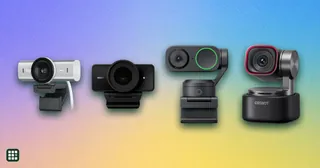 Webcams
A webcam is the camera on your calls and streams. The choice is how sharp the picture stays in ordinary room light, whether it follows you, and whether the built-in microphones are enough.
-
 Digital asset management software
Digital asset management (DAM) software gives marketing and creative teams one searchable home for logos, photos, videos and documents, with permissions, sharing links and version control. The big decision is price transparency and fit: a few vendors publish flat monthly plans for small teams, while enterprise DAMs only sell custom quotes.
-
 Print on demand services
 print and ship custom products only after a customer orders, so a seller needs no inventory. The decision is which platform has the products you want, how production is organized, what the optional paid plan saves, and how easily it connects to your store.