



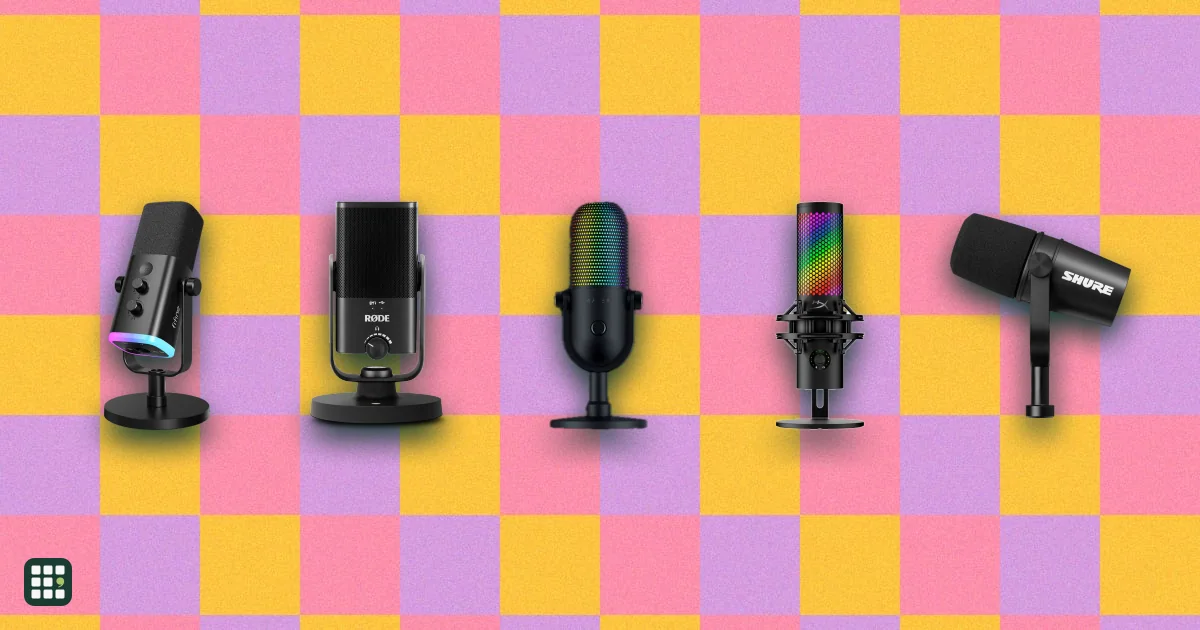
Streaming microphones
Microphones for live streaming, gaming, podcasting and video, from plug-and-play USB mics to XLR studio dynamics. The choice comes down to how quiet your room is, whether you want to plug in by USB or grow into an audio interface, and which on-mic controls and software you need while live.
Last updated
How to choose
Start with your room
Dynamic mics (SM7B, PodMic, MV7 family, Q9U, Wave DX) are used close to the mouth and ignore most keyboard clatter, fans and echo, which suits ordinary bedrooms and desks. Condensers (Yeti, NT-USB+, AT2020) capture more detail and also more room, so they fit quiet or treated spaces.
USB, XLR or both
- USB plugs into a computer with no extra gear and is the cheapest way to start.
- XLR needs an audio interface or mixer, and some dynamics need a lot of clean gain from it. In return you can upgrade the interface later.
- Hybrid mics (MV7+, Q9U, PD200X, NT1) give you USB now and XLR later.
Controls you use while live
Look for a zero-latency headphone jack, a hardware gain knob and a mute button or touch-mute you can hit without looking. Software apps add EQ, compressors and noise reduction, but check they run on your computer.
Placement and extras
Most streamers end up on a boom arm so the mic sits close to the mouth and out of frame. Check the mount thread, the weight (heavy mics need a sturdy arm), and whether a pop filter and desk stand are in the box. Mics where you speak into the top suit a front-hanging boom; side-address mics sit beside your face.
Before you buy
Check the connection works with your computer, console or phone, that the price includes the stand or boom arm you need, and whether RGB lighting matters to you; it adds nothing to the sound.
Answer
Browse the table. Filter to what matters.
Use the filters below, then sign in if you want to shortlist and decide with friends.
Sign in to vote, hide products and features, and reorder.
Verified: hover a cell and click its green dot for the source Estimate: no cited source Not stated: the maker doesn't publish it
| Feature | ⠿ | ⠿ | ⠿ | ⠿ | ⠿ | ⠿ | ⠿ | ⠿ | ⠿ | ⠿ | ⠿ | ⠿ | ⠿ | ⠿ | ⠿ | ⠿ | ⠿ | ⠿ | ⠿ | ⠿ | ⠿ | ⠿ | ⠿ | ⠿ | ⠿ | ⠿ | ⠿ | ⠿ | ⠿ |
|---|---|---|---|---|---|---|---|---|---|---|---|---|---|---|---|---|---|---|---|---|---|---|---|---|---|---|---|---|---|
|
⠿
Price
|
$169.99
|
$99.99
|
$199.99
|
$59.99
|
$99
|
$169
|
$80.99
|
||||||||||||||||||||||
|
⠿
Connections
|
Mini-USB (USB-A cable)
|
Micro-USB (USB-A cable)
|
|||||||||||||||||||||||||||
|
⠿
Capsule type
|
Condenser
|
||||||||||||||||||||||||||||
|
⠿
Pickup patterns
|
Cardioid
|
||||||||||||||||||||||||||||
|
⠿
Speaking position
|
Side-address
|
Top-address
|
Top-address
|
Top-address
|
Side-address
|
Front-address
|
Top-address
|
Side-address
|
Side-address
|
Top-address
|
Side-address
|
Top-address
|
|||||||||||||||||
|
⠿
Plugs straight into computer
|
|
|
|
|
|
|
|
|
|
|
|
|
|
|
|
|
|
|
|||||||||||
|
⠿
Needs phantom power
|
|
|
|
|
|
|
|
|
|
|
|
|
|
|
|
|
|
||||||||||||
|
⠿
Frequency response
|
|||||||||||||||||||||||||||||
|
⠿
Bit depth and sample rate
|
Doesn't apply
|
Doesn't apply
|
16-bit/48 kHz
|
24-bit/48 kHz
|
24-bit/96 kHz
|
Doesn't apply
|
24-bit/48 kHz
|
24-bit/48 kHz
|
24-bit/48 kHz
|
Doesn't apply
|
|||||||||||||||||||
|
⠿
Headphone monitoring
|
None
|
None
|
None
|
3.5 mm jack, zero-latency
|
None
|
3.5 mm jack, zero-latency
|
None
|
None
|
None
|
None
|
None
|
||||||||||||||||||
|
⠿
Gain control
|
None
|
None on the mic
|
None on mic (set on audio interface)
|
Gain knob, plus analog auto limiter
|
Software only
|
Software only (G HUB)
|
Software only (Synapse)
|
None
|
Software only
|
None
|
None listed
|
Software only
|
|||||||||||||||||
|
⠿
Mute
|
None
|
None
|
None
|
Software keybind only (no button)
|
Mute button
|
None
|
None
|
None
|
None
|
None
|
|||||||||||||||||||
|
⠿
Built in processing
|
None (voice isolation is acoustic)
|
NGENUITY software: EQ, AI noise reduction, limiter
|
None
|
None
|
None listed; no DSP or presets
|
None
|
None
|
None
|
|||||||||||||||||||||
|
⠿
Software app
|
None
|
None
|
None
|
None
|
None
|
None
|
|||||||||||||||||||||||
|
⠿
Phone and tablet compatible
|
|
|
|
|
|
|
|
|
|
|
|||||||||||||||||||
|
⠿
Stand included
|
None (yoke mount only)
|
None (integrated swing mount)
|
|||||||||||||||||||||||||||
|
⠿
Mount thread
|
5/8 in
|
||||||||||||||||||||||||||||
|
⠿
Pop filter included
|
|
|
|||||||||||||||||||||||||||
|
⠿
Weight
|
1.98 lb
|
1.19 lb
|
1.29 lb
|
0.82 lb
|
0.59 lb
|
2.2 lb
|
|||||||||||||||||||||||
|
⠿
RGB lighting
|
|
|
|
|
|
|
|
|
|
|
|
|
|
|
|
|
|
|
|
|
|||||||||
|
⠿
Warranty
|
2 years limited
|
2 years
|
2 years limited
|
2 years limited
|
Why these features matter
-
Price ($)
Good USB mics start around $50; premium models with DSP, hybrid outputs or multiple patterns run $150 to $300.
-
Connections
XLR lets you upgrade to an audio interface or mixer later; USB-C works directly with laptops and many phones.
- XLR
- : The pro audio connector. It needs an audio interface or mixer, but lets you upgrade your recording chain later.
-
Capsule type
Dynamic mics reject room noise and suit untreated rooms; condensers capture more detail but also more echo and background noise.
- Dynamic
- : Hears mostly what is in front of it. Best for noisy or echoey rooms and used close to the mouth.
- Condenser
- : More detailed and sensitive. Best in a quiet room; also picks up keyboards, fans and echo.
-
Pickup patterns
Cardioid suits one voice; omni and figure-8 capture a room or two people facing each other.
- Cardioid
- : Picks up what is in front and rejects the back. The right choice for one person talking.
- Supercardioid
- : A tighter cardioid that rejects more from the sides. Good for noisy rooms, but you must stay on axis.
- Omni or bidirectional
- : Omni hears the whole room and bidirectional hears front and back, for interviews or group chats.
-
Speaking position
Speaking into the wrong face makes a mic sound thin and distant. Top-address mics suit boom arms that hang in front of your mouth; side-address mics sit beside your face or on a desk stand.
- Side-address
- : You speak into the side face with the logo. Sits beside or in front of you on a desk stand.
- Top-address
- : You speak into the end of the mic. Suits boom arms that bring it in from the side of the frame.
-
Plugs straight into computer
USB mics need only a cable. XLR-only mics sound great but need an audio interface or mixer, which adds cost and a setup step.
-
Needs phantom power
If your interface or mixer has no 48V phantom power, a condenser will not work, and a dynamic mic that needs a lot of clean gain may need a booster.
-
Frequency response
A wider range captures more low-end warmth and high-end air, but for speech the shape of the response and the capsule matter more than the range.
-
Bit depth and sample rate
24-bit/48 kHz is plenty for voice; 32-bit float protects against clipping if you get loud.
-
Headphone monitoring
Hearing yourself without delay helps you keep a steady distance and level.
- Zero latency
- : You hear your own voice with no delay, which keeps you from talking over yourself.
-
Gain control
Hardware gain lets you adjust quickly; auto level helps beginners avoid clipping.
- Auto level
- : The mic rides the level for you so loud moments do not clip. Handy for beginners; less control than a knob.
-
Mute
Quick mute is essential on calls and streams; touch mutes are silent.
- Tap or touch mute
- : A touch sensor on the mic mutes instantly and silently, so you can cut out mid-stream.
-
Built in processing
Processing makes untreated rooms sound better without editing, but can sound artificial if overdone.
-
Software app
Apps add EQ, presets and firmware updates; check they run on your computer.
-
Phone and tablet compatible
Mobile compatibility lets you record podcasts or interviews on the go.
-
Stand included
A desk stand gets you started; most people later move to a boom arm for better placement.
-
Mount thread
Standard threads fit boom arms and shock mounts.
-
Pop filter included
Pop filters tame the hard P and B sounds that distort streams; if none is included, add a few dollars to your budget.
-
Weight (lb)
Heavy mics need a sturdy boom arm.
-
RGB lighting
Streamers may want lighting; it adds nothing to sound and can distract on video calls.
-
Warranty
Longer warranties cover USB ports and electronics that fail with daily use.
About the products
-
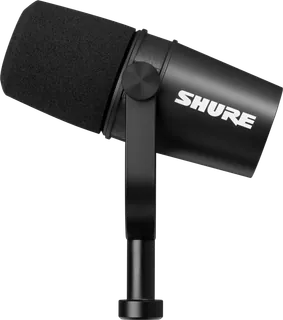
SM7B · Shure
Cardioid dynamic studio mic with bass roll-off and presence switches and an integrated yoke mount. XLR only, so it needs an audio interface with plenty of clean gain.
-
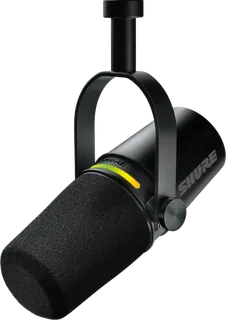
Shure MV7+ · Shure
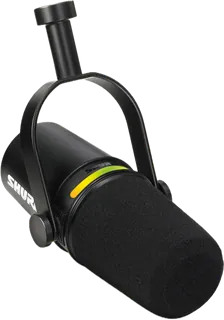
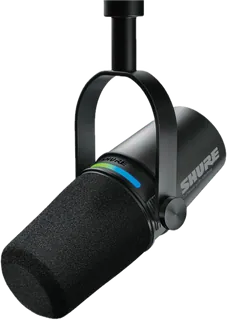
A dynamic USB-C and XLR podcast mic with strong room-noise rejection, auto level, a real-time denoiser and a tap-to-mute LED panel. It is the priciest here and ships without a stand, so budget for a boom arm.
-
Shure MV7i · Shure
A dynamic USB-C mic with a built-in interface for one extra XLR or 1/4 in input, so a guest mic or instrument records without a separate audio interface. Its DSP and mixing run through the MOTIV apps, and it ships with no desk stand.
-
Shure MV7X · Shure
A more affordable XLR member of Shure's 7 family: a cardioid dynamic mic with voice isolation for podcasts and voice work. It needs an audio interface or mixer, has no USB output, and ships with a thread adapter but no stand.
-
Shure MV6 Gen 2 · Shure
A compact dynamic USB-C mic for gaming, calls and streaming, with adjustable auto level, a denoiser, tap-to-mute and an included desk stand. USB only (no XLR), and gain is set by Auto Level or in the MOTIV apps rather than a knob.
-
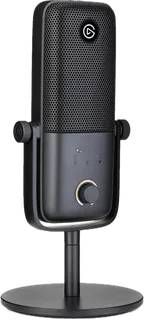
Wave:3 MK.2 · Elgato
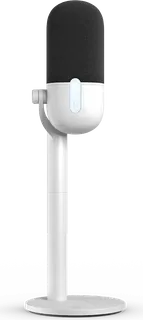
A cardioid condenser built for streamers, with Clipguard 2.0 anti-clipping, onboard DSP, Auto Gain and a dial for gain, monitor mix and headphone volume. Works with phones and tablets that support USB audio; no shock mount included.
-
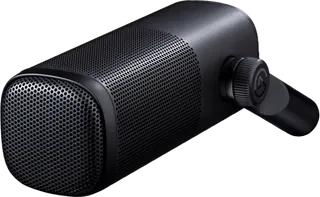
Wave DX · Elgato
A dynamic XLR mic that rejects room noise, for podcasters and streamers who already use or will buy an audio interface or mixer. Limits: no USB, so it cannot plug straight into a computer, and it needs a separate XLR cable and interface.
-
Wave Neo · Elgato
An easy plug-in cardioid condenser on a tall fixed stand, aimed at calls and meetings, with tap-to-mute and iPhone, iPad and console support. Gain is set in software only, and its headphone jack plays system audio, not your own voice.
-
Yeti · Logitech
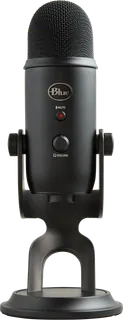
The classic three-capsule condenser with four pickup patterns, a headphone jack, gain knob and mute button on the mic. Large and heavy (about 2 lb without its stand), records at only 16-bit, and picks up room echo in untreated spaces.
-
Yeti GX · Logitech
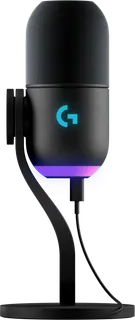
A compact dynamic mic with a tight supercardioid pattern that rejects keyboard and room noise, plus an analog limiter and two-zone RGB. Single pattern only, and Logitech lists Windows or Mac as the requirement.
-
Yeti Orb · Logitech
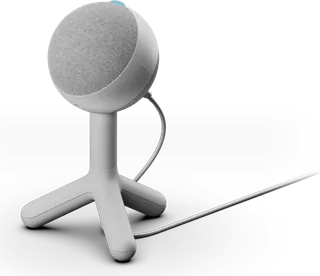
A small, inexpensive cardioid condenser with RGB lighting for gamers who just want clearer comms than a headset mic. Very few controls on the mic itself; settings and effects live in G HUB.
-
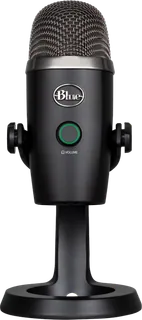
Yeti Nano · Logitech
A smaller two-capsule Yeti with cardioid and omni patterns, 24-bit recording and a built-in metal stand. Suits desks without room for the full Yeti; it is still a condenser, so it hears your room.
-
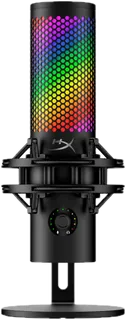
QuadCast 2 S · HyperX
A feature-packed condenser with four patterns, 32-bit/192 kHz recording, a multifunction knob, tap-to-mute and 100+ RGB LEDs. HyperX lists PC and Mac only, and the NGENUITY app is Windows-only.
-
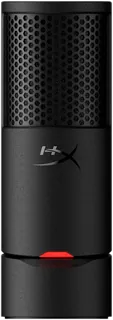
SoloCast 2 · HyperX
A simple, compact cardioid condenser with a built-in shock mount and pop filter, tap-to-mute and 24-bit/96 kHz recording. No headphone jack on this model (the SoloCast 2 Pro adds one).
-
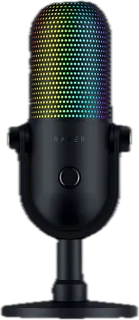
Seiren V3 Chroma · Razer
A USB condenser for streamers and gamers who want RGB lighting and a tap-to-mute sensor on a PC, with optional Razer Synapse for tuning. Limits: USB only with no XLR output, and the store lists a warranty of up to 1 year.
-
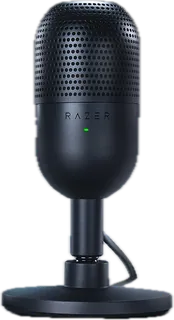
Seiren V3 Mini · Razer
An ultra-compact supercardioid condenser with tap-to-mute and a mute status light, for gamers on a budget. Few hardware controls, and it needs a separate adapter to go on a boom arm.
-
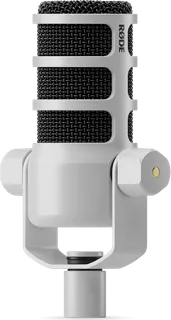
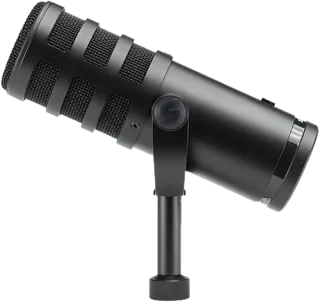
RØDE PodMic · RØDE
A broadcast-style dynamic XLR microphone for podcasting, streaming and speech. It has no USB output, so it needs an audio interface or mixer and cannot plug straight into a computer.
-
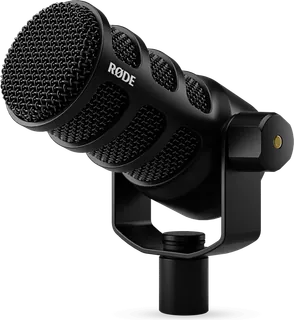
PodMic USB · RØDE
A heavy broadcast-style dynamic mic with both USB-C and XLR, APHEX processing and a five-year warranty. It has no desk stand (built for a boom arm), and gain is set in software.
-
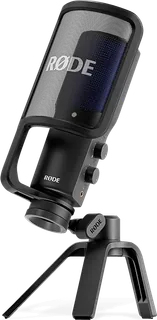
RØDE NT-USB+ · RØDE
A studio-style condenser USB-C mic with a desk stand, pop filter and zero-latency headphone output with a mix control, plus APHEX processing via RØDE's apps. Like any condenser it picks up more room sound, and there is no on-mic gain or mute.
-
RØDE NT-USB Mini · RØDE
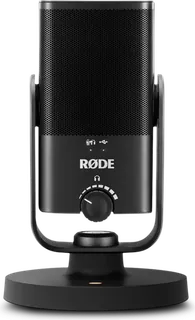
A small, simple condenser USB mic with a magnetic desk stand, built-in pop filter and zero-latency headphone output. No on-mic mute or gain, and as a condenser it hears more of your room.
-
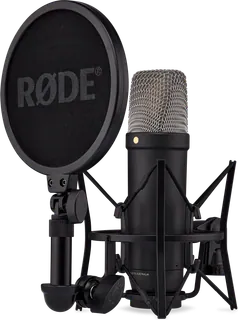
NT1 5th Generation · RØDE
Large-diaphragm condenser with XLR and USB outputs, sold with the SM6 shock mount and pop filter. Needs a quiet room: a condenser hears everything.
-
AT2020 · Audio-Technica
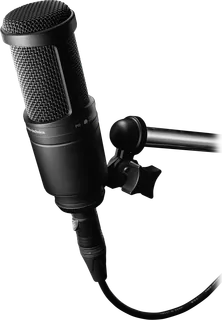
Side-address cardioid condenser, a long-time budget studio standard. XLR only, supplied with a stand mount and thread adapter, and it needs 48 V phantom power.
-
AT2020USB-X · Audio-Technica
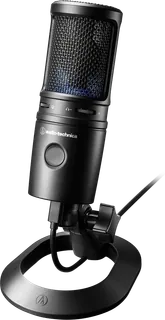
A USB-C condenser mic with 24-bit/96 kHz conversion, a silent touch mute and a headphone jack, plus a desk stand in the box. Good for voiceover and music in a quiet room; a condenser picks up more background noise than a dynamic.
-
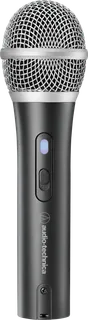
ATR2100x-USB · Audio-Technica
A budget handheld dynamic mic with USB-C and XLR outputs, a headphone jack and a tripod stand. No DSP or companion app, and the mute is a basic on/off switch.
-
Samson Q9U · Samson
A dynamic XLR and USB-C mic for podcasts, streams and voice-over, with zero-latency headphone monitoring and a mute button. It has no gain knob, and its yoke mount needs a boom arm or mic stand you buy separately.
-
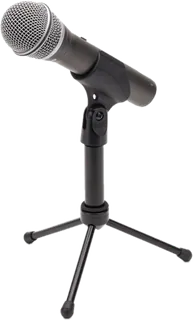
Samson Q2U · Samson
A low-cost handheld dynamic mic with USB-C and XLR outputs, headphone monitoring, an on/off switch and a tripod stand and cables in the box. USB recording tops out at 16-bit, and there is no app or processing.
-
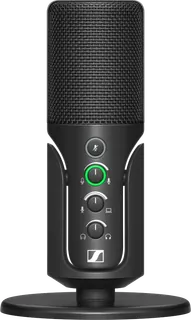
Sennheiser Profile USB Microphone · Sennheiser
A plug-and-play condenser USB-C mic with real gain, mix and headphone-volume knobs, a soft-touch mute and a table stand. No software or onboard processing, and as a condenser it picks up more room sound.
-
Maono PD200X · Maono
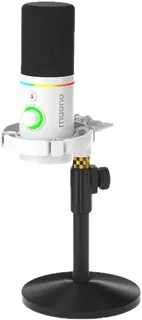
Budget dynamic podcast mic with USB-C and XLR outputs and an RGB ring. No desk stand in the box, and Maono's own price runs a little above the usual budget tier.
-
Fifine AM8 · Fifine
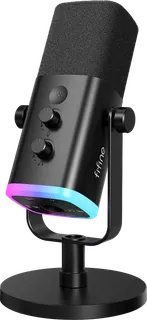
Budget dynamic USB/XLR mic with RGB and a tap-to-mute button, sold with a desk base stand. No XLR cable in the box, and RGB and mute are off in XLR mode.
Suggest a change
Related comparisons
-
 Video-call lights
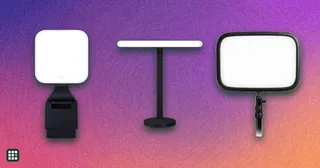
Compare lights for video calls and desk streaming, from compact laptop clips and monitor light bars to desk-clamp key lights and small ring lights. The grid focuses on the light quality, mounting, power, and controls that affect a real webcam setup.
-
 Webcams
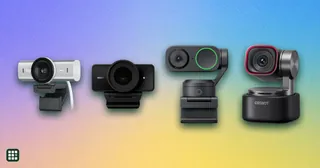
A webcam is the camera on your calls and streams. The choice is how sharp the picture stays in ordinary room light, whether it follows you, and whether the built-in microphones are enough.
-
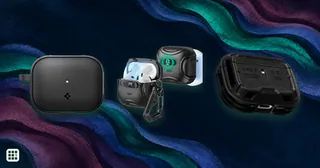 AirPods Pro 3 cases
Protective covers for the original AirPods Pro 3 charging case, compared by fit, wireless charging, port and light access, grip, and lid retention.
-
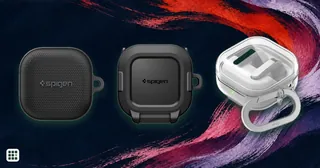 Galaxy Buds4 cases
Compare U.S. protective covers that makers list for Galaxy Buds4, including material, wireless charging and how each cover attaches. Fit claims that combine Buds4 and Buds4 Pro need particular care because the original charging cases differ in shape.
-
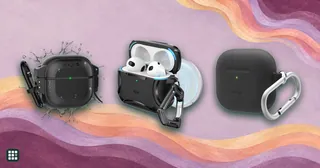 AirPods 4 cases
Protective covers for AirPods 4 range from slim silicone sleeves to hybrid shells, magnetic locking designs and sealed waterproof cases. Check exact case compatibility and access to charging and status features, then compare wireless charging, lid retention, grip, water and drop ratings, and carry attachments.
-
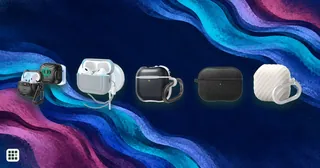 AirPods 5 cases
Protective covers for AirPods 5 range from slim covers to magnetic locking shells. Check the maker’s fit statement and openings for the USB-C port, status light, pairing button, and Find My speaker, then confirm wireless charging support for your charging-case variant.