



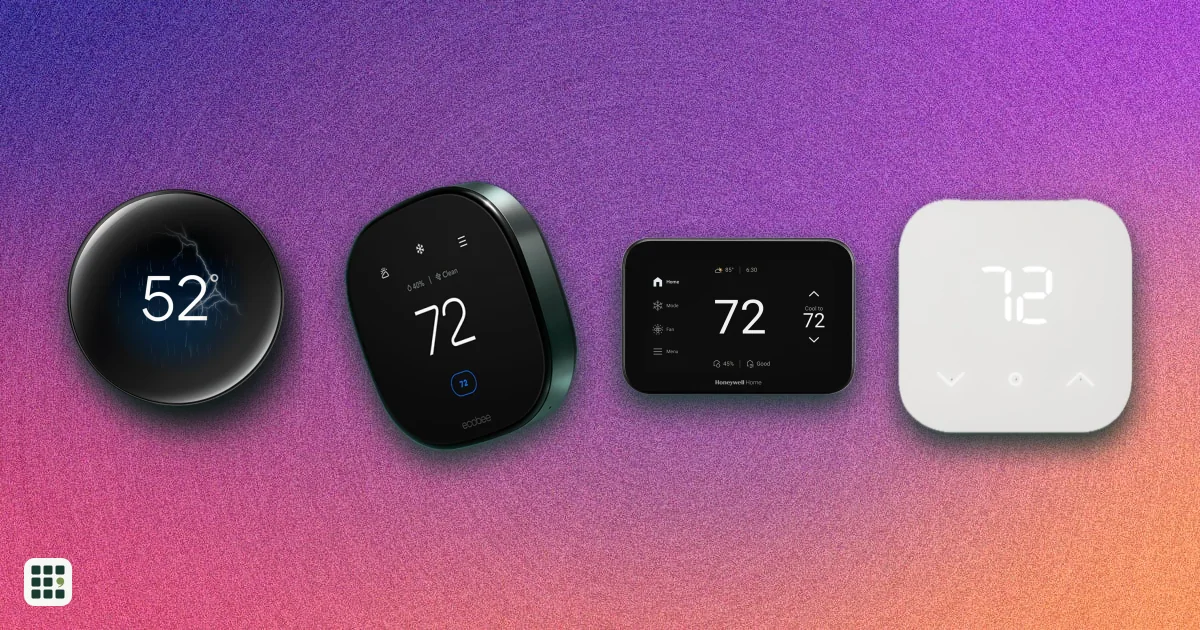
Smart thermostats
Smart thermostats from Google Nest, ecobee, Honeywell Home, Amazon, Sensi, and Mysa, compared on price, wiring needs, room sensors, smart-home platforms, and energy-saving features. The real choice is less about temperature control, which all of them do well, and more about whether your wiring needs a C wire, whether you want sensors to even out hot and cold rooms, and which smart-home system you use.
Last updated
How to choose
1. Check your heating system and wiring first
Pull your current thermostat off the wall (power off at the breaker first) and photograph the wires and their letters. Most smart thermostats handle ordinary furnaces, central air, boilers, and heat pumps. Electric baseboard heaters are different: they run on 120 or 240 volts and need a line-voltage thermostat such as Mysa's, not a standard smart thermostat.
- No C wire? Look at the C wire required row. Some models include a power adapter, some run on batteries or draw power from the other wires, and some simply need a C wire. Needing one is not a deal-breaker, but it may mean an adapter or an installer.
- Heat pump with backup heat, or a two-stage furnace or AC? Check the heat pump and stage rows so the thermostat can use every stage you paid for.
2. Decide whether you need room sensors
A thermostat in a hallway only knows the hallway's temperature. If bedrooms upstairs run hot or an office runs cold, a model that works with room sensors can average or prioritize the rooms you are actually in. Some include a sensor in the box; others sell them separately, so add that to the price.
3. Match your smart-home system
Pick a thermostat that works with the voice assistant and app you already use: Apple Home, Amazon Alexa, or Google Home. Matter support is the most future-proof choice, since it works across all of them if you switch later.
4. Look at the energy features that actually save money
- Geofencing and occupancy sensing set the house back when everyone leaves, which is where most savings come from.
- ENERGY STAR certification is often required for utility rebates, which can cut the price by $50 or more. Check your utility's rebate page before buying.
- Utility rewards programs pay you to let the thermostat ease off during peak demand. Check whether your utility partners with the brand.
- Energy reports show whether your schedule is working.
5. Weigh the extras
Premium models add things like air quality sensors, a built-in Alexa speaker, humidity control, or a larger screen. They are nice, but the cheapest models here control temperature just as well. Be wary of savings claims: makers' "save up to" figures depend on your climate, home, and old habits.
6. Final checks
- Confirm compatibility with the maker's online wiring checker before you buy.
- Check whether you need a trim plate to cover marks left by your old thermostat.
- Check the warranty, and that installation by a pro is allowed if you are not comfortable with wiring.
Answer
Browse the table. Filter to what matters.
Use the filters below, then sign in if you want to shortlist and decide with friends.
Sign in to vote, hide products and features, and reorder.
Verified: hover a cell and click its green dot for the source Estimate: no cited source Not stated: the maker doesn't publish it
| Feature | ⠿ | ⠿ | ⠿ | ⠿ | ⠿ | ⠿ | ⠿ | ⠿ | ⠿ | ⠿ | ⠿ | ⠿ | ⠿ | ⠿ | ⠿ | ⠿ | ⠿ | ⠿ | ⠿ |
|---|---|---|---|---|---|---|---|---|---|---|---|---|---|---|---|---|---|---|---|
|
⠿
Price
|
$249
|
$169
|
|||||||||||||||||
|
⠿
C wire required
|
|||||||||||||||||||
|
⠿
Room sensors
|
0; not supported
|
0; not supported
|
0; not supported
|
0; not supported
|
0 included; sold separately
|
0; not supported
|
|||||||||||||
|
⠿
Geofencing
|
|
|
|
|
|||||||||||||||
|
⠿
Learning schedule
|
|
|
|
|
|
|
|
|
|
|
|
||||||||
|
⠿
Matter
|
|
|
|
|
|
|
|
|
|
|
|
|
|
|
|
||||
|
⠿
Apple Home
|
|
|
|
|
|
||||||||||||||
|
⠿
Amazon Alexa
|
|
|
|
||||||||||||||||
|
⠿
Google Home
|
|
|
|
||||||||||||||||
|
⠿
Energy reports
|
|
|
|
|
|
|
|||||||||||||
|
⠿
ENERGY STAR
|
|
||||||||||||||||||
|
⠿
Utility rewards programs
|
|
|
|
|
|||||||||||||||
|
⠿
Display
|
Buttons with display
|
Color touchscreen
|
3.5 in color touchscreen
|
||||||||||||||||
|
⠿
Occupancy sensor
|
|
|
|
|
|
|
|
|
|
|
|
||||||||
|
⠿
Humidity sensor
|
|
|
|
|
|
||||||||||||||
|
⠿
Humidifier and dehumidifier control
|
|
|
|
|
|
|
|
|
|
||||||||||
|
⠿
Air quality monitoring
|
|
|
|
|
|
|
|
|
|
|
|
|
|
||||||
|
⠿
Built in voice assistant
|
|
|
|
|
|
|
|
|
|
|
|
|
|
|
|
|
|||
|
⠿
Heat pump support
|
Yes, with aux/emergency heat
|
Yes, with aux/emergency heat
|
Yes, with aux/emergency heat
|
Yes, with aux heat
|
|||||||||||||||
|
⠿
Max heating stages
|
1 stages
|
Doesn't apply
|
2 stages
|
2 stages
|
|||||||||||||||
|
⠿
Max cooling stages
|
2 stages
|
1 stages
|
Doesn't apply
|
2 stages
|
2 stages
|
2 stages
|
2 stages
|
||||||||||||
|
⠿
WiFi bands
|
2.4 GHz
|
2.4 GHz
|
|||||||||||||||||
|
⠿
Warranty
|
|||||||||||||||||||
|
⠿
Subscription
|
None required
|
None required
|
None required
|
None required
|
None required
|
None required
|
None required
|
None required
|
None required
|
None required
|
None required
|
None required
|
None required
|
None required
|
Optional (USD 5/month Plus plan); none required
|
Why these features matter
-
Price ($)
Prices run from under $100 to about $280. Spending more mostly buys room sensors, a nicer screen, and extras like air quality or voice control, not better basic temperature control.
-
C wire required
Many older homes have no C wire. A model that needs one may mean running a new wire, adding an adapter, or paying an installer, so check your wiring before you buy.
-
Room sensors
Sensors let the thermostat balance hot and cold rooms (a bedroom at night, an office by day) instead of reading only the hallway where it is mounted. They matter most in multi-story homes and homes with uneven rooms.
-
Geofencing
Geofencing saves energy when everyone leaves without you remembering to change the schedule. Less useful if someone is home most of the day.
-
Learning schedule
Auto-scheduling helps people who never get round to programming a thermostat. If you like setting exact times yourself, it matters less.
-
Matter
Matter lets one thermostat work with Apple, Google, Amazon, and SmartThings apps alike, so it keeps working if you change smart-home systems later.
-
Apple Home
Needed to control it with Siri and the Apple Home app.
-
Amazon Alexa
Needed to control it by voice through Echo speakers and the Alexa app.
-
Google Home
Needed to control it by voice through Google Nest speakers and the Google Home app.
-
Energy reports
Reports show whether your schedule is actually saving energy and spot HVAC problems early.
-
ENERGY STAR
Certified models meet EPA savings tests, and many utility rebates require ENERGY STAR certification.
-
Utility rewards programs
Many utilities pay $25 to $100 or more a year to let the thermostat ease off at peak times, which can cover part of the price.
-
Display
A touchscreen makes changes easy at the wall; a dial-style model is simpler; a basic display keeps costs down. Matters most if people in the home will not use the app.
-
Occupancy sensor
Built-in occupancy sensing lets it notice when no one is home or a room is empty and ease off to save energy.
-
Humidity sensor
Humidity readings help you spot a dry or damp house and are needed for humidity control.
-
Humidifier and dehumidifier control
Only matters if you have, or plan to add, a whole-home humidifier or dehumidifier.
-
Air quality monitoring
Air quality alerts can prompt you to ventilate or change filters. A nice extra, not essential for most homes.
-
Built in voice assistant
Saves buying a separate smart speaker for the room where the thermostat is. Some prefer no microphone for privacy.
-
Heat pump support
Heat pumps with backup heat need a thermostat that handles both stages properly, or you can pay for expensive backup heat more than needed.
-
Max heating stages (stages)
Multi-stage furnaces run more quietly and efficiently, but only if the thermostat can use every stage. Most homes have one or two.
-
Max cooling stages (stages)
Two-stage air conditioners need a thermostat that supports both stages to get their efficiency. Most homes have one.
-
WiFi bands
A thermostat that only uses 2.4 GHz can struggle on some mesh or 5 GHz-only networks. Most home routers still offer 2.4 GHz.
-
Warranty (years)
A longer warranty covers you if the thermostat fails, which matters as it controls your heat.
-
Subscription
All of these work without a subscription; a few makers sell optional plans for extras, so check you are not buying for a feature that costs monthly.
About the products
-
Nest Learning Thermostat (4th gen) · Google
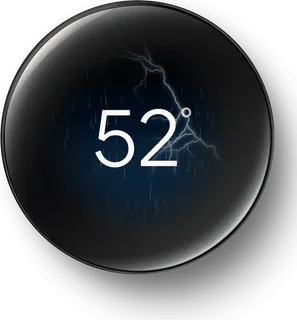
Google's flagship learning thermostat with a large round display and one temperature sensor in the box. It programs itself from your habits and works with Matter, but its tightest integration is with Google Home.
-
Nest Thermostat · Google
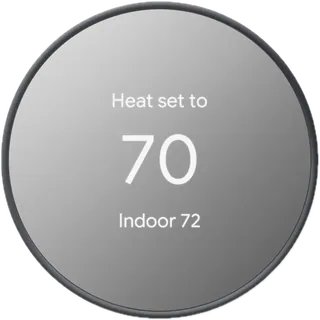
Google's budget thermostat: simple to install, usually without a C wire, and controlled from the Google Home app. It has no room sensor support and no auto-learning schedule.
-
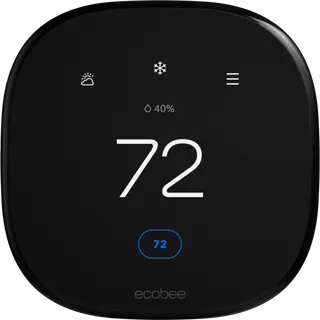
Smart Thermostat Premium · ecobee
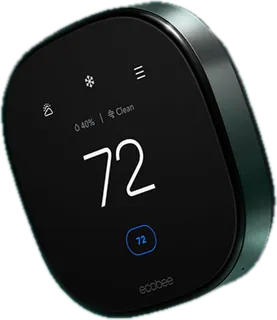
ecobee's top model: a SmartSensor in the box, built-in Alexa speaker, and air quality monitoring. Best for multi-room homes that want sensors from day one; you pay for extras many homes won't use.
-
Smart Thermostat Enhanced · ecobee
The same touchscreen and occupancy sensing as the Premium without the speaker, air quality sensor, or included room sensor. Add SmartSensors later if you need them.
-
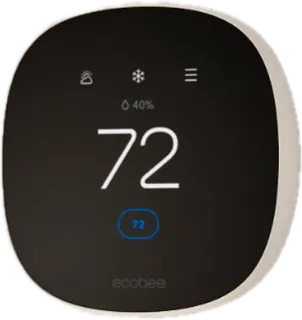
Smart Thermostat Essential · ecobee
ecobee's entry model (launched 2025) with a smaller plastic body and 2.4 GHz Wi-Fi only. It still supports SmartSensors (sold separately), but the Power Extender Kit for homes without a C wire costs extra.
-
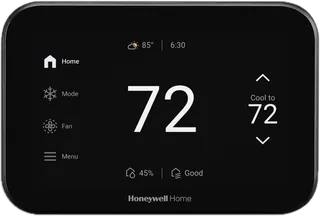
Honeywell Home X8S · Honeywell Home
Honeywell Home's 2025 flagship with a 5 inch touchscreen, radar occupancy sensing, air quality monitoring, and live view from Ring or First Alert video doorbells. Needs a C wire; room sensors cost extra.
-
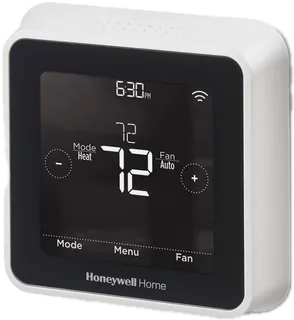
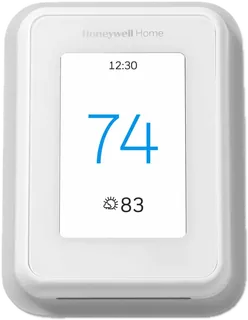
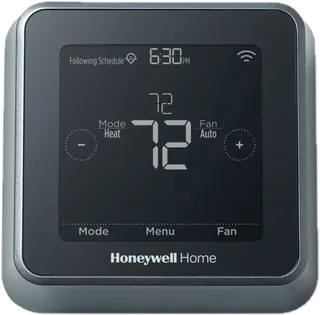
Honeywell Home T5 · Honeywell Home
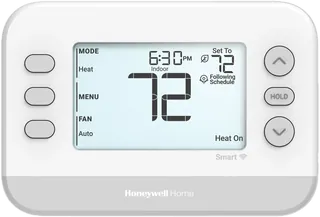
A mid-priced Honeywell Home touchscreen model with geofencing, monthly energy reports, and Alexa, Apple Home, and Google support. No room sensors and 2.4 GHz Wi-Fi only.
-
Honeywell Home X2S · Honeywell Home
The cheapest Matter-certified option here: a basic button-and-display thermostat that works with Alexa, Apple Home, and Google. Needs a C wire and has no room sensors or occupancy sensing.
-
Amazon Smart Thermostat · Amazon
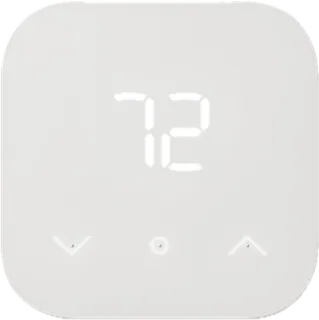
A low-cost thermostat built with Honeywell Home technology and controlled through Alexa. It needs a C wire (adapter sold separately), has no speaker, and works only with Alexa, not Apple Home or Google.
-
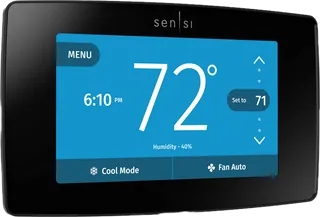
Sensi Touch 2 · Copeland
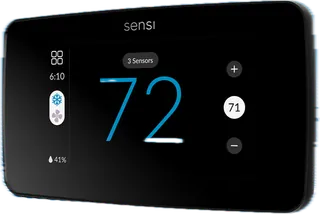
Copeland's top Sensi model with a color touchscreen, dual-band Wi-Fi, and optional room sensors. Needs a C wire, and has no Apple Home support or auto-learning.
-
Sensi Smart Thermostat · Copeland
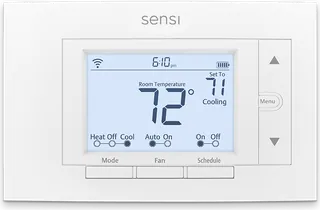
A traditional-looking Sensi thermostat that works without a C wire on most conventional systems and can run a whole-home humidifier. No room sensors or Apple Home.
-
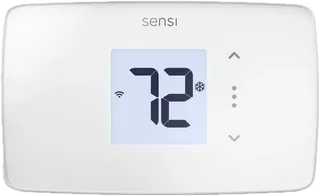
Sensi Lite · Copeland
Sensi's cheapest model with a small display and fixed schedules; simple and reliable, but no room sensors, Apple Home, or humidity control.
-
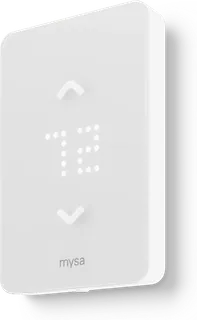
LITE for Baseboard Heaters · Mysa
Mysa's current US baseboard thermostat, for homes heated by 120 V or 240 V electric baseboards, convectors and fan-forced heaters, which standard 24 V smart thermostats can't control. You need one per heater circuit, and it does not work with furnaces, heat pumps or central air. It schedules and geofences, but unlike Mysa's Baseboard V2 it has no live energy monitoring and no humidity sensor.
-
Honeywell Home T9 · Honeywell Home · Discontinued
Honeywell Home's former room-sensor model, now unavailable on its store, which points buyers to the X8S instead. Still common in homes and on resale sites.
-
Honeywell Home T5+ · Honeywell Home · Discontinued
An earlier touchscreen version of the T5 sold through retailers; Honeywell Home lists it as unavailable, with the T5 (RTH8800WF) still sold.
-
Sensi Touch · Copeland · Superseded
The original Sensi touchscreen model and the only Sensi listed as Apple HomeKit compatible. Copeland's current lineup lists the Touch 2 instead.
-
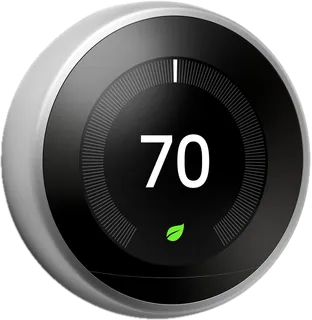
Nest Learning Thermostat (3rd gen) · Google · Superseded Aug 2024
The previous Nest Learning Thermostat, replaced by the 4th gen in August 2024. Still supported and common in homes; no Matter or Apple Home support.
-
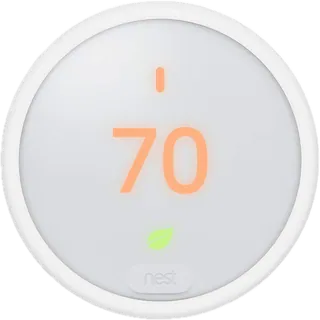
Nest Thermostat E · Google · No longer sold
A cheaper frosted-display learning thermostat that Google no longer sells. Still works in many homes with auto-schedule and Alexa or Google control.
-
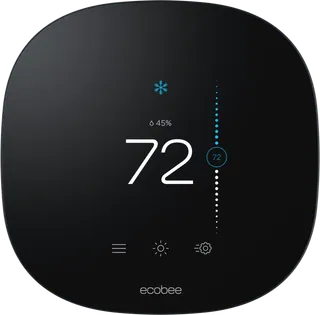
ecobee3 lite · ecobee · Superseded Mar 2025
ecobee's former budget model, replaced by the Smart Thermostat Essential in 2025; ecobee now sells it only certified refurbished.
Suggest a change
Related comparisons
-
 Solar panels
Compare residential solar panels by rated output, efficiency, heat performance, cell design, degradation, warranty, size, and structural load ratings. The same panel can perform differently with roof orientation, shade, inverter choice, and installation, so compare complete system proposals as well as module specifications.
-
 Home batteries
Compare home batteries by usable energy, continuous and peak output, efficiency, chemistry, solar compatibility, scalability, backup operation, warranty, and installation environment. Battery-only products need a compatible inverter and controls; complete system proposals also depend on home loads, solar equipment, local rules, and installer design.
-
 Solar inverters
Compare residential solar inverters by architecture, AC output, PV input, efficiency, panel optimization, battery and backup support, safety, warranty, and installation limits. Inverter sizing and compatibility must be confirmed against the solar modules, service panel, local utility rules, and installer design.
-
 Heat pumps
Compare leading U.S. ducted air-source heat pump systems by efficiency, low-temperature heating, modulation, sound, refrigerant, and warranty. Published maximum ratings are achieved only with eligible matched components; ask a licensed HVAC contractor for a load calculation and AHRI-rated match for your home.
-
 Home EV chargers
Compare Level 2 home chargers by equipment price, maximum charging current, connector, cable length, and warranty. Price is the manufacturer-listed price for the specified U.S. configuration on October 21, 2026; electrical work, permits, and taxes are extra. Installation and circuit requirements vary. Tesla currently requires a Tesla vehicle owner account to purchase its Universal Wall Connector, and its shop page showed it out of stock when checked.
-
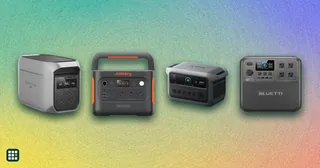 Portable power stations
Compare portable power stations for camping, RV trips, and emergency backup. The grid covers compact and roughly 2 kWh models from EcoFlow, Jackery, Anker SOLIX, and BLUETTI.