



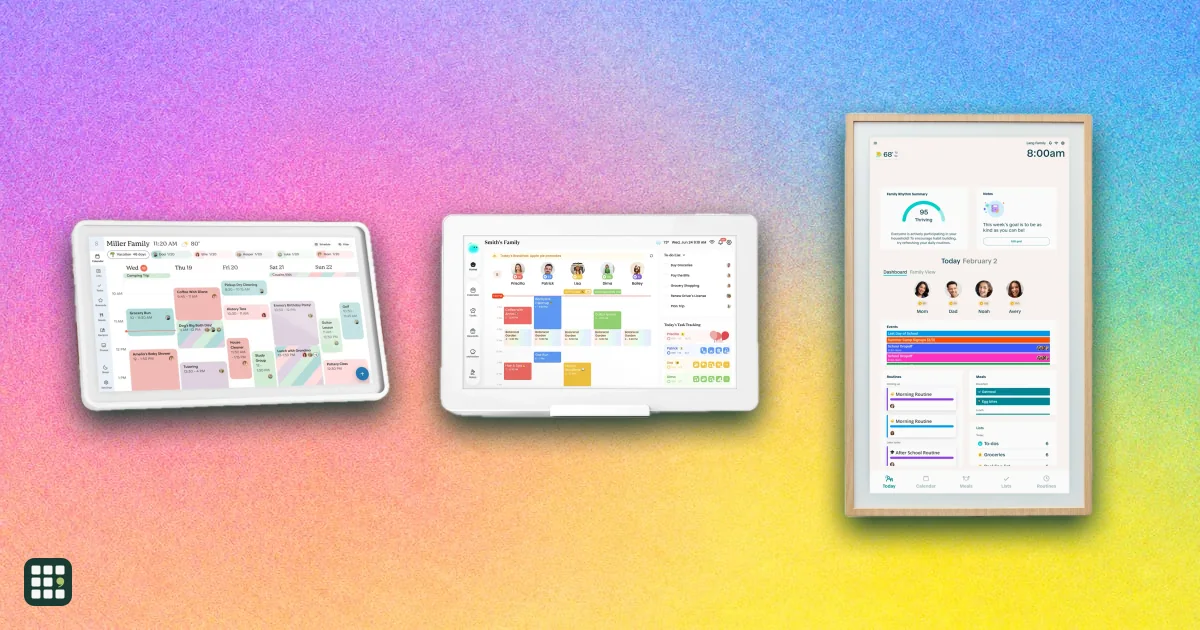
Digital family calendars
Compare digital family calendars by up-front price, screen size, placement, calendar syncing, subscription costs, chores, meal planning, and photo or entertainment features. The biggest choice is between a focused family organizer, a flexible smart display, and low-cost software for a screen you already own.
Last updated
How to choose
Choose the system your household will actually look at and update. A beautiful wall screen fails if it cannot sync a work calendar; a cheap app fails if nobody wants to configure the spare TV.
1. Decide whether you want hardware
- Dedicated displays are the fastest route: mount or place them, connect calendars, and use the matching phone app.
- Bring-your-own-screen software costs less up front and is more flexible, but you supply the TV, tablet, mount, power, and touch capability.
- General smart displays add streaming, calls, and smart-home controls, but their calendar and chore tools are less family-specific.
2. Check every calendar source
- List the services used by parents, children, school, sports teams, and caregivers. Google, Apple/iCloud, and Outlook are common, but Cozi, TeamSnap, Yahoo, and public ICS links vary.
- Work calendars may block outside syncing even when the display supports Outlook or Google. Test a share link before committing.
3. Price the useful plan, not just the screen
- Basic calendar syncing is free on several dedicated displays, but meal planning, rewards, photo screensavers, imports, and routines may require a yearly plan.
- Compare the annual cost over three years. A $79 yearly plan adds $237 to the hardware price.
4. Pick the right placement
- Wall-only 27-inch screens are readable across a room but need an outlet and permanent space.
- 15-inch tabletop displays fit a kitchen counter and move easily. Check whether the wall mount or stand you want is included.
- Touch matters when children will check off chores at the display. A non-touch dashboard is mainly for viewing.
5. Keep the screen focused
- Photo modes help a display earn its space when idle. Streaming and smart-home tools can be useful, but also make the screen less of a dedicated family organizer.
- Start with calendars and one shared list. Add chores, meals, and rewards only after everyone consistently uses the basic schedule.
Before you buy
- Measure the wall or counter, locate the outlet, and plan how to hide the power cable.
- Use free trials to test sync reliability and whether children can complete tasks without adult help.
Answer
Browse the table. Filter to what matters.
Use the filters below, then sign in if you want to shortlist and decide with friends.
Sign in to vote, hide products and features, and reorder.
Verified: hover a cell and click its green dot for the source Estimate: no cited source Not stated: the maker doesn't publish it
| Feature | ⠿ | ⠿ | ⠿ | ⠿ | ⠿ | ⠿ |
|---|---|---|---|---|---|---|
|
⠿
Device price
|
$349.99
|
$699.95
|
Doesn't apply
|
|||
|
⠿
Display size
|
Doesn't apply
|
|||||
|
⠿
Hardware included
|
||||||
|
⠿
Touch control
|
||||||
|
⠿
Mounting
|
||||||
|
⠿
Calendar subscription
|
||||||
|
⠿
Calendar sources
|
||||||
|
⠿
Chores and routines
|
||||||
|
⠿
Meal planning
|
No dedicated meal planner
|
|||||
|
⠿
Photos and media
|

Why these features matter
-
Device price ($)
Shows the up-front cost before optional memberships or a bring-your-own-screen setup.
-
Display size (in)
Larger displays are easier to read across a kitchen or hallway but take more wall space.
-
Hardware included
Software can be cheap if you already own a screen, while dedicated hardware is simpler to set up and support.
-
Touch control
Touch makes it easier for children to check off chores or add items without another phone or computer.
-
Mounting
Some displays are wall-only; others include a tabletop stand, and optional stands add cost.
-
Calendar subscription
Several products keep basic calendars free but reserve meals, rewards, imports, or customization for a paid plan.
-
Calendar sources
The best display is useless if it cannot read every family member's work, school, or personal calendar.
-
Chores and routines
Visible, interactive chores are a major reason families choose a purpose-built display over a normal calendar app.
-
Meal planning
A meal view replaces a separate menu board and makes the display more useful between appointments.
-
Photos and media
A screen that doubles as a photo frame or TV earns its wall space, but entertainment can also distract from routines.
About the products
-
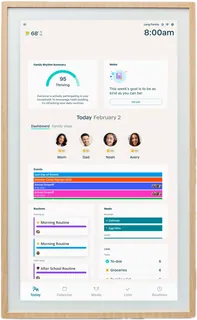
Skylight Calendar 2 · Skylight
A polished 15-inch family organizer with a touchscreen, included stand and wall mount, free calendar/chores/lists, and an optional Plus plan for meal planning, photos, rewards, and automatic imports.
-
Hearth Display · Hearth Display
A large 27-inch wall-only family display. Calendar syncing and profiles keep working without a paid plan, while routines, chores, meal planning, rewards, and the companion app require Family Membership.
-
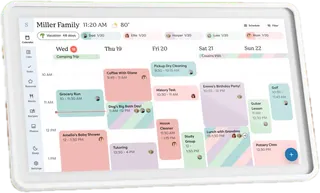
Calendar Neo · Cozyla
A 15.6-inch tabletop calendar with free core syncing, chores, routines, lists, notes, and profiles. The optional Essential plan adds rewards, meal planning, photo screensavers, smart import, and voice tools.
-
Echo Show 15 (2nd Gen) · Amazon
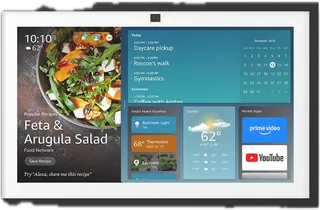
A general-purpose 15.6-inch Alexa smart display with family calendar and to-do widgets, an included wall mount, Fire TV, smart-home controls, video calling, and an optional stand.
-
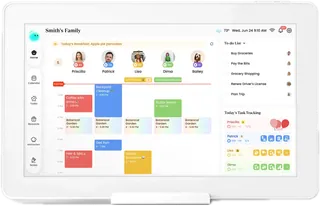
Wall Display Touch 22 · DAKboard
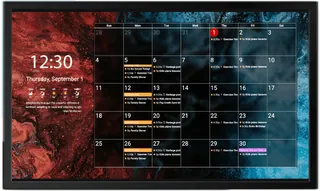
A 22-inch wall-mounted touchscreen running DAKboard's highly customizable dashboard software. The free plan handles two calendars; paid plans add more calendars, custom layouts, integrations, chores, and faster refreshes.
-
Mango Display Pro · Mango Display
Software that turns a compatible TV, tablet, or browser-equipped screen into a family dashboard. Pro includes calendar syncing, chores and rewards, tasks, meal planning, photos, and three screen licenses; hardware is not included.
Suggest a change
Related comparisons
-
 E-ink tablets
E Ink tablets let you write by hand and mark up PDFs on a paper-like, glare-free screen with a battery that lasts weeks. This grid compares note-taking E Ink tablets and reading models with stylus support from reMarkable, Amazon Kindle, Kobo, BOOX and Supernote. The main trade-offs are closed note-taking devices versus open Android tablets, color versus sharper black-and-white, and whether the pen and subscriptions cost extra.
-
 Robot vacuums
Compare popular robot vacuums by advertised suction, mop design, carpet handling, navigation, and how much work the dock takes over. Manufacturer suction ratings are not directly comparable cleaning-performance tests.
-
 Radon detectors
Radon is an odorless radioactive gas that seeps up from the ground and is the leading cause of lung cancer among non-smokers. A continuous radon detector (or radon monitor) measures it day after day, so you see your real long-term average instead of one short test. The main choices: how quickly readings settle, whether there's a screen, battery or plug-in power, Wi-Fi or Bluetooth, extra air quality sensors, and whether anyone independent has checked the accuracy.
-
 Air quality monitors
Indoor air quality monitors measure what you can't see or smell: CO2 that builds up in closed rooms, fine dust, chemical fumes and, on a few models, radon. They don't clean the air; they tell you when to open a window, run a purifier or test further. The real choice is which pollutants you need to track, and whether you want a screen, batteries, Wi-Fi, or a paid plan.
-
 Smart home hubs
A smart home hub is the box that talks to your sensors, lights and locks, runs your automations and links them to your phone and voice assistant. This grid compares the dedicated hubs hobbyists and families use with the brand hubs for Philips Hue and Aqara and the Apple TV and HomePod mini that act as Apple Home hubs. The real choices are which radios you need (Zigbee, Z-Wave, Thread, Matter), whether you want everything to run locally, and how much tinkering you will tolerate.
-
 Mesh Wi-Fi systems
 spread one network across your home with two or more units, so far rooms and upper floors get a strong signal. This grid compares current kits from eero, NETGEAR Orbi, TP-Link Deco, ASUS ZenWiFi, Google Nest, Linksys and Tenda on price, Wi-Fi standard, coverage, bands, wired ports and subscriptions. The main trade-offs are cost against speed and range, and simple app-only systems against ones with more ports and settings.