



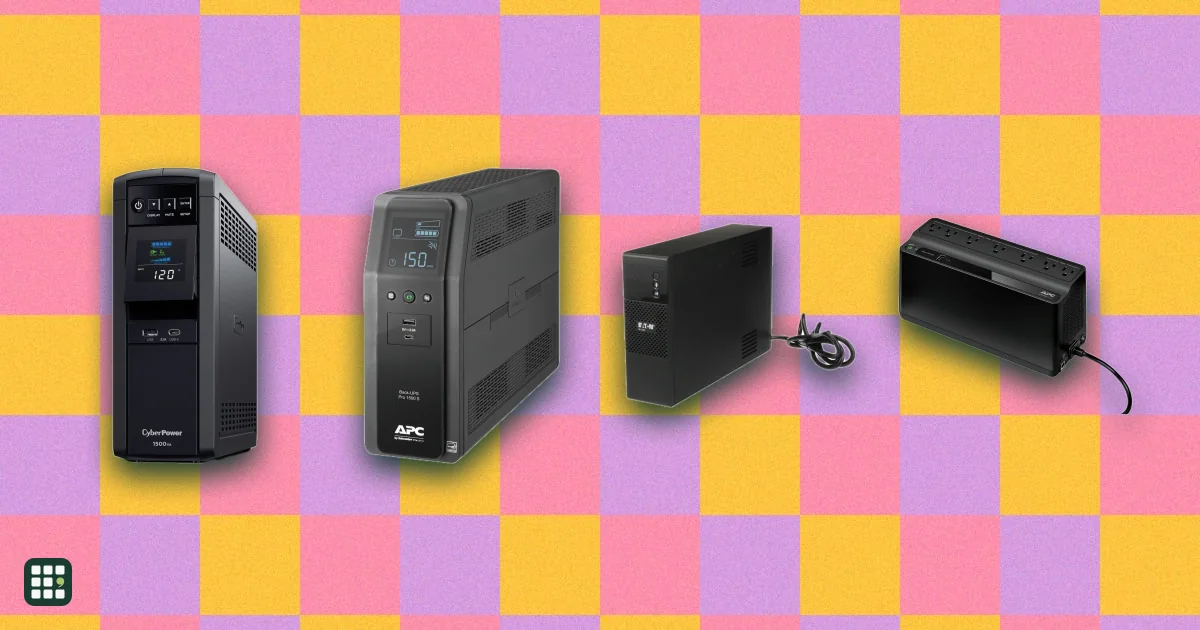
Uninterruptible power supplies
Compare desktop and tower uninterruptible power supplies (UPS) from CyberPower, APC and Eaton for a home office, home network or small business. A UPS keeps your computer, monitor, router and modem running through short outages and gives you time to save work and shut down. The real trade-offs are output power, pure sine wave versus simulated output, runtime at your actual load, and how easily you can replace the battery when it wears out.
Last updated
How to choose
1. Add up your load in watts
List what must stay on during an outage: PC, monitor, router, modem, maybe a NAS. Check their power draw (a gaming PC under load can pull 400-700 W; a router and modem together are often under 30 W). Choose a UPS whose Output power in watts is comfortably above that total, ideally keeping your load under about 70% of it. Ignore the VA number in the model name; watts are the real limit.
2. Decide how much runtime you need
Most home-office UPSs are meant to give you a few minutes to save and shut down, not to keep working for an hour. Use the Runtime at 100 W column for keeping your internet up, and Runtime at 200 W for a typical PC plus monitor. Runtime falls steeply as load rises, so a 1500VA unit run lightly lasts far longer than a small one near its limit. For outages longer than 30-60 minutes, look at a portable power station or generator instead.
3. Check the waveform for modern PCs
Many desktop power supplies use active PFC. They can shut off, click or buzz on a UPS's simulated (stepped) sine wave when it switches to battery. If you protect a desktop PC, pick a unit with Pure sine wave on battery. For routers, modems, laptops and TVs, simulated sine wave is usually fine.
4. Line-interactive with AVR, or standby?
Line-interactive units with automatic voltage regulation (AVR) correct brownouts without touching the battery, which saves battery wear in homes where lights flicker or dim. Standby units are smaller and cheaper and fine for network gear where power is stable.
5. Count battery-backed outlets
Only battery-backed outlets stay on in an outage; the rest are surge-only. Make sure your PC, monitor, router and modem all fit on battery outlets, and that bulky power bricks won't block neighbors.
6. Plan for the battery
Sealed lead-acid UPS batteries usually last 3-5 years. A user-replaceable battery lets you swap in a new cartridge instead of buying a new UPS. Check the battery warranty too: APC covers the battery for one year on Back-UPS models, CyberPower for three.
7. Compare real prices
The Price column is the maker's list price so every model is on the same basis. Street prices are often 20-35% lower, especially for APC, so compare carts before buying. Factor in a replacement battery every few years.
Pitfalls
- Don't plug laser printers, space heaters or other high-draw devices into a UPS; makers exclude them and they can overload it.
- Install the maker's free shutdown software and connect the USB data cable so your PC shuts down by itself in a long outage.
- Connected-equipment guarantees have strict claim conditions; treat them as a bonus, not insurance.
- A UPS battery that is several years old can deliver a fraction of its rated runtime; run a self-test now and then.
Answer
Browse the table. Filter to what matters.
Use the filters below, then sign in if you want to shortlist and decide with friends.
Sign in to vote, hide products and features, and reorder.
Verified: hover a cell and click its green dot for the source Estimate: no cited source Not stated: the maker doesn't publish it
| Feature | ⠿ | ⠿ | ⠿ | ⠿ | ⠿ | ⠿ | ⠿ | ⠿ | ⠿ | ⠿ | ⠿ | ⠿ | ⠿ | ⠿ | ⠿ | ⠿ |
|---|---|---|---|---|---|---|---|---|---|---|---|---|---|---|---|---|
|
⠿
Price
|
||||||||||||||||
|
⠿
Output power
|
||||||||||||||||
|
⠿
Capacity
|
||||||||||||||||
|
⠿
Pure sine wave on battery
|
|
|||||||||||||||
|
⠿
Topology
|
||||||||||||||||
|
⠿
Automatic voltage regulation
|
|
|
|
|
||||||||||||
|
⠿
Battery backed outlets
|
8 outlets
|
|||||||||||||||
|
⠿
Total outlets
|
||||||||||||||||
|
⠿
Runtime at 100 W
|
90 min
|
98 min
|
||||||||||||||
|
⠿
Runtime at 200 W
|
38 min
|
45 min
|
||||||||||||||
|
⠿
Runtime at full load
|
2 min
|
5 min
|
||||||||||||||
|
⠿
User replaceable battery
|
|
|
|
|
||||||||||||
|
⠿
Battery warranty
|
3 years
|
3 years
|
3 years
|
3 years
|
||||||||||||
|
⠿
Warranty
|
||||||||||||||||
|
⠿
Connected equipment guarantee
|
$150,000
|
$150,000
|
||||||||||||||
|
⠿
USB charging ports
|
None
|
None
|
None
|
|||||||||||||
|
⠿
LCD screen
|
|
|
|
|||||||||||||
|
⠿
Surge energy rating
|
||||||||||||||||
|
⠿
Data line protection
|
None
|
None
|
None
|
None
|
None
|
None
|
None
|
|||||||||
|
⠿
Transfer time
|
5 ms
|
|||||||||||||||
|
⠿
Recharge time
|
||||||||||||||||
|
⠿
Weight
|
||||||||||||||||
|
⠿
Cord length
|
Why these features matter
-
Price ($)
Street prices are often 20-35% below list, especially for APC, so compare a real cart price before buying. A bigger UPS costs more but also protects more equipment for longer.
-
Output power (W)
The number that matters for sizing: add up what you'll plug into battery outlets and keep it under about 70% of this. A gaming PC with a big GPU can draw 400-700 W.
-
Capacity (VA)
Model names use VA, but watts are the real limit. Two 1500VA units can differ by 100+ W of usable output.
-
Pure sine wave on battery
PCs with active-PFC power supplies (most modern desktops) can shut down or buzz on a simulated sine wave. For routers, modems, and laptops it matters less.
-
Topology
Line-interactive units fix brownouts and surges without draining the battery; standby units switch to battery for every dip. Standby is fine for network gear in areas with stable power.
-
Automatic voltage regulation
AVR saves the battery during brownouts and lengthens its life. Worth it if your lights dim often.
-
Battery backed outlets (outlets)
Only these keep running when the power fails. Count your PC, monitor, router, and modem; printers and speakers can go on surge-only outlets.
-
Total outlets (outlets)
Extra surge-only outlets save buying a separate power strip for a desk full of gear.
-
Runtime at 100 W (min)
About a router, modem, and laptop, or a small PC idling. Tells you whether you can ride out a short outage and keep the internet up.
-
Runtime at 200 W (min)
About a typical office PC plus monitor. Most UPSs are bought to give a few minutes to save work and shut down, not to keep working through long outages.
-
Runtime at full load (min)
Shows the worst case. Runtime falls steeply as load rises, so a bigger UPS run at half load lasts far longer than a small one run flat out.
-
User replaceable battery
Lead-acid UPS batteries last about 3-5 years. A swappable cartridge makes the UPS last much longer than the first battery.
-
Battery warranty (years)
The battery is the part that fails. APC covers it for one year on Back-UPS models; CyberPower for three.
-
Warranty (years)
A longer warranty means fewer worries about the electronics; batteries are often covered for less.
-
Connected equipment guarantee ($)
Nice to have, but claims have strict conditions. Treat it as a sign of confidence, not insurance.
-
USB charging ports
Handy on a desk, and they keep a phone charging during an outage.
-
LCD screen
A screen tells you how much you're drawing and how long the battery will last, which makes sizing and checking easy.
-
Surge energy rating (J)
Higher absorbs bigger or more surges before the protection wears out. Most here are well above a basic power strip.
-
Data line protection
Lightning surges also travel down cable and network lines. Useful if your modem or PC connects through the UPS.
-
Transfer time (ms)
Most PCs tolerate up to about 10-16 ms, so all of these are fine for typical desktops.
-
Recharge time (hr)
Matters if outages come in clusters, such as during storms: a slow recharge leaves you with little runtime for the next one.
-
Weight (lb)
A 1500VA tower weighs 25 lb or more; small units fit on a shelf or wall.
-
Cord length (ft)
Decides how far from the wall outlet the UPS can sit.
About the products
-
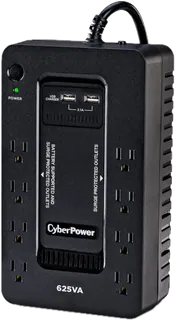
ST625U · CyberPower
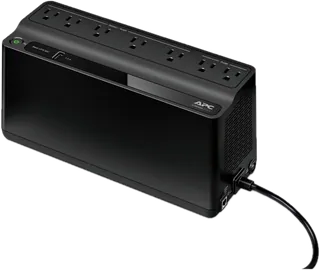
A slim, wall-mountable standby UPS for a modem, router, or small PC. Cheap and light, with two USB-A charging ports, but simulated sine-wave output, no AVR, and a battery only a technician should replace.
-
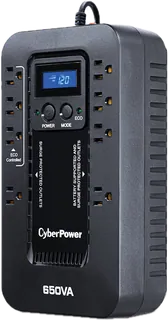
EC650LCD · CyberPower
A compact standby UPS with an LCD and ECO outlets that switch peripherals off when the PC sleeps. Simulated sine-wave output, no AVR or USB charging, and the battery is not user-replaceable.
-
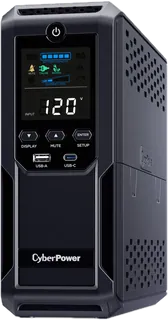
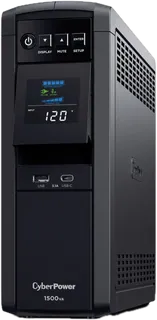
CP1500AVRLCD3 · CyberPower
A popular 1500VA/900W line-interactive tower with AVR, 12 outlets, USB-A and USB-C charging, and Ethernet plus coax protection. Long runtime for the price, but simulated sine-wave output can upset some PC power supplies with active PFC.
-
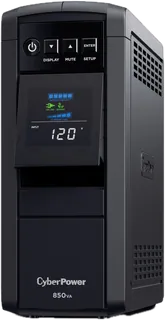
CP850PFCLCD · CyberPower
A small pure-sine-wave line-interactive UPS for a modest PC or network gear. Safe for active-PFC power supplies, but no USB charging and short runtime above 200 W.
-
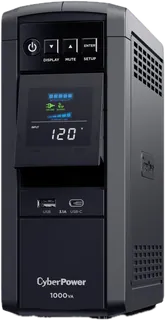
CP1000PFCLCD · CyberPower
A 1000VA/600W pure-sine-wave tower with AVR, USB-A and USB-C charging, and a tilting color LCD. CyberPower lists the same runtime curve as the smaller CP850PFCLCD, so it adds headroom rather than minutes.
-
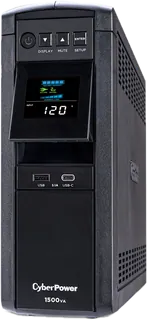
CP1500PFCLCD · CyberPower
The common pick for a gaming or workstation PC: 1500VA/1000W pure sine wave, AVR, 12 outlets, USB-A and USB-C charging, and an optional network card. Heavy, and runtime at a light load trails some APC towers.
-
GX1500U · CyberPower
A pure-sine-wave 1500VA/900W tower aimed at gaming PCs and home theater, with a hot-swappable battery and USB-A and USB-C charging. Similar to the CP1500PFCLCD with 100 W less output and a lower list price.
-
APC Back-UPS BE600M1 · Schneider Electric
A small standby Back-UPS for a router, modem, or a light PC, with one USB-A charging port. Stepped sine-wave output, no AVR, and only a one-year battery warranty.
-
APC Back-UPS BE850G2 · Schneider Electric
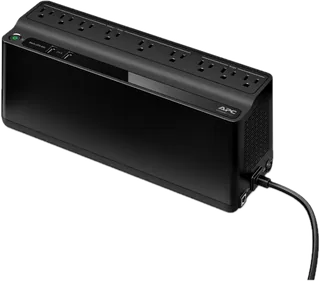
A standby Back-UPS with nine outlets and USB-A and USB-C charging, sized for a home network and a modest PC. Stepped sine-wave output and no AVR; battery warranty is one year.
-
APC Back-UPS Pro BX1500M · Schneider Electric
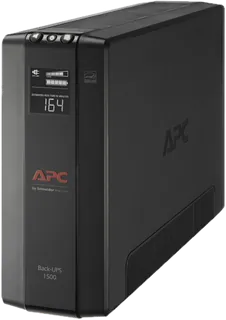
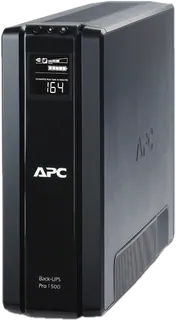
A 1500VA/900W line-interactive tower with AVR and an LCD, sold widely at a lower price than the BR models. Stepped sine-wave output, no USB charging, and a 16-hour recharge.
-
APC Back-UPS Pro BR1000MS · Schneider Electric
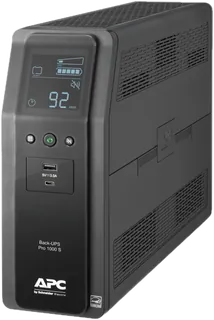
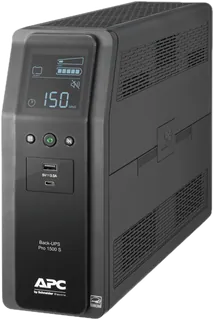
A 1000VA/600W pure-sine-wave Back-UPS Pro with AVR, USB-A and USB-C charging, and a user-replaceable battery. A good match for a mid-range PC; recharge takes about 16 hours.
-
APC Back-UPS Pro BR1500MS2 · Schneider Electric
APC's flagship home-office UPS: 1500VA/900W pure sine wave, AVR, USB-A and USB-C charging, coax protection, and a $500,000 equipment policy. Long runtime at light loads; APC's list price is well above typical street prices.
-
APC Smart-UPS C SMC1500C · Schneider Electric
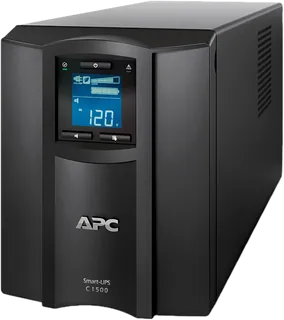
A small-business Smart-UPS with pure sine wave, eight battery-backed outlets, a fast 3-hour recharge, and SmartConnect cloud monitoring over Ethernet. The longest runtime here, but heavy, costly, and with a 2-year warranty.
-
APC Back-UPS Pro BR1500G · Schneider Electric
An older, still-listed 1500VA/865W Back-UPS Pro with AVR, an LCD, and a user-replaceable battery. Stepped sine-wave output and no USB charging; the BR1500MS2 is its sine-wave sibling.
-
5S1500LCD · Eaton
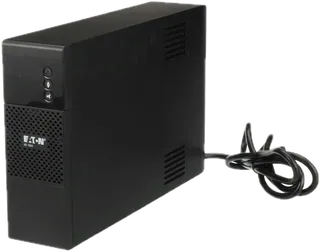
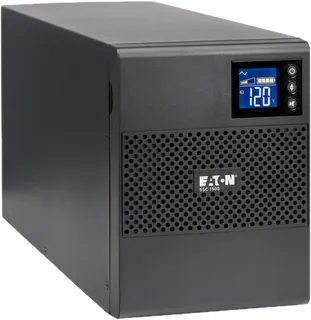
Eaton's 1500VA/900W line-interactive tower for desktops and home theater, with an LCD and Eaton's ABM battery charging. Quiet (under 25 dB), but no USB charging ports.
-
5SC1500 · Eaton
A business-grade 1440VA/1080W tower with eight outlets, serial and USB ports, and the most output power here. Heavy (34 lb) and pricier; aimed at small servers and network closets.
Suggest a change
Related comparisons
-
 KVM switches
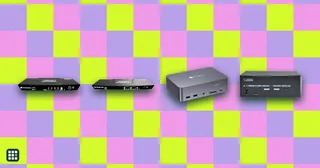
Compare desktop KVM switches for sharing one desk between two computers, such as a work laptop and a personal PC. The real choices are how many monitors you need, which video connections your computers have (HDMI, DisplayPort or USB-C), refresh rate, EDID emulation so windows stay put, USB speed, and whether the switch can charge a laptop.
-
 Laptop stands
Compare fixed, adjustable, and folding laptop stands by how high they lift the screen, how they adjust, what they weigh and fold down to, what size laptop they hold, and the warranty. The trade-off is between solid desk stands that stay put and light folding stands you can carry, and between a fixed height and one you can tune.
-
 USB-C docking stations
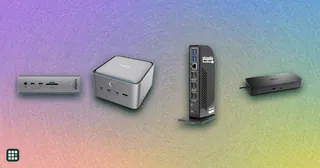
A USB-C dock turns one cable into monitors, charging, and the ports a laptop left off. The split that matters is Thunderbolt versus plain USB-C: Thunderbolt drives more screens and faster drives, and plain USB-C is cheaper when you only need one or two displays.
-
 Ergonomic keyboards
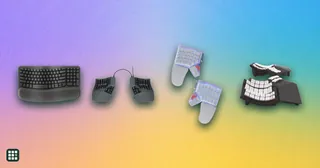
 change the angle of your hands and wrists to reduce strain from long typing sessions. They range from gently curved one-piece boards that feel familiar on day one to fully split, tented, programmable keyboards that take weeks to learn. This grid compares layout, split and tenting adjustment, key switches, compatibility, and the learning curve, so you can match the amount of change to your needs and budget.
-
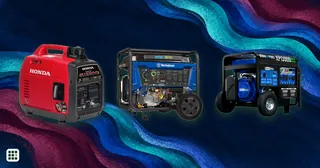 Portable generators
Compare portable gas generators by usable running power, fuel choices, portability, noise and safety features. Small inverter models suit camping and electronics; larger open-frame and dual-fuel models can handle more household loads but are heavier and louder.
-
 Upright freezers
An upright freezer has shelves and a door like a refrigerator, so food is easier to find and rotate than in a chest freezer, and it fits a kitchen, garage or basement corner. The real choices are size against the floor space you have, frost-free versus manual defrost, and whether the unit can handle a garage.