



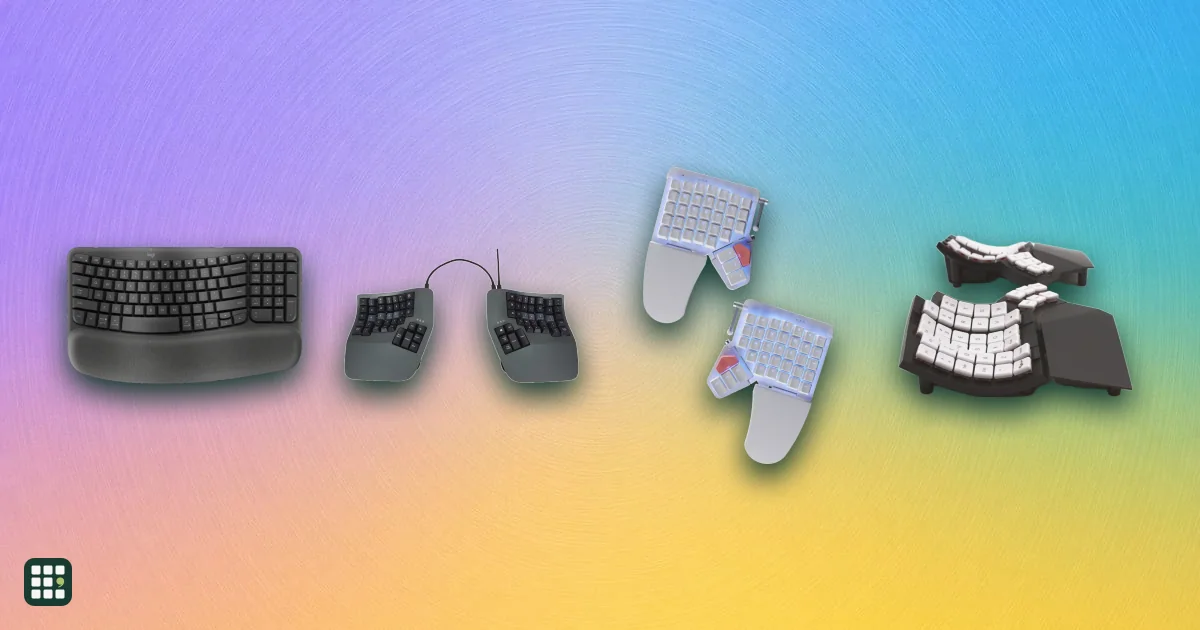
Ergonomic keyboards
Ergonomic keyboards change the angle of your hands and wrists to reduce strain from long typing sessions. They range from gently curved one-piece boards that feel familiar on day one to fully split, tented, programmable keyboards that take weeks to learn. This grid compares layout, split and tenting adjustment, key switches, compatibility, and the learning curve, so you can match the amount of change to your needs and budget.
Last updated
How to choose
Start with what hurts and how much change you can take
If you only want a more relaxed wrist angle, a one-piece wave or fixed-split board with a palm rest is the easiest step and keeps your typing speed. If you have shoulder, forearm or wrist pain, a fully split board you can set at shoulder width, with tenting, addresses more of the causes. Contoured key-well and columnar boards go furthest but take the longest to learn. Any persistent pain is worth raising with a doctor or occupational therapist: a keyboard is one part of a setup.
Key questions
- Split: fully split halves let each hand sit in line with its shoulder; fixed-split and wave boards choose an angle for you.
- Tenting and tilt: raising the middle reduces forearm twisting; negative tilt (front edge higher) keeps wrists straight. Check whether tenting is built in or a separate kit you must buy.
- Layout: row-staggered keys feel familiar; columnar or ortholinear keys and thumb clusters reduce finger stretching but slow you down for one to several weeks.
- Number pad: a built-in numpad pushes your mouse further out. If you need one, a separate keypad is often better for your shoulder.
- Compatibility: check Mac or Windows key labels, and whether remapping software runs on your system.
- Connection: wireless boards can switch between several computers; wired boards never need charging.
Pitfalls
- Budget for accessories: tenting kits and palm rests are extras on several popular boards.
- Plan for the learning curve. Practice outside deadlines, or keep your old keyboard nearby at first.
- Pair the keyboard with a good chair, desk height, and mouse position; the keyboard alone can't fix a poor setup.
- Check the return window before buying a steep-learning-curve board, since you may need a few weeks to judge it.
Answer
Browse the table. Filter to what matters.
Use the filters below, then sign in if you want to shortlist and decide with friends.
Sign in to vote, hide products and features, and reorder.
Verified: hover a cell and click its green dot for the source Estimate: no cited source Not stated: the maker doesn't publish it
| Feature | ⠿ | ⠿ | ⠿ | ⠿ | ⠿ | ⠿ | ⠿ | ⠿ | ⠿ | ⠿ | ⠿ | ⠿ | ⠿ | ⠿ | ⠿ | ⠿ | ⠿ | ⠿ | ⠿ |
|---|---|---|---|---|---|---|---|---|---|---|---|---|---|---|---|---|---|---|---|
|
⠿
Price
|
|||||||||||||||||||
|
⠿
Split design
|
Fully split
|
Fully split
|
|||||||||||||||||
|
⠿
Max split separation
|
fixed
|
fixed
|
fixed
|
limited by included TRRS cable
|
limited by included TRRS cable
|
wireless halves, no link cable
|
fixed
|
limited by included USB-C cable; wireless option
|
limited by included USB-C cable; wireless option
|
fixed
|
|||||||||
|
⠿
Tenting
|
None
|
None (fixed curved frame)
|
None
|
None
|
None
|
||||||||||||||
|
⠿
Negative tilt
|
|
|
|
|
|
|
|
|
|||||||||||
|
⠿
Palm rest
|
Optional accessory
|
Optional accessory
|
|||||||||||||||||
|
⠿
Key stagger
|
Row-staggered
|
Row-staggered
|
Row-staggered
|
Row-staggered
|
Row-staggered
|
Row-staggered
|
Columnar
|
Row-staggered
|
Row-staggered
|
Columnar
|
Row-staggered
|
Row-staggered
|
Row-staggered
|
||||||
|
⠿
Contoured key wells
|
|
|
|
|
|
|
|
|
|
|
|
|
|
|
|
||||
|
⠿
Thumb cluster
|
|
|
|
|
|
|
|
|
|
|
|
|
|
||||||
|
⠿
Number pad
|
None; numbers via layers
|
Built-in
|
None; numbers via layers
|
None; numbers via layers
|
None (75% layout)
|
None (75% layout)
|
|||||||||||||
|
⠿
Key switches
|
Membrane
|
Membrane
|
|||||||||||||||||
|
⠿
Hot swappable switches
|
|
|
|
|
|
|
|
|
|
||||||||||
|
⠿
Connection
|
|||||||||||||||||||
|
⠿
Paired devices
|
1 devices, wired only
|
1 devices, wired base; wireless upgrade adds Bluetooth
|
1 devices, wired base; wireless upgrade adds Bluetooth
|
3 devices, Bluetooth, plus 2.4 GHz and wired
|
|||||||||||||||
|
⠿
Power
|
USB-powered (wired)
|
||||||||||||||||||
|
⠿
OS compatibility
|
|||||||||||||||||||
|
⠿
Key remapping
|
none; driverless hotkeys only
|
ZMK firmware; MoErgo Layout Editor
|
None
|
Bazecor app; saved on keyboard
|
Bazecor app; saved on keyboard
|
||||||||||||||
|
⠿
Backlighting
|
none
|
none (indicator LEDs only)
|
None
|
None
|
|||||||||||||||
|
⠿
Learning curve
|
Low
|
Moderate
|
Moderate
|
Moderate
|
Moderate
|
Steep
|
Steep
|
Steep
|
Moderate
|
Steep
|
Steep
|
Steep
|
Steep
|
Steep
|
Moderate
|
Steep
|
Moderate
|
Moderate
|
Low
|
|
⠿
Weight
|
|||||||||||||||||||
|
⠿
Warranty
|
1 years
|
1 years
|
Why these features matter
-
Price ($)
Ergonomic keyboards range from about $50 to over $400. Fully split, programmable mechanical boards cost the most; a cheaper one-piece board can be enough if you mainly need a gentler wrist angle.
-
Split design
Fully split boards let you place each half at shoulder width, which keeps wrists straight and opens the chest, but take more desk space and adjustment. One-piece designs are easier to adopt and move around.
-
Max split separation (in)
Broad-shouldered typists, or anyone placing a trackpad between halves, need more separation. Most fully split boards allow far more than you will use; one-piece boards set the angle for you.
-
Tenting
Tenting reduces forearm twisting (pronation), a common source of discomfort. Adjustable tenting lets you find your angle gradually; an optional kit adds cost.
-
Negative tilt
Negative tilt keeps wrists straight instead of bent upward, which many ergonomists recommend. It helps most when you sit upright with the keyboard low.
-
Palm rest
A palm rest supports the hands between bursts of typing and is needed for boards with tall keys or tenting. Separate rests cost extra, and some typists prefer to float their hands.
-
Key stagger
Columnar and ortholinear layouts reduce sideways finger stretches but take one to several weeks to relearn. Row-staggered boards feel familiar from day one.
-
Contoured key wells
Key wells shorten finger reach and suit long typing sessions and heavy typists. They are the hardest layout to adapt to and make the board bulky.
-
Thumb cluster
Thumb clusters move Enter, Backspace and modifiers from weak pinkies to strong thumbs. They take learning but reduce pinky strain.
-
Number pad
Data entry and spreadsheet work go faster with a numpad, but a built-in one pushes the mouse further out, which strains the shoulder. A separate keypad can go on either side or be put away.
-
Key switches
Mechanical switches last longer and feel more precise but are louder; membrane and scissor keys are quieter and cheaper. Lighter switches can reduce finger effort.
-
Hot swappable switches
Hot-swap lets you try lighter or quieter switches, or replace a failed one, without buying a new keyboard.
-
Connection
Wireless reduces cable clutter and lets you switch between computers; wired avoids batteries, pairing issues, and latency.
-
Paired devices (devices)
Multi-device switching lets one keyboard serve a work laptop, personal computer and tablet with a button press.
-
Power
Replaceable batteries last months but need buying; rechargeable boards need regular charging, especially with backlighting on.
-
OS compatibility
Mac users need the right modifier keys and labels; some programming software only runs on Windows or macOS.
-
Key remapping
Remapping lets you move frequently used keys to comfortable spots and add layers, which matters most on boards with fewer keys or thumb clusters.
-
Backlighting
Backlighting helps in dim rooms and with learning a new layout, but drains batteries on wireless boards.
-
Learning curve
A steep-curve board can cut typing speed for one to several weeks. If you can't afford a slowdown at work, start with a low or moderate one.
-
Weight (g)
Heavier boards stay put while typing; lighter ones are easier to take between home and office.
-
Warranty (years)
Ergonomic keyboards are an investment and have more moving parts (hinges, cables between halves). A longer warranty protects that.
About the products
-
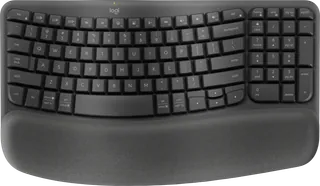
Wave Keys · Logitech
A compact one-piece keyboard with a gentle wave-shaped key line, a built-in memory-foam palm rest and a number pad. The easiest step into ergonomics: familiar layout, Bluetooth or receiver, up to 3 years on two AAA batteries. No split, tenting or tilt adjustment.
-
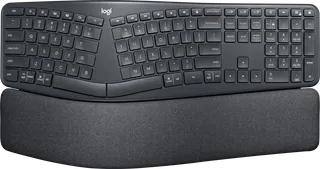
ERGO K860 · Logitech
A full-size curved, fixed-split keyboard with a built-in pillowed palm rest and legs for 0°, -4° or -7° negative tilt. Good for typists who want a split angle without relearning keys; it's large and the palm rest can't be removed. Logitech was selling it at $119.99 (from $149.99) when checked.
-
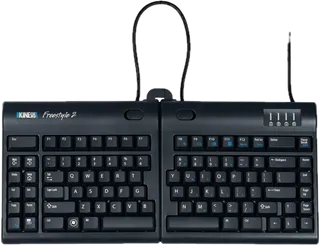
Freestyle2 · Kinesis
A low-cost fully split membrane keyboard: the halves pivot and separate up to 9 inches (a 20-inch version is sold). Flat out of the box; tenting kits and palm supports cost extra. Wired, with no remapping software.
-
Freestyle Pro · Kinesis · No longer sold
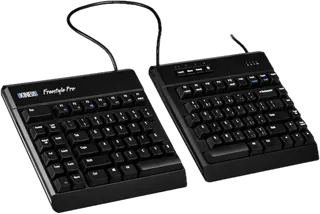
Kinesis's earlier split mechanical keyboard with Cherry MX switches, a 20-inch link cable and onboard programming. No longer listed by Kinesis; its store page now points to the Freestyle Edge RGB+, but support pages remain.
-
Freestyle Edge RGB+ · Kinesis
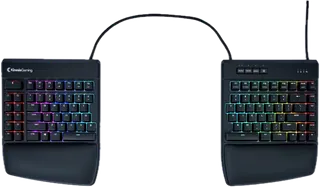
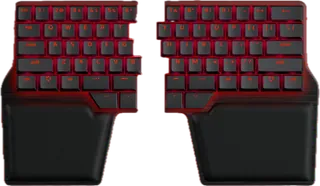
A fully split, programmable mechanical keyboard with hot-swap Gateron switches, per-key RGB, and an included lift kit (5–15° tenting) and cushioned palm supports. Familiar row-staggered keys on a 20-inch link cable; wired only and heavy.
-
Advantage360 · Kinesis
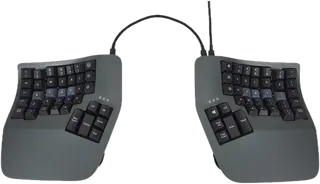
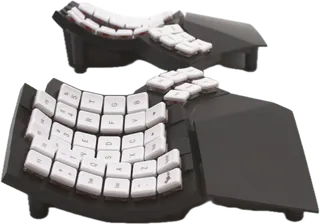
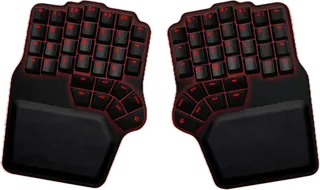
A fully split, contoured key-well keyboard with columnar keys, thumb clusters and three built-in tenting heights, programmed onboard with no software or batteries. One of the most thorough ergonomic designs; expensive and slow to learn. Wired USB.
-
Advantage360 Pro · Kinesis
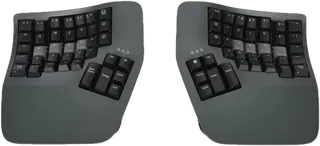
The wireless Advantage360: the same contoured, fully split, tented design with Bluetooth to multiple devices, rechargeable batteries, optional backlighting and open-source ZMK firmware. Battery life drops to weeks with the backlight on.
-
Advantage2 · Kinesis · Discontinued Jan 2026
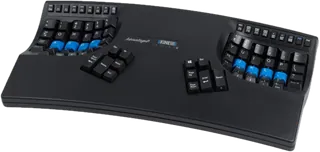
The classic one-piece contoured keyboard with key wells fixed at 20° tenting, columnar keys, thumb clusters and Cherry MX switches. Kinesis announced it is winding down production (January 2026), so it is sold while supplies last.
-
mWave · Kinesis
A compact fixed-split keyboard with built-in tenting, a washable palm support and low-profile mechanical switches, wired or Bluetooth to two devices. A moderate change from a standard keyboard at a mid-range price.
-
Moonlander · ZSA
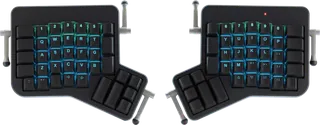
A fully split, columnar mechanical keyboard with an articulating thumb cluster, detachable wrist rests, hot-swap switches and per-key RGB, programmed with ZSA's Oryx configurator. Tenting beyond its built-in legs uses an optional platform; wired only.
-
Voyager · ZSA
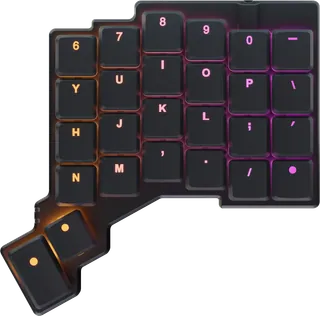
A small, light fully split keyboard with 52 low-profile hot-swap keys and included magnetic tenting legs, popular for travel and minimalist setups. Numbers and symbols live on layers, so it takes the most adjustment; wired only.
-
ErgoDox EZ · ZSA
ZSA's original fully split, columnar keyboard with large thumb clusters, hot-swap switches and QMK/Oryx programming, made to order. Tilt/tent kit and wrist rests are optional add-ons; wired only.
-
Glove80 · MoErgo
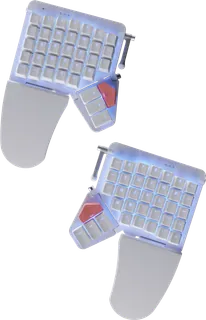
A light, fully split wireless keyboard with concave key wells, six thumb keys per side, built-in continuously adjustable tenting and detachable sculpted palm rests. Low-profile switches and Bluetooth to four hosts; a steep but rewarding learning curve.
-
UHK 80 · Ultimate Gadget Laboratories
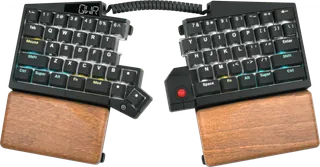
A wireless fully split keyboard with a familiar row-staggered layout, eight thumb keys, built-in wooden palm rests, tenting and negative-tilt feet, hot-swap switches, an OLED display, and pairing with up to 20 devices. Batteries and the wireless dongle cost extra.
-
Periboard-512 · Perixx
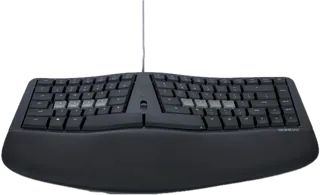
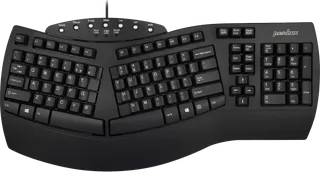
A budget one-piece split-key membrane keyboard with an integrated palm rest and multimedia keys. The cheapest way to try a split angle; no tenting, tilt or remapping, and wired only. On sale for $49.99 (from $59.90) when checked.
-
Defy · Dygma
A fully split mechanical keyboard with eight thumb keys per side, hot-swap sockets, per-key RGBW lighting and included palm pads. The $369 base is wired; built-in 0–60° tenting (+$80) and wireless (+$90) are paid upgrades.
-
Raise 2 · Dygma
A fully split, row-staggered mechanical keyboard with a split space bar of thumb keys, hot-swap sockets, RGB lighting and included palm pads, programmed with Dygma's Bazecor app. The $369 base is wired; 0–60° tenting (+$80) and wireless (+$90) are paid upgrades.
-
Keychron Q11 Ultra 8K · Keychron
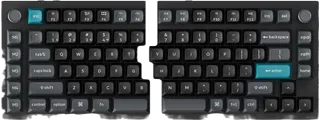
A fully split 75% aluminum keyboard whose halves link wirelessly with no center cable, with hot-swap switches, a knob, per-key RGB and Mac/Windows keycaps. Familiar row-staggered keys; no tenting, and heavy at over 1.7 kg.
-
Keychron V10 Ultra 8K · Keychron
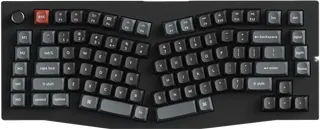
An affordable one-piece Alice-layout keyboard: the key groups angle apart with split space bars, giving a gentler wrist angle without a split. Hot-swap switches, wireless to multiple devices and long battery life; no tenting.
Suggest a change
Related comparisons
-
 Laptop stands
Compare fixed, adjustable, and folding laptop stands by how high they lift the screen, how they adjust, what they weigh and fold down to, what size laptop they hold, and the warranty. The trade-off is between solid desk stands that stay put and light folding stands you can carry, and between a fixed height and one you can tune.
-
 KVM switches
Compare desktop KVM switches for sharing one desk between two computers, such as a work laptop and a personal PC. The real choices are how many monitors you need, which video connections your computers have (HDMI, DisplayPort or USB-C), refresh rate, EDID emulation so windows stay put, USB speed, and whether the switch can charge a laptop.
-
 USB-C docking stations
A USB-C dock turns one cable into monitors, charging, and the ports a laptop left off. The split that matters is Thunderbolt versus plain USB-C: Thunderbolt drives more screens and faster drives, and plain USB-C is cheaper when you only need one or two displays.
-
 Uninterruptible power supplies
Compare desktop and tower uninterruptible power supplies (UPS) from CyberPower, APC and Eaton for a home office, home network or small business. A UPS keeps your computer, monitor, router and modem running through short outages and gives you time to save work and shut down. The real trade-offs are output power, pure sine wave versus simulated output, runtime at your actual load, and how easily you can replace the battery when it wears out.
-
 Desk lamps
A good desk lamp puts enough light on your work without glare in your eyes or on your screen. Options range from classic spring-balanced arm lamps to LED lamps with adjustable color temperature and automatic brightness, and monitor light bars that take no desk space. This grid compares brightness, color temperature, glare control, adjustability, mounting and price.
-
 Monitor arms
Compare single, dual, and heavy-duty monitor arms by the weight and screen size they hold, how far they reach and lift, how they attach to a desk, and the warranty. The real trade-off is between cheap gas-spring arms that work well within a narrow weight band and premium arms with longer reach, wider weight ranges, and longer warranties.